
Data Report · By Chris Sowa · Published
Last updated
Does a Coding Agent Running on My Laptop Have My Logged-In Sessions?
If it drives your browser, yes: Browser Use documents a mode that automates your existing Chrome, where you are already logged in. A coding agent that only runs commands does not, until someone adds a browser tool.

A developer's laptop is signed in to far more than the repository. Email, cloud consoles, hosting dashboards and the company's admin tools are often open in a browser profile that stays logged in for weeks. A coding agent that can drive that browser acts as the person on every one of those sites, so the setup matters more than the model, and the developer answers for whatever the agent does there. The answer to the title therefore depends on one question: whether a browser tool is attached to the profile where the developer is signed in. Without one, the agent has files and a shell and little else. With one, it has every site the profile is logged in to, and everything those sites let the user do. This page works from the documentation of two browser-agent projects, using one record type as its example, a browser tool open on a hosting dashboard where the developer is already signed in. The settings the vendors document narrow where the agent goes and what it is shown, and none of them removes the session, so the decision a team faces is which profile the tool may attach to before anyone runs it. Does an AI Agent Browse With My Real Browser Profile? takes the profile question in general, and this page keeps to the laptop case and to coding agents.
Key findings
- Browser Use's real-browser documentation says its mode lets you "automate your existing Chrome browser, so you are already logged into your websites," which describes an agent attached to the user's own browser profile (Browser Use, Real, 2026).
- Browser Use's sensitive-data page describes allowed_domains and use_vision, which narrow where the agent may go and what it sees, and none of them removes a session the profile already holds (Browser Use, Sensitive, 2026).
- Skyvern states that its model "gets placeholders, not your values," and that it can save a signed-in browser so later runs skip the login form (Skyvern, 2026).
- Web agents "are prone to inadvertent use of unnecessary sensitive information," so a session that exposes a dashboard exposes what the dashboard shows (Zharmagambetov et al., 2025).
- A governed environment that replaces values with consistent tokens before any model reads the screen keeps sensitive values on a signed-in page out of the context, though it does not change the permission the session carries (What Is Least Exposure?).
- Real values resolve only at the approved destination, so a person approves each consequential action taken in a session (What Is a Tethered Agent?).
Does a coding agent on my laptop inherit my logged-in sessions?
Only if it has a browser tool attached to the profile. A coding agent that reads files and runs commands has the files and the shell. It does not hold a live browser session. The cookie store is a file in the browser's profile, so whether the agent can read it follows the same file rules as ~/.ssh or ~/.aws, and the operating system usually encrypts it.
The situation changes when someone adds a browser tool. An agent that drives the developer's own browser inherits whatever the profile holds: the email session, the cloud console, the source host, the hosting dashboard. Browser Use's real-browser mode is described as one that lets you "automate your existing Chrome browser, so you are already logged into your websites" (Browser Use, Real, 2026). The agent does not need the password, because the session already proves who is acting. That is the difference between a stolen password and an inherited session: the second leaves nothing to rotate and nothing to find in a log of failed logins.
The record type for this page is a browser tool open on a hosting dashboard where the developer is already signed in. The agent sees the page the developer would see and can click what the developer could click, including buttons that delete, deploy or pay. Does Claude in Chrome Use Your Saved Logins and Open Sessions? asks the same question of another product, where use of open sessions is not described in the pages reviewed.
What do the vendors themselves say?
Browser Use's real-browser documentation describes automating the user's existing Chrome, where the user is already logged in, and its sensitive-data page describes settings that limit what the agent is given and where it may go (Browser Use, Real, 2026). It does not describe a way to attach the user's profile and also hide the signed-in state from the agent.
Skyvern's credentials documentation says the model gets placeholders and that Skyvern "signs in once, checks it worked, and saves the signed-in browser so later runs skip the login form" (Skyvern, 2026). A typed value can still show up in later screenshots and page text unless Mask Secrets is on.
Neither project's documentation describes an approver for consequential actions or a record of what the model read, as far as the pages reviewed show. Each project's documentation was read as one source among several, and the comparison is not a ranking: the two projects document different parts of the same problem, and the table records what each page covers.
| Source | What it documents | What the pages reviewed do not describe |
|---|---|---|
| Browser Use | Real-browser mode: existing Chrome, already logged in; sensitive_data, allowed_domains, use_vision | Hiding a signed-in state from the agent; an approver |
| Skyvern | Placeholders to the model; saved signed-in sessions | An approver; what a signed-in page shows the model |
What does a session carry?
Everything the user's login carries. A session is the user's authority at a point in time: the sites it reaches, the actions it permits, the data it can read. An agent using it acts as the user, and the site cannot tell the difference between a person's click and an agent's.
That is why a browser tool attached to a personal profile is a larger step than a shell. The files a coding agent reads are bounded by its permission rules and, for sandboxed commands, by deny rules, and by default that reach includes the home directory. A session is bounded only by what the user's account can do, and for a developer that is often a great deal. A developer with access to production, billing and customer data has handed all of it to the tool, whether or not the task needed it. The tool did not ask for the access in so many words. The profile supplied it.
The practical reading is to give the agent a browser profile of its own, signed in to nothing, and to add only the accounts the task needs with the narrowest role the site offers. Does an AI Agent Need Your Admin Login to Set Up a SaaS Tool? makes the case for scoped accounts, and Can an AI Agent Sign Up for Developer Services Without Seeing Your Payment Card or Identity? covers the sign-up flow.
Which settings narrow a browser agent, and which do not?
An allowed_domains setting limits where the agent may navigate. A sensitive_data setting limits what the agent is shown of the values it needs to type. A use_vision setting controls whether the agent reads the page as an image. Each narrows one route, and each is described in Browser Use's documentation (Browser Use, Sensitive, 2026). They are worth setting on every run, because a narrower surface means fewer places for an instruction hidden in a page to send the agent.
None of them removes the session. If the profile is logged in to the dashboard and the dashboard is on the allowed list, the agent can act there as the user. The settings reduce the surface, and the profile decides the authority. A team that sets the three and leaves the personal profile attached has narrowed the route and kept the authority.
Research on the page content side points the same way. A modular defense at the agent-tool interface reported strong results on four public benchmarks (Bhagwatkar et al., 2026), which suggests that a control belongs on the route between the tool and the model. Swapping identifiers for consistent pseudonyms and restoring them afterward "reduces semantic utility errors by a factor of 5 compared to baseline techniques" (Serenari and Lee, 2025). Both are results about content, and neither changes what a session is permitted to do.
Where does the exposure show up in practice?
On pages that show more than the task needs. A hosting dashboard lists environment variables, deployment tokens and billing details. A cloud console lists keys. An email session lists everything. Harvard's security office lists Sensitive Data Exposure and Context and Memory Leakage among seven risk categories for AI-enabled systems (Harvard University Information Security and Data Privacy, 2026), and a signed-in page touches both.
Columbia's DAPLab collected incidents in which agents deleted a production database, rebuilt a production environment and exfiltrated data (Columbia DAPLab, 2026). None of those incidents involves a browser session; the list is cited for the pattern that damage follows from reach, which a signed-in profile maximizes. Attack research makes the same point from the other direction: web agents are prone to inadvertent use of unnecessary sensitive information (Zharmagambetov et al., 2025), and a signed-in dashboard is full of it.
The example record shows the pattern at small scale. The agent was asked to check a deployment, and the dashboard it opened also showed variables, tokens and a billing page. The fix is architectural: a profile signed in to nothing, scoped accounts, and a person approving what the agent does. Rotating anything the agent could see on the page completes the cleanup, because a value read into a context cannot be recalled. Is It Safe to Let an AI Agent Set Up Your Cloud Environment? covers the cloud side.
What does a governed environment change?
A governed environment is a control class that acts where a screen is rendered, before any model reads it. Values chosen by policy are replaced with consistent tokens for the whole run, so the model works on placeholders. Real values resolve only at an approved destination, at the moment of an approved action. A named person confirms the tokenization policy and approves each consequential action. Every screen as tokens, every action and every approval is written to a record that exports to the organization's own monitoring.
For this question it covers the part of the problem that sits on the page. If the agent works on a signed-in dashboard, values the policy names, such as keys, tokens and customer identifiers, are replaced with placeholders before the model reads them, and a person approves consequential actions. It does not change the permission the session carries. Which account the agent uses, and how narrow its role is, remain questions for identity controls, and a team should settle them first.
Its scope is the rendered page. It does not govern the terminal, the IDE, the local filesystem, direct API calls or MCP, so a coding agent's shell and files are not covered by it. A developer who attaches a personal browser profile to a tool outside a governed environment gets none of the above, and the first fix is the profile.
Methodology and limitations
This page rests on the documentation of Browser Use and Skyvern, three research papers, Harvard University guidance, a Columbia DAPLab post and existing RedactSure research pages. Sources were read between October 16, 2026 and October 21, 2026. Quoted facts are cited to the page that states them. The page is a reading of public documents and should be read with each project's current documentation open, since these projects change frequently.
RedactSure did not test either project hands-on, and no claim here depends on a configuration it did not read about. "Not described in the pages reviewed" means the pages reviewed and nothing broader, and the Skyvern entry rests on its credentials page alone. The table is a summary of the documentation as read and not a configuration guide. The research papers concern web agents and defenses in general and are cited for the principle only. Vendor features change, and the page carries its date. Statements about RedactSure describe its current design, and RedactSure is deploying now with enterprise and government customers. Examples describe record types, such as a browser tool open on a signed-in dashboard, and not organizations.
Determinations about whether a configuration meets a legal, contractual or regulatory requirement belong to counsel, assessors and the organization's own security and compliance officers. Nothing here replaces a test of the organization's own browser tool, with a profile signed in to a test account, repeated after each release, since a change to the tool, however small, would change the answer. The date on this page marks when the documents were read, and a later release should be treated as unreviewed until the test is repeated.
What the record shows
The documentation gives a direct answer with a condition. A coding agent that only runs commands does not hold the user's logged-in sessions, and an agent with a browser tool attached to the user's profile does. The settings described narrow where the agent goes and what it is shown, and none removes the session. None of the pages reviewed describes who approved an action taken in a session or what the model read. A few minutes is enough to check this on a real setup: attach the browser tool to a profile signed in to a test account, ask the agent to open the account page, and record what it could see and do, with the date and the version of the tool.
Frequently asked questions
Does a coding agent running on my laptop have my logged-in sessions?
Only if it has a browser tool attached to your profile. An agent that reads files and runs commands has the files and the shell, and no live browser session. With a browser tool attached to your existing Chrome, Browser Use describes you as already logged into your websites, and the agent acts inside those logins. Test with a profile signed in to a test account, give the agent a profile of its own, and repeat the test after each release.
What does a logged-in session give an agent?
The user's authority at that moment: the sites the login reaches, the actions it permits and the data it can read. The site cannot tell a person's click from an agent's. A developer with access to production, billing and customer data has handed all of it to the tool, whether or not the task needed it, so the narrowest profile that does the work is the safer choice, and the safest is one signed in to nothing at the start of the task.
Do allowed_domains and sensitive_data fix it?
They narrow it, though only in part. Browser Use documents allowed_domains to limit where the agent may navigate, sensitive_data to limit what the agent is shown of the values it needs, and use_vision to control whether it reads the page as an image. None removes a session the profile already holds, so if the dashboard is on the allowed list the agent can act there as the user. Set them anyway, since a narrower surface is better than a wider one, and pair them with a profile of their own.
What should the agent's browser profile look like?
A profile of its own, signed in to nothing at the start, with only the accounts the task needs added, each with the narrowest role the site offers. Keep personal email, cloud consoles and billing out of it. Review the accounts when the task ends, sign the agent out, and delete the profile if it is not needed again, since an old session is a standing grant of access. This limits the authority the session carries, which settings on the tool do not.
Does a governed browser environment solve it?
Partly. It replaces sensitive values on a signed-in page with placeholders before the model reads them, and a named person approves consequential actions. It does not change the permission the session carries, so the account the agent uses and the narrowness of its role remain questions for identity controls, to be settled first. It also does not cover the terminal, the IDE or the local files, so a coding agent still needs its own controls there, and each control closes a different route.
What should a security team ask for in writing?
Ask whether the browser tool attaches to a personal profile, which accounts are signed in, which domains are allowed and who approves a consequential action. Ask which record shows what the model read, and name the owner of each answer. Treat anything the vendor does not document as unanswered, and ask for a dated answer that names the version and the configuration, so it can be checked again after the next release and compared with the last one.
Related reading
What Is Least Exposure? · What Is a Tethered Agent? · Does Claude in Chrome Use Your Saved Logins and Open Sessions? · Does an AI Agent Need Your Admin Login to Set Up a SaaS Tool? · Is It Safe to Let an AI Agent Set Up Your Cloud Environment? · Does an AI Agent Browse With My Real Browser Profile? · Can a Coding Agent Read My AWS Credentials File? · How Do I Let a Coding Agent Open Pull Requests Without Giving It My Credentials? · On the RedactSure blog: Secure AI for Schools and Campuses · What If the Agent Never Had Your Data? · RedactSure
Sources
Peer-reviewed research and preprints
-
Serenari and Lee, "Semantically-Aware LLM Agent to Enhance Privacy in Conversational AI Services," arXiv:2510.27016, October 30, 2025 (preprint). https://arxiv.org/abs/2510.27016
-
Zharmagambetov, Guo, Evtimov et al. (Meta FAIR), "AgentDAM: Privacy Leakage Evaluation for Autonomous Web Agents," arXiv:2503.09780 v3, Oct 1, 2025 (NeurIPS 2025 Datasets and Benchmarks) (peer-reviewed). https://arxiv.org/abs/2503.09780
-
Bhagwatkar, Kasa, Puri, Huang, Rish, Taylor, Dvijotham, Lacoste (ServiceNow, Mila, Universite de Montreal, University of Guelph, Vector Institute), "Indirect Prompt Injections: Are Firewalls All You Need, or Stronger Benchmarks?" arXiv:2510.05244v2, March 23, 2026 (preprint). https://arxiv.org/abs/2510.05244
Vendor documentation
-
Browser Use, "Real Browser," open-source documentation (vendor documentation; read October 21, 2026). https://docs.browser-use.com/open-source/customize/browser/real-browser.md
-
Browser Use, "Sensitive Data," open-source documentation (vendor documentation; read October 21, 2026). https://docs.browser-use.com/open-source/examples/templates/sensitive-data.md
-
Skyvern, "Credentials," documentation (vendor documentation; read October 21, 2026). https://www.skyvern.com/docs/credentials.md
Industry analysis and press
-
Harvard University Information Security and Data Privacy, "Best Practices: Managing Generative AI Systems" (university guidance; read October 16, 2026). https://privsec.harvard.edu/best-practices-managing-generative-ai-systems
-
Columbia DAPLab (Ang, Huang, Liargkovas, Liu, Liu, Pagonas, Summers, Wang, Xu, Zhou, Zhang, Yu, Zhang, Peng, Kaffes, Wu), "The Need for Agentic Data Environments," DAPLab Blog, May 21, 2026 (position paper summary). https://daplab.cs.columbia.edu/general/2026/05/21/the-need-for-agentic-data-environments.html
RedactSure documents
-
RedactSure Research, "What Is Least Exposure?" (2026). https://redactsure.com/research/what-is-least-exposure/
-
RedactSure Research, "What Is a Tethered Agent?" (2026). https://redactsure.com/research/what-is-a-tethered-agent/
-
RedactSure Research, "Does Claude in Chrome Use Your Saved Logins and Open Sessions?" (2026). https://redactsure.com/research/does-claude-in-chrome-use-your-saved-logins-and-open-sessions/
-
RedactSure Research, "Does an AI Agent Need Your Admin Login to Set Up a SaaS Tool?" (2026). https://redactsure.com/research/does-an-ai-agent-need-your-admin-login-to-set-up-a-saas-tool/
-
Product behavior described on this page reflects RedactSure's current design. Third-party products are described from their public documentation as read between October 16, 2026 and October 21, 2026. Compliance determinations belong to the organization's counsel.

What Is Least Exposure? Reading the Principle, the Gap It Closes and the Published Numbers Behind It
Least Exposure is a security approach for AI agents that gives each task only the data it needs, applied before any model reads the screen.
What Is a Tethered Agent? The Plain-Words Name for an Agent a Named Person Answers For
A tethered agent stays tied to a named person for the whole run: that person grants access, sees what the agent sees and approves consequential actions.
Does Claude in Chrome Use Your Saved Logins and Open Sessions?
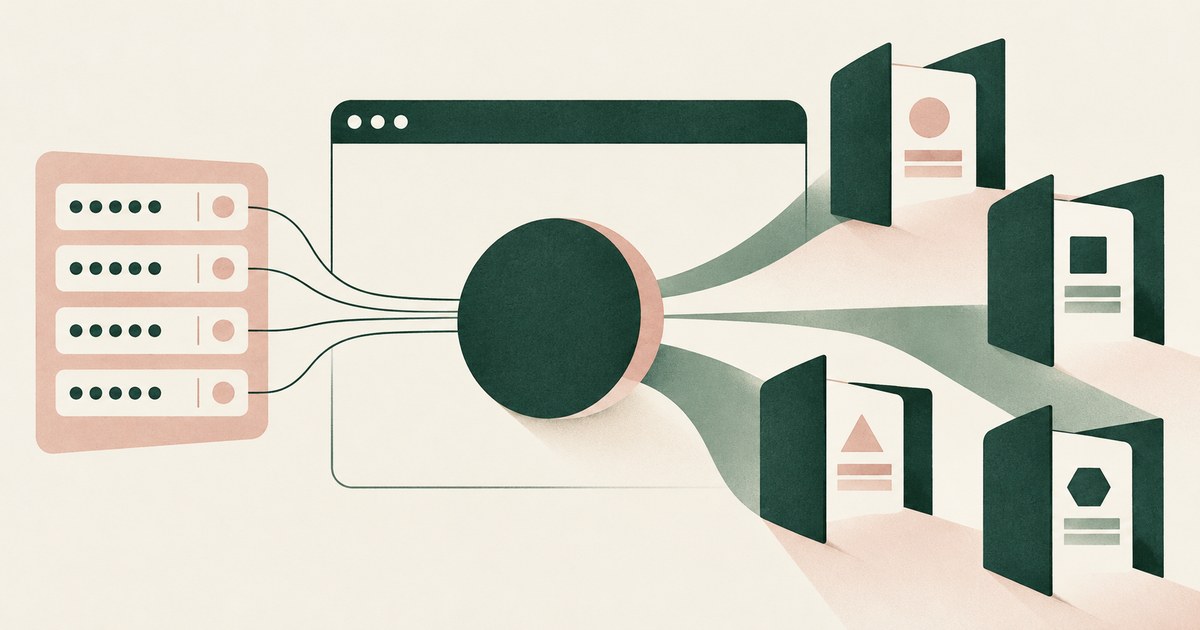
Claude in Chrome runs in the user's own browser and can request 1Password logins, so assume it acts in signed-in sessions. Check which apps it reaches.

Does an AI Agent Need Your Admin Login to Set Up a SaaS Tool?
No. The agent should run under a delegated session with a scoped admin role, never the administrator's password. Check which identity the session runs as.

Is It Safe to Let an AI Agent Set Up Your Cloud Environment?
Only when the agent never holds root or owner credentials, works under scoped roles, and a named person approves billing, IAM and network changes.
Does an AI Agent Browse With My Real Browser Profile?
Often yes: an extension agent such as Claude in Chrome works inside the browser you are signed into. Launch agents in a fresh, narrow profile.
Can a Coding Agent Read My AWS Credentials File?
Any agent with filesystem access can read ~/.aws/credentials unless the harness blocks the path. Claude Code and Cursor document path blocks;
How Do I Let a Coding Agent Open Pull Requests Without Giving It My Credentials?
Give the agent a way to request the action, not the credential: a broker holding a repository-scoped token performs the push and the pull request for it.

AI Is Already in Your Schools. Make It Safe , and Useful.
Explore AI agents for student records and school administration, with FERPA considerations, tokenization and approvals by district staff.

What If the Agent Never Had Your Data?
Explore AI agent security built around tokenization, controlled browser actions and human approval before sensitive payments proceed.
How RedactSure Limits What an Inherited Session Shows a Coding Agent
A browser tool attached to a developer's own profile inherits every signed-in site, and the settings reviewed above narrow the route without deciding what the model reads.
The environment that enforces this is built by RedactSure, an AI agent controls, governance and data protection company.
Before: the agent checking a deployment opens the hosting dashboard and reads the environment variables, the deployment token and the billing details in the clear. Inside the governed environment: the same page reaches the model as KEY_001 and TOKEN_001, the check finishes on tokens, and a redeploy waits for a named person's approval.
RedactSure is deploying now with enterprise and government customers. Browser Use documents a mode that automates the existing Chrome where the user is already logged in.
Everyone else controls where data can go. RedactSure controls what the AI can see.
See it on your own workflow
An agent on your laptop works inside every session you are signed into. Bring a task such as checking a deployment and see, with test values, what the hosting dashboard shows the model. Book a demo