
Data Report · By Chris Sowa · Published
Last updated
Does Auto-Approve Mode Put My Credentials at Risk?
Yes, in proportion to what the agent holds: auto-approve with placeholders and an adapter is convenience, while auto-approve with a live token in the environment is a standing exfiltration path. Check which value the agent holds at the moment the prompt disappears.

An approval prompt is a checkpoint on an action, and turning it off changes nothing about the credential the agent already carries. The mode decides how often a person is asked. Custody decides what is at stake when nobody is asked. Whether auto-approve is safe cannot be settled in the abstract, because no setting is safe or unsafe without knowing what value the run is holding. An agent running with a placeholder it cannot resolve, behind an adapter that injects the real value at one approved host, is using a convenience. An agent running with a live key in its environment holds a working credential for the length of the run, and every request it composes can carry that credential to any host the network allows. This page separates the two designs, reads what Anthropic, Cursor and E2B document about permission rules, sandboxes and credential proxies, and sets the recorded exposure against what an injected instruction can collect. The vendors document controls over actions and none over the value the model receives, so the custody choice, and accountability for it, stays with the team that sets up the run. A reader who stops before the closing section should still be able to say which design the tool in front of them uses. The record throughout is one auto-approved run in both custody designs, not a named company.
Key findings
-
Cursor's documentation states that "by default, terminal commands need your approval," and it describes its run modes as "best-effort guardrails rather than a hard security boundary," a default on an action that says nothing about what the agent holds and a mode that changes only how often the default is applied (Cursor, 2026).
-
Anthropic's Claude Code permission page says a
Readdeny rule blocks the built-in file tools at a path such asRead(./.env), then adds that the rules "don't apply to a command that reads files without naming them," a rule that covers a named path and not every route to it (Anthropic, Configure, 2026). -
The sandboxing page states that the sandbox covers shell commands only, while Read, Edit, Write, WebFetch, WebSearch, MCP servers and hooks run outside it, so the boundary covers commands and not the files they read (Anthropic, Sandboxing, 2026).
-
Least privilege governs the actions and credentials an agent may use and not the content of the screen it reads. An agent can pass every scope check and still hold each credential it was shown (What Is Least Exposure?).
-
A governed run replaces a policy-chosen credential with a consistent token before any model reads the screen, so an auto-approved agent works with a placeholder and never holds the key (How Do You Let an AI Agent Manage API Keys Without Reading Them?).
What does auto-approve mode turn off, and what is left in place?
Auto-approve is a family of settings rather than a product feature. In a coding agent it usually means one switch that removes the confirmation before a class of actions: a command runs, a patch applies, a tool call leaves, and the run continues without a person in the loop. Cursor's security page puts the default on approval for terminal commands and for MCP connections, and describes its run modes as "best-effort guardrails rather than a hard security boundary" (Cursor, 2026). Anthropic's engineering write-up says sandboxing "safely reduces permission prompts by 84%" (Anthropic Engineering, 2025). Both are statements about the number of prompts.
That distinction fixes the scope of this page. The evidence here comes from the rendered pages an agent works in, a cloud console's access keys page, a repository's secrets settings, a CI service's token page, together with the runtime that holds the value. A governed browser environment covers what the agent reads and does on a rendered page, dashboards, consoles, settings pages and sign-up forms, and it does not cover the terminal, the IDE, the local filesystem, direct API calls or MCP. A coding agent's shell is governed by sandbox and network rules, which this page cites where they bear on custody; a browser control does not govern a shell command.
The mode is the wrong unit for the risk because two runs can have the same setting and different exposure: the setting changes who is asked, and custody changes what can be taken. The next section separates the two custody designs.
Does the risk come from the mode or from the custody?
The credential is stored with the environment, the sandbox or an egress proxy, and the run receives a reference. E2B's documentation describes the pattern: "secrets let you store credentials such as API keys with E2B and reference them by name," "your sandbox configuration contains only a reference to the secret," "the egress proxy injects the real value into matching outbound HTTPS requests outside the sandbox," and an environment variable is one "any code running in the sandbox can read it" (E2B, 2026). Auto-approve here is convenience: the reference is useless at any host but the mapped one.
The key sits in a .env file, a shell profile, a CI variable or a tool's own config, and the agent loads it to do the work. That contrast is the point. Auto-approve does not create the exposure; the agent could read the value before. It removes the last checkpoint between reading and using, so a request that would have stopped for a person now leaves with no event that carries a name.
The record scenario for this page is one auto-approved run under both designs: rotate a deploy key from a CI service's settings page. Under custody by reference, the settings page renders TOKEN_014, the agent composes the rotation against that token, and the adapter injects the real value only at the provider's API host. Under custody in the environment, the settings page renders the live token in a field, the model reads it, and the same model can put it in any request the run can reach. The tether is a description of authority, not of capability, so the run reaches as far as the person who set it up (What Is a Tethered Agent?).
| Custody design | What the model holds | What auto-approve removes | What limits the value |
|---|---|---|---|
| Reference with an adapter | A token such as TOKEN_014 | The prompt before each use | The host mapping: the real value resolves only at the approved destination |
| Live value in the environment | The working credential | The prompt and the approval event | Nothing inside the run; only network egress rules outside it |
| Live value on a rendered page | The value as displayed | The prompt before the next step | Whether a person reads the page first, which is not a control |
What do the vendors themselves say?
Anthropic's permission page documents a named-path control: a Read deny rule blocks the built-in file tools at a path such as Read(./.env), a .claudeignore file "has no effect, so move its entries into Read deny rules," and the rules "don't apply to a command that reads files without naming them," such as grep -r pattern . run from the directory that holds the file (Anthropic, Configure, 2026). A block that names a path is a block on the tools that name the path.
The sandbox covers shell commands only, while Read, Edit, Write, WebFetch, WebSearch, MCP servers and hooks run outside it (Anthropic, Sandboxing, 2026). Masked credentials work inside that boundary: the sandboxed command sees a sentinel, and a local proxy substitutes the real value only on hosts in injectHosts, or on every host in network.allowedDomains when that list is empty. On macOS a masked credential file cannot be read at all inside the sandbox, the same effect as deny. The split matters for a credential: the Read tool returns a file's contents into the model's context, while a masked command keeps the value out of the command's environment only.
Cursor's page documents the approvals rather than a custody design: terminal commands and all MCP connections need approval by default, the run modes are "best-effort guardrails rather than a hard security boundary," and the page warns that "AI can behave unexpectedly due to prompt injection, hallucinations, and other issues" (Cursor, 2026). It describes no sandbox and no credential storage. A team reading it learns what will be asked and not what the model will hold.
| Dimension | Claude Code, per its documentation | Cursor, per its documentation | What a buyer should verify |
|---|---|---|---|
| Approval default | Permission rules and prompts; sandboxing "safely reduces permission prompts by 84%" | Terminal commands and MCP need approval by default | Which action classes the mode covers |
| Named path block | Read(./.env) deny rule; .claudeignore has no effect |
Not stated | Whether the block covers unnamed reads |
| Scope of a sandbox | Shell commands only; file tools and MCP outside | No sandbox described | Which surface the control actually covers |
| What the model holds | A masked command sees a sentinel; a proxy injects at listed hosts | Not stated | The value in context during an auto-approved run |
| Credential storage | Masking for sandboxed Bash | Not stated | Custody, not only the prompt |
What can an auto-approved run reach once it holds a live token?
A working credential in the environment can travel to any host the run can reach. Its worth is whatever the account can do, which is why a deploy key outranks a read-only token in the same environment.
Truffle Security reports "11,908 Live Secrets were detected using TruffleHog in 400TB of web data" and that "2.76 Million Web Pages contained live secrets" (Truffle Security, 2025).
Sonatype reports that "56% of the malware discovered in Q1 2025 was related to data exfiltration," a "dramatic increase from 26% in Q4 2024" (Sonatype, 2025). A measured environmental injection attack against generalist web agents stole users' specific personal information at a success rate of up to 70 percent (Can an AI Agent Sign Up for Developer Services Without Seeing Your Payment Card or Identity?). The payload is data, and a live token is the data that turns a read into a write.
AWS states that it "strongly recommends not creating access keys for the root user" (Is It Safe to Let an AI Agent Set Up Your Cloud Environment?).
An adapter narrows that step: with TOKEN_014 on the page and the real value resolving at one approved host, an injected instruction collects a reference. With the live key on the page, it collects the key.
Which approvals should survive auto-approve mode?
Separate two approvals. The first is the policy: which values are replaced, which destinations may receive the real ones, and who confirms that list. The second is the use: the moment a credential is spent on a payment, a submission, a rotation or a production change. Auto-approve can cover reads, tests and reversible edits inside a confirmed policy and still leave the second approval in place.
NIST's secure software development framework describes "a core set of high-level secure software development practices that can be integrated into each SDLC implementation" (NIST, Secure, 2022), and its adversarial machine learning report offers a taxonomy "meant to inform other standards and future practice guides" (NIST, Adversarial, 2025).
Microsoft's Agent 365 description offers "the ability to observe, govern, and secure the growing number of agents within organizations," but it does not say where the product sits relative to the model or the screen (RedactSure vs Microsoft Agent 365: 2026 Comparison & Alternative).
The inventory is the precondition. An enterprise cannot scope, monitor, or retire agents it has not listed, including agents bought inside business units (How to secure AI Agents in Enterprise?). The policy is then written per agent for those three questions.
Keep the value out of the environment the agent reads. Confirm the destination list before the first run. Leave one approval on any action that spends, publishes, deletes or changes production.
What does a governed environment change?
A governed environment is a control class, not a setting inside one agent. It decides what the model may see and what may happen with what it sees. It holds four properties.
The first is substitution before reading. The credential is replaced at the render layer with a consistent token, so the value the model receives is a reference such as CLOUD_KEY_014, and the same token appears for the same value for the whole run. The second is resolution at the destination. Real values resolve only at approved destinations, at the moment of an approved action, so the token is worth exactly one host and one step. The third is a named approver, who confirms the tokenization policy and approves every consequential action, including payments, submissions and record changes. The fourth is the record: every screen the model saw as tokens, every action and every approval with a name, exported to the organization's own monitoring.
Auto-approve changes only part of that. Inside the policy, steps proceed without a prompt. The four properties hold: tokens, one approved destination, a name on the consequential action, and a record that fills.
The contrast with custody in the environment is direct. There, the value the model holds is the working credential, no destination list is attached, and the only boundary is what the network allows. A successful injection collects the credential and can use it wherever it works. In a governed environment, the same injection collects a token.
The mode is a decision about prompts. The custody is a decision about what exists in the model's context, where the real value can appear, and who answers for the use. The two decisions are separate, and only one of them is reversible with a toggle.
Methodology and limitations
Vendor documentation carries most of this page: Anthropic's Claude Code permission and sandboxing pages, its engineering write-up on sandboxing, Cursor's agent security page and E2B's secrets page. Two NIST publications supply the standards view, and vendor research from Sonatype and Truffle Security supplies the measured exposure; those two are vendor research rather than peer-reviewed studies. RedactSure research pages are cited for the control class and the credential record. Vendor pages were read as of October 20, 2026, and each Sources line carries the date for its page. The readings are of published text, not of a running product.
RedactSure did not test any product hands-on. The behavior described is what the cited pages state on their read dates, and vendor features change; the page carries its publish date for that reason. "Not described in the pages reviewed" means the recorded facts for that page did not include the point, not that the vendor does otherwise. RedactSure statements describe current design, and RedactSure is deploying now with enterprise and government customers. The example is a record type, an auto-approved run rotating a deploy key from a CI settings page, not a named organization. It is described so a reader can map it onto their own CI service without reading an account name into the example.
Determinations about a particular workflow belong to the organization's counsel, its assessors and its own security and compliance officers. This page describes documented behavior and a control class; it does not decide whether a given mode is acceptable for a given credential. A reader should test the mode on a non-production credential before relying on the answer.
What the record shows
The record separates two questions that a single toggle hides. Every vendor page reviewed here documents a control over actions: an approval default, a path rule, a sandbox boundary, a proxy allowlist. None of them documents a control over what value the model receives on the page where a credential is displayed. The same auto-approve setting can be a convenience in one deployment and a standing exfiltration path in another because the mode is constant and the custody is not. Where the value is a reference and the destination is named, an auto-approved run holds nothing an attacker can use elsewhere. Where the value is the working credential, the run holds the account. Name one agent and one task, then test the setup by asking what value sits in its environment when the prompt disappears, which host that value works at, and who approved its use.
Frequently asked questions
Does auto-approve mode put my credentials at risk?
Yes, when the agent holds a live credential and the mode removes the last checkpoint before it is used. The mode does not create the exposure; it removes the moment a person would have seen the request. With a reference and an adapter, an auto-approved run holds a token that works at one approved host. With a live key in the environment, it holds a working credential for the whole run. The setting is not the risk; the custody is.
Is a sandbox enough to make auto-approve safe?
A sandbox narrows what a command can reach, and it can be enough for the surface it covers. Anthropic's page states that the sandbox covers shell commands only, while Read, Edit, Write, WebFetch, WebSearch, MCP servers and hooks run outside it. A credential the model reads through the Read tool, or a value rendered on a page, sits outside that boundary. One control cannot cover a surface it was not built for.
What is the difference between a placeholder and a token in the environment?
A placeholder is a value the model can read and cannot spend: it appears where the real value would, and an adapter substitutes the real value at one approved destination. A token in the environment is a value the model can read and can spend, because it is the working credential. E2B's page makes the distinction in its own words: the sandbox configuration contains only a reference, while an environment variable is one any code in the sandbox can read. The distinction decides the risk.
Can an auto-approved agent read a key from a settings page?
It can read whatever the page renders. A console's access keys page, a CI service's token page and a repository's secrets settings all display values in fields the browser draws, and a model working that page receives them. Auto-approve has no bearing on the read; it decides whether a person is asked before the next action. Keeping the value out of the rendering is a separate control. The read happens before any approval question.
Which actions should still need approval in auto-approve mode?
Keep approval on any action that spends money, submits a form, deletes data, rotates a credential or changes production. Those are the steps where a reference becomes a real value or a real consequence. Auto-approve can cover reads, tests and reversible edits inside a policy a person has confirmed. Everything else can run without a prompt. The test is whether the action is one the organization would want a name attached to in the record.
What should I check before turning auto-approve on?
Three things: what value the agent holds when the prompt disappears, which hosts that value works at, and which actions still stop for a person. If the first is a live credential and the second is the open network, the mode is a standing exfiltration path. If the first is a reference and the second is a named destination, the mode is a convenience with a boundary. Then compare that answer with what the vendor's own page states. Write the answer down before the first run.
Related reading
What Is Least Exposure? · What Is a Tethered Agent? · How Do You Let an AI Agent Manage API Keys Without Reading Them? · Is It Safe to Let an AI Agent Set Up Your Cloud Environment? · Can an AI Agent Sign Up for Developer Services Without Seeing Your Payment Card or Identity? · RedactSure vs Microsoft Agent 365: 2026 Comparison & Alternative · How to secure AI Agents in Enterprise? · What Is Approval Fatigue With Coding Agents? · Who Should Hold the Key That Unlocks an Agent's Credentials? · What Is the Difference Between Approving a Credential and Approving Its Use? · On the RedactSure blog: Payments Security in the Age of AI · What If the Agent Never Had Your Data? · RedactSure
Sources
Vendor documentation
-
Anthropic, "Configure permissions," Claude Code Docs (vendor documentation; read October 20, 2026). https://code.claude.com/docs/en/permissions
-
Cursor, "Agent Security," Cursor Docs (vendor documentation; read October 20, 2026). https://cursor.com/docs/agent/security
-
Anthropic, "Sandboxing," Claude Code Docs (vendor documentation; read October 20, 2026). https://code.claude.com/docs/en/sandboxing
-
Anthropic Engineering, "Beyond permission prompts: making Claude Code more secure and autonomous," October 20, 2025 (vendor engineering blog). https://www.anthropic.com/engineering/claude-code-sandboxing
-
E2B, "Secrets," E2B documentation (vendor documentation; read October 20, 2026). https://docs.e2b.dev/secrets.md
Regulation, standards and official guidance
-
NIST, SP 800-218, "Secure Software Development Framework (SSDF) Version 1.1," February 2022 (standard). https://csrc.nist.gov/pubs/sp/800/218/final
-
NIST, AI 100-2 E2025, "Adversarial Machine Learning: A Taxonomy and Terminology of Attacks and Mitigations," March 24, 2025 (standard). https://csrc.nist.gov/pubs/ai/100/2/e2025/final
Industry analysis and press
-
Sonatype, "Nearly 18,000 Malicious Packages Discovered in Q1," April 2, 2025 (vendor research). https://www.sonatype.com/en/press-releases/18000-new-malicious-packages-discovered-in-q1
-
Truffle Security, "Research finds 12,000 'Live' API Keys and Passwords in DeepSeek's Training Data," February 27, 2025 (vendor research). https://trufflesecurity.com/blog/research-finds-12-000-live-api-keys-and-passwords-in-deepseek-s-training-data
RedactSure documents
-
RedactSure Research, "What Is Least Exposure?" (2026). https://redactsure.com/research/what-is-least-exposure/
-
RedactSure Research, "How Do You Let an AI Agent Manage API Keys Without Reading Them?" (2026). https://redactsure.com/research/how-do-you-let-an-ai-agent-manage-api-keys-without-reading-them/
-
RedactSure Research, "What Is a Tethered Agent?" (2026). https://redactsure.com/research/what-is-a-tethered-agent/
-
Product behavior described on this page reflects RedactSure's current design. Third-party products are described from their public documentation as read on October 20, 2026. Compliance determinations belong to the organization's counsel.

What Is Least Exposure? Reading the Principle, the Gap It Closes and the Published Numbers Behind It
Least Exposure is a security approach for AI agents that gives each task only the data it needs, applied before any model reads the screen.

What Is a Tethered Agent? The Plain-Words Name for an Agent a Named Person Answers For
A tethered agent stays tied to a named person for the whole run: that person grants access, sees what the agent sees and approves consequential actions.
How Do You Let an AI Agent Manage API Keys Without Reading Them?
Swap the key for a token as the dashboard renders it, and resolve the real value in the approved field when a person confirms. Check where keys show.

Is It Safe to Let an AI Agent Set Up Your Cloud Environment?
Only when the agent never holds root or owner credentials, works under scoped roles, and a named person approves billing, IAM and network changes.

Can an AI Agent Sign Up for Developer Services Without Seeing Your Payment Card or Identity?
Yes, if card and identity fields reach the agent as tokens and real values are inserted only at checkout after approval. Check how the payment step works.
RedactSure vs Microsoft Agent 365: 2026 Comparison & Alternative
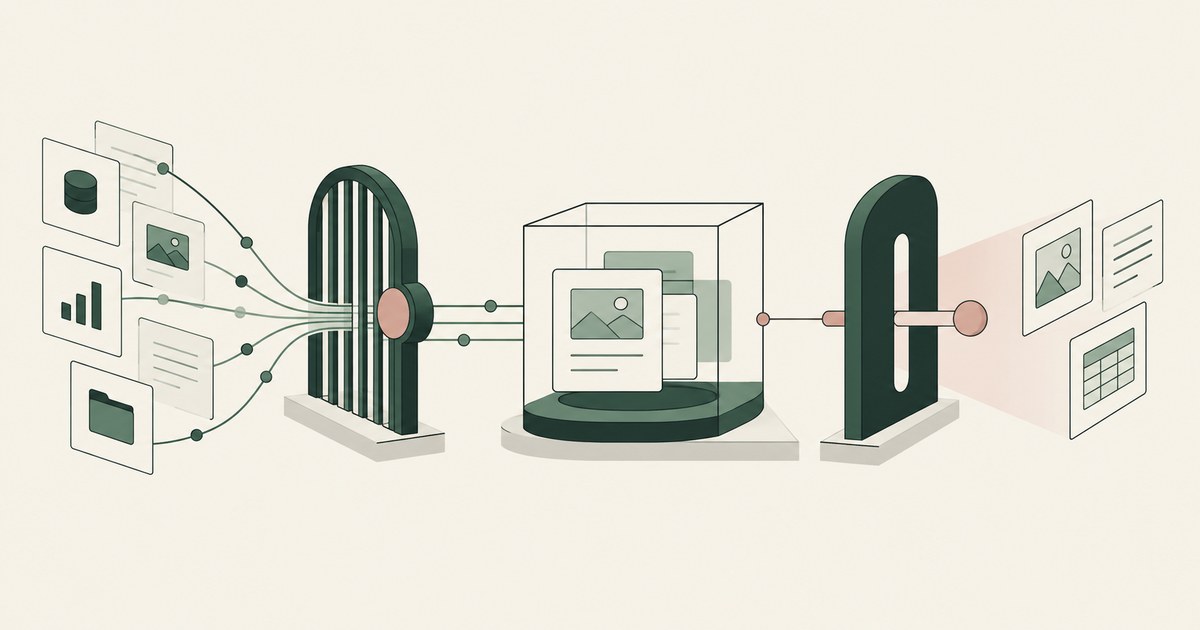
Microsoft Agent 365 governs agent reach via its registry, Entra and Purview; RedactSure replaces values on the rendered screen before any model reads it.
How to secure AI Agents in Enterprise?
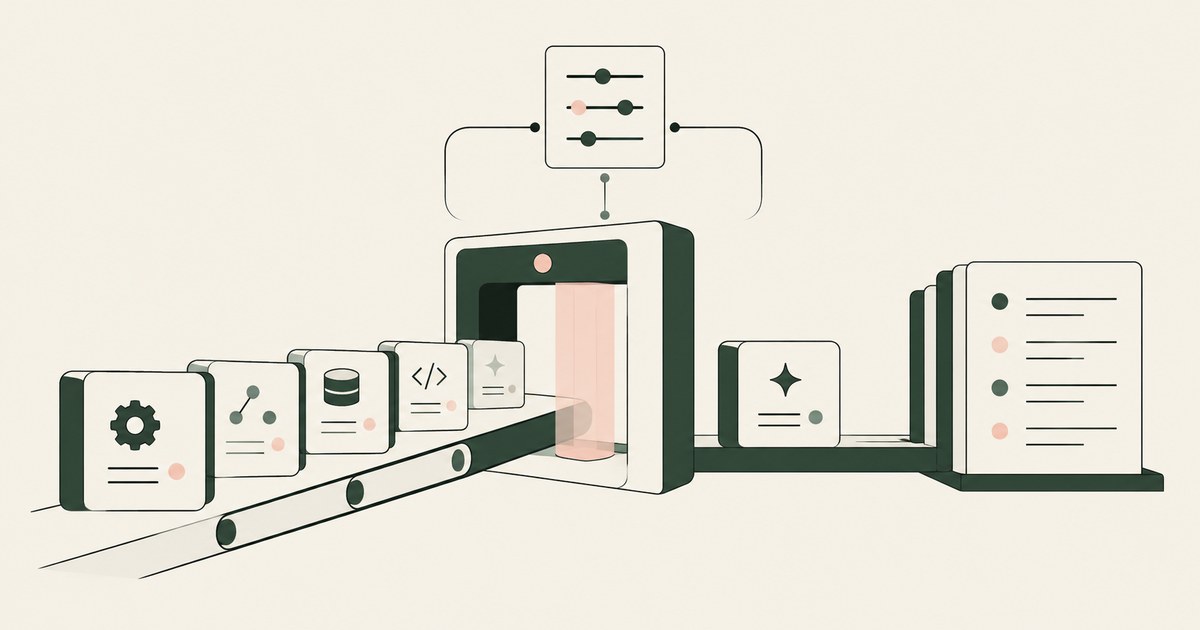
Enterprise AI agent security is a program: an agent inventory with named owners, central policy with per-task scoping, and records an auditor can review.
What Is Approval Fatigue With Coding Agents?
Approval fatigue is when a developer has approved so many prompts that approval means nothing, which is how auto-approve gets switched on.
Who Should Hold the Key That Unlocks an Agent's Credentials?
The person who delegated the work, on a client or in a vault that person controls, while the agent holds only a reference.
What Is the Difference Between Approving a Credential and Approving Its Use?
One approval lets a credential exist in a store under a named owner; the other lets a specific agent use it for a specific task.

Payments Set the Gold Standard for Security. AI Just Moved the Bar.
Explore AI agent security for payments operations, where PCI controls, tokenization and human approval address new data-exposure risks.

What If the Agent Never Had Your Data?
Explore AI agent security built around tokenization, controlled browser actions and human approval before sensitive payments proceed.
How RedactSure Keeps a Live Key Out of an Auto-Approved Run
Auto-approve keeps the run moving, and the path rules, sandboxes and proxies reviewed above cover commands and egress but not what the model reads where a key appears.
The environment that enforces this is built by RedactSure, an AI agent controls, governance and data protection company.
Before, the agent opens a CI service's settings page with auto-approve on, the deploy token renders in a field, and the model reads it with no checkpoint before an outbound request. Inside, the same page renders DEPLOY_KEY_014, a named person approves the rotation, and the real value resolves only at the provider's API endpoint.
RedactSure is deploying now with enterprise and government customers. Sonatype tied 56% of the malware it found in early 2025 to data exfiltration.
Everyone else controls where data can go. RedactSure controls what the AI can see.
See it on your own workflow
Auto-approve removes the pause where someone might have noticed a key on screen. Bring a run you already auto-approve and see, with test values, what the model reads on the settings page. Book a demo