
Guide · By Chris Sowa · Published
Last updated
How to Use AI Agents to Deploy an Azure N-Series Virtual Machine and Configure NVIDIA GPU Drivers
Run the agent inside a governed environment that hands the model ACCT_001 for the subscription and KEY_001 for each secret, with a named person on all six approvals.
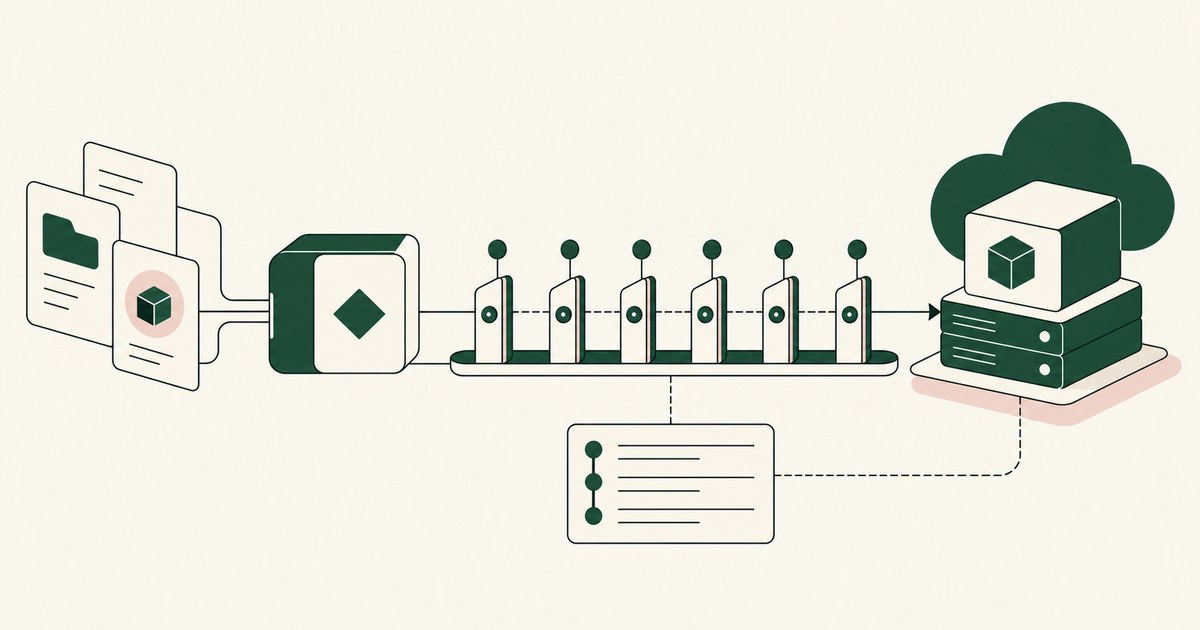
62% experimenting · 23% scaling · 1 named person
Sixty-two percent of organizations are experimenting with AI agents and 23% are scaling them (CX Today, 2026). GPU deployments sit in that gap. You hand an agent a shell after az login, ask for an NC-series VM with drivers, and by the time nvidia-smi prints a driver version the agent has read your subscription ID, your tenant ID, every object ID in the resource group and, if a vault blade was open, a secret value. The VM took an afternoon. The subscription ID is in a vendor's log, and stays there.
Roman engineers stood under a new arch when the scaffolding came out; the name on the work was the control. A GPU deployment should run the same way: the agent does the work, a render layer turns every blade into tokens before a model reads it, and a named person stands under each of six approvals.
The deployment that passes ends with a managed identity, Key Vault access for the workload's secrets and nvidia-smi listing the GPU, and an agent that never saw a subscription ID or a secret value. The size, image, region, quota count and hourly price arrive in clear. The subscription arrives as ACCT_001, the tenant as ACCT_002, each secret as KEY_001. The SSH private key never reaches the model.
A new subscription may show a GPU quota of 0
Azure groups its GPU sizes into three families: NC for compute, ND for deep learning, NV for visualization (Microsoft Learn, 2026). Each carries its own regional quota, and a new subscription may show a GPU quota of 0, so GPU families need a quota request (Microsoft Learn, 2026). The first thing the agent does is read a number. The first consequential thing it does is draft a request to raise it.
That request is the first of six approvals. The agent drafts the increase with family, region and count, and waits. The named person signs it, and the agent waits again for the grant.
Decide the family first. Training wants ND. Inference and general compute want NC. Visualization wants NV. The agent can read the size table and the hourly price and propose, but the family is a workload and cost decision the budget owner makes. Settle three things first: where the agent runs, what the model may see, and who approves.
Six of the ten steps are consequential, and each waits for a named person
10 steps · 6 approvals · 1 name on each
Supervised Delegation is the control: a named person grants the access, chooses the applications, confirms what is tokenized, can watch and pause the run, and approves every consequential action, on the record. Six steps qualify. The quota increase is a submission to Microsoft. The spend ceiling bounds the meter the deployment starts. The inbound rule decides who can reach port 22. The role assignment is an identity gaining permissions the VM inherits. The vault grant decides which secrets that identity reads. The deployment carries an SSH key whose private half is the box, and starts spend.
The other four, the resource group, the network draft, the driver install and the report, carry no money, identity or inbound path. Approve nothing, and an agent that reads a README carrying text aimed at it can open port 22 to the world or grant itself Contributor. Approve everything, and the person stops reading on the fourth prompt. Six approvals on ten steps is a number a person reads.
An agent in a laptop shell after az login holds the engineer's session for every command
Where the agent runs decides what the model sees.
| Property | Agent on the engineer's laptop | Agent in a vendor cloud computer | Agent in a customer-owned governed environment |
|---|---|---|---|
| Whose session runs az | The engineer's, held by the agent | A sign-in the vendor's service supplies | The engineer's, held by the engineer |
| What the model reads from a blade | The blade in full | The blade in full | The task's fields, with identifiers as tokens |
The agent you chose (Claude Code in the terminal, Claude Cowork on the desktop, or an OpenAI dot) does the work. Claude Code runs commands in the terminal (Anthropic, 2026); after az login on a laptop the agent holds that session. A dot's secure sign-in submits credentials without exposing them to the model's context, and the model then reads webpage text in full (OpenAI, 2026). The sign-in is shielded. The blade after it is not.
The third column is a customer-owned environment. Render-layer tokenization is replacing sensitive values with consistent stand-in tokens at the point where a screen is rendered, before any AI model reads it, so the model works with SSN_001 and ACCT_001 and real values resolve only at approved destinations at the moment of action. The principle behind it is Least Exposure: for each piece of work, the AI receives exactly the data the task requires and nothing more, enforced before any model reads the screen. The size and price are what the task requires. The subscription ID is not.
The 10 steps run from quota to nvidia-smi
1. Connect and confirm the policy. The named person connects the environment to the portal and an az CLI terminal, signs in, and confirms the planner's policy: identifiers and secrets as tokens, six approvals. The overview shows ACCT_001.
2. Quota. The agent reads the regional quota and drafts the increase (Microsoft Learn, 2026). Approval one.
3. Resource group. Created in the region. No approval.
4. Size and ceiling. The agent chooses the size, reads the hourly price, and proposes a spend ceiling and an auto-shutdown time. Approval two.
5. Network. Virtual network, subnet and security group, port 22 limited to office or VPN addresses. Approval three.
6. Identity. A system-assigned managed identity and a least-privilege role assignment, so the VM authenticates without a secret on disk (Microsoft Learn, 2026). Approval four.
7. Secrets. The named person places each secret value in Key Vault, an approved destination, and the agent drafts the access grant for the identity (Microsoft Learn, 2026). The model sees KEY_001. Approval five.
8. Deploy. Size, image, identity, network, disk and an SSH key whose private half resolves only to the approved key store. Approval six; spend begins.
9. Driver. The NVIDIA GPU Driver Extension (Microsoft Learn, 2026), or the manual setup where a driver or CUDA version is pinned (Microsoft Learn, 2026). nvidia-smi output goes on the record.
10. Report. Size, open ports, roles and hourly cost. Your SIEM shows six named approvals.
A managed identity reads the Key Vault secret so no agent has to
The VM's managed identity reads the secret at runtime, so no agent needs to (Microsoft Learn, 2026). The agent references it as KEY_001. A secret value on screen is the failure, produced by habit: open the vault blade, click show, paste.
| Property | Secret on the VM's disk | Secret value opened on screen for the agent | Secret in Key Vault, read by the managed identity |
|---|---|---|---|
| Where the value lives | A file on the box | The agent's context and the vendor's log | The vault |
| What the model sees | The file, if it reads it | The value | KEY_001 |
| Approval on the record | None | None | The grant, with a name |
The same pattern holds for the role assignment, an identity gaining permissions the VM inherits (Microsoft Learn, 2026). The agent drafts it; the subscription owner decides whether it needs Contributor or Reader on one resource group, and signs.
Carlini and colleagues showed that models emit sequences they were exposed to
Models repeat what they read. Carlini and colleagues extracted training data from a large language model verbatim (Carlini et al., 2021). Wallace and colleagues showed that models struggle to keep a privileged instruction above text they read (Wallace et al., 2024). A secret's exposure and an injection's success are one problem: the model read something it should not have.
OWASP lists sensitive information disclosure as LLM02 in its 2025 top ten (OWASP, 2025). DLP does not answer it; it decides where data may go after a process has it, not what the model receives.
The agent that passes is a tethered agent: an agent that works only inside the governed environment a named person connected it to, on the applications that person chose. Under separation of model and control, the environment deciding what an AI agent sees and who approves what it does is owned by the customer and independent of whichever model performs the work; the vendor that is the model should not also be the judge of the model. The model can be any vendor's. The controls do not move.
The environment writes an AI Control Record: the record of every screen the agent saw as tokens, every action, every approval with a name, exported to the customer's own monitoring. Azure's activity log shows the operations that resulted; a vendor's activity view shows what the agent did inside the vendor's app. Neither shows which blades the agent read or who signed.
6 Rules for deploying a GPU VM with an agent
Run the agent where the az session stays with the engineer
In a laptop shell after az login, the agent holds the session. In a governed environment the engineer keeps it. Test: Ask the agent to print the subscription ID. The answer is ACCT_001.
Tokenize the subscription, tenant and object IDs before any model reads the blade
The policy names the values and the render layer replaces them. Size, image, region and price stay in clear. Before: The portal overview reaches the model with every identifier in clear. After: The blade reaches the model as ACCT_001, ACCT_002 and a token per object.
Hand the agent secret names and keep the values in Key Vault
The named person places the value in the vault; the managed identity reads it at runtime (Microsoft Learn, 2026).
| Check | What you find |
|---|---|
| Vault blade with a value open on screen | KEY_001 in the model's context |
| Configuration the agent drafted | Names, no values |
| Vault grant | A named approval |
Put the spend ceiling and auto-shutdown on the record before the deployment approval
The agent proposes a ceiling and a shutdown time. The person signs before the deployment, not after the first invoice. Test: Open approval two. It shows the ceiling, the shutdown and a name.
Limit port 22 to known addresses in the first draft
A rule open to the world makes the box reachable by anyone the moment it starts. Before: 0.0.0.0/0 on port 22 because SSH was easier. After: Office and VPN ranges only, on the record with a name.
Let the agent draft role assignments and never grant them
The agent proposes least privilege (Microsoft Learn, 2026); the subscription owner narrows it and signs.
| Agent may | Agent may not |
|---|---|
| Draft a system-assigned identity | Create one unapproved |
| Propose Reader on one resource group | Grant Contributor to itself |
| Read assignments | Change them |
How to choose where the agent runs
- If the deployment touches a production subscription with secrets in Key Vault, run the agent in a customer-owned governed environment with six named approvals.
- If the only option is an engineer's laptop, scope a throwaway subscription with no secrets and plan the move.
- If a vendor cloud computer is on the table, read its documentation for what the model sees after sign-in; if the answer is the page in full, treat it as a laptop with a shielded password.
- If the workload pins a driver or CUDA version, choose the manual driver setup over the extension and put the version in the policy.
- If nobody can name the person who signs the spend ceiling, do not start; there is no owner.
- If the model vendor may change next quarter, choose a design where the controls stay in your environment and the model swaps.
The checklist
| Check | Pass | Fail |
|---|---|---|
| Subscription ID in the model's context | ACCT_001 | The real ID |
| Secret value with a vault blade open on screen | KEY_001 | The value |
| SSH private key | In the approved key store only | In the agent's context or the record |
| Quota request | Submitted with a name on the approval | Submitted by the agent alone |
| Spend ceiling and auto-shutdown | On the record before the deployment approval | After the first invoice, or never |
| Inbound rule on port 22 | Known addresses only, with a name | 0.0.0.0/0 |
| Role assignment | Drafted by the agent, signed by a person | Granted by the agent |
| Run in the SIEM | Six approvals with names, nvidia-smi attached | Only the vendor's activity view |
Questions
Extension or manual driver install?
The NVIDIA GPU Driver Extension when the driver Microsoft ships for the size will do and you do not need to pin a version (Microsoft Learn, 2026). The manual setup when the workload pins a driver or CUDA version, or an image policy requires your own build (Microsoft Learn, 2026). Both end at nvidia-smi, and neither is done until the output is on the record.
Should the agent ever see a Key Vault secret?
No. The VM's managed identity reads the secret at runtime, so no person and no agent needs to (Microsoft Learn, 2026). The named person places the value; the agent drafts the grant by name. In a governed environment the model sees KEY_001 even if a vault blade with the value is open on screen, and the grant carries the named person's approval.
Who approves the quota increase and the spend?
A named person, for each. The quota request commits the subscription to a request with Microsoft and sets the ceiling on future spend (Microsoft Learn, 2026). The deployment starts the meter. The agent drafts both, reads the hourly price, proposes a ceiling and an auto-shutdown time, and waits. The approval, with the name and the amount, goes on the record.
Should the agent use az login or the portal?
Both, as the task requires, inside the governed environment. The az CLI is the normal way to script a deployment and read quota, and the agent runs it in the environment's own terminal. What matters is where the session sits. On a laptop it belongs to the agent for the run. In the governed environment it stays with the engineer and the model sees tokens.
Can the agent assign itself a role to finish the job?
It can draft the assignment; it cannot grant it. A role assignment is an identity gaining permissions, and the subscription owner decides what the identity may do (Microsoft Learn, 2026). An agent that could grant itself Contributor could do anything an injected page told it to. The assignment is proposed, narrowed or approved by the named person, and recorded with that name.
How do we know what the agent did in the portal?
From a record your organization holds. Every blade the agent read is logged as tokens, every command and click is logged, and every approval carries a name. That record exports to your SIEM beside Azure's activity log of the resulting operations. A vendor's activity view shows only what the agent did inside the vendor's app. It is not your record.
Does this change anyone's Azure permissions?
No. The engineer's role in the subscription governs what the subscription may do, and nothing in the design touches it. What changes is what the model can see, which the exposure policy decides. The engineer who could read the subscription ID yesterday can read it today. The model reads ACCT_001. The two controls answer two different questions, and a role never answered the second.
Methodology
What this page rests on. Microsoft Learn documentation for N-series sizes, the NVIDIA GPU Driver Extension, manual driver setup, managed identities, Key Vault and quotas, read as of October 9, 2026. Anthropic's Claude Code documentation and OpenAI's September 29, 2026 statement on dots, dated. Carlini (2021, peer-reviewed) and Wallace (2024, preprint), cited for the finding each is known for. OWASP's 2025 LLM top ten and McKinsey figures as reported by CX Today.
What was not tested. No hands-on testing of the named products was performed. Platform steps and portal layouts change with releases, and this page carries its date. No specific organization is described; the token names and six approvals are an illustration.
Whose determination it is. Whether a deployment meets your policy is the determination of your security and compliance officers, assessor and counsel, not of this page.
How RedactSure does this
RedactSure runs the agent inside a governed environment: a secure virtual machine in the cloud your posture requires, on hardware-encrypted enclaves, with keys you hold. RedactSure holds ciphertext it cannot decrypt. The planner sets what is tokenized, here the subscription ID, tenant ID, object IDs, secret values and credentials, and marks six steps as approvals. The environment hands the model the task's fields rather than a picture of the screen, so size, image, region and price arrive in clear and the subscription arrives as ACCT_001. A named person confirms the policy and signs each approval. Real values resolve only at approved destinations at the moment of an approved action; the SSH private key reaches the key store and never the model. Every blade as tokens, every action and every approval with a name lands in the AI Control Record and exports to your SIEM. The environment is model-agnostic, swappable without moving the controls. Permissions do not change. Deployments are in pilot.
62% experimenting · 23% scaling (CX Today, 2026) · 6 approvals with a name
Book an AI Agent Security Review →
Further reading
How to Use AI Agents to Launch a GPU-Accelerated Amazon EC2 Instance · How to Secure AI Agents Across AWS, Azure and GCP · Can a Credential Vault Protect What an AI Agent Reads? · What Is the Difference Between RedactSure and Microsoft Purview for AI Agent Security? · What Is an AI Agent Security Gateway? · What Is AI Agent Session Isolation?
Sources
Peer-reviewed research and preprints
- Carlini, Nicholas, et al., "Extracting Training Data from Large Language Models," USENIX Security 2021 (peer-reviewed). https://www.usenix.org/conference/usenixsecurity21/presentation/carlini-extracting
- Wallace, Eric, et al., "The Instruction Hierarchy: Training LLMs to Prioritize Privileged Instructions," arXiv:2404.13208, 2024 (OpenAI preprint). https://arxiv.org/abs/2404.13208
Vendor documentation
- Microsoft Learn, "Sizes for virtual machines in Azure," 2026 (vendor documentation). https://learn.microsoft.com/en-us/azure/virtual-machines/sizes/overview
- Microsoft Learn, "NVIDIA GPU Driver Extension for Linux," 2026 (vendor documentation). https://learn.microsoft.com/en-us/azure/virtual-machines/extensions/hpccompute-gpu-linux
- Microsoft Learn, "Install NVIDIA GPU drivers on N-series VMs running Linux," 2026 (vendor documentation). https://learn.microsoft.com/en-us/azure/virtual-machines/linux/n-series-driver-setup
- Microsoft Learn, "What are managed identities for Azure resources?," 2026 (vendor documentation). https://learn.microsoft.com/en-us/entra/identity/managed-identities-azure-resources/overview
- Microsoft Learn, "About Azure Key Vault," 2026 (vendor documentation). https://learn.microsoft.com/en-us/azure/key-vault/general/overview
- Microsoft Learn, "Quotas overview," 2026 (vendor documentation). https://learn.microsoft.com/en-us/azure/quotas/quotas-overview
- Anthropic, "Claude Code overview," 2026 (vendor documentation). https://docs.claude.com/en/docs/claude-code/overview
- OpenAI, "How we build safety, security and privacy into dots," September 29, 2026 (vendor documentation). https://openai.com/index/how-we-build-safety-security-and-privacy-into-dots/
Regulation, standards and official guidance
- OWASP, "LLM02:2025 Sensitive Information Disclosure," OWASP Top 10 for LLM Applications, 2025 (standard). https://genai.owasp.org/llmrisk/llm022025-sensitive-information-disclosure/
Industry analysis and press
- CX Today, "McKinsey's State of AI: The Scaling Gap Is Now CX's Problem," 2026 (press). https://www.cxtoday.com/ai-automation-in-cx/mckinseys-state-of-ai-the-scaling-gap-is-now-cxs-problem/
RedactSure documents
- RedactSure Research, "What Is Least Exposure?" (2026). https://redactsure.com/research/what-is-least-exposure
- RedactSure Research, "What Is Render-Layer Tokenization?" (2026). https://redactsure.com/research/what-is-render-layer-tokenization
- RedactSure Research, "What Is Supervised Delegation?" (2026). https://redactsure.com/research/what-is-supervised-delegation
- RedactSure Research, "What Is a Tethered Agent?" (2026). https://redactsure.com/research/what-is-a-tethered-agent
- RedactSure Research, "What Is an AI Control Record?" (2026). https://redactsure.com/research/what-is-an-ai-control-record
- RedactSure Research, "Should the AI Agent Environment Belong to the Model Vendor?" (2026). https://redactsure.com/research/should-ai-agent-environment-belong-to-model-vendor
- Product behavior described on this page reflects current published designs. Microsoft, Azure, Microsoft Entra and Azure Key Vault are trademarks of Microsoft Corporation; NVIDIA and CUDA are trademarks of NVIDIA Corporation; Claude, Claude Code and Claude Cowork are trademarks of Anthropic, PBC; OpenAI and Dots are trademarks of OpenAI; named to identify the products.
How to Use AI Agents to Launch an EC2 GPU Instance
Review Use AI Agents to Launch an EC2 GPU Instance, with AI agent security, tokenization and approval checks for sensitive enterprise workflows.
How to Secure AI Agents Across AWS, Azure and GCP
Review Secure AI Agents Across AWS, Azure and GCP, with AI agent security, tokenization and approval checks for sensitive enterprise workflows.

Can a Credential Vault Protect What an AI Agent Reads?
Compare credential storage with AI agent security for encountered PII, and examine where screen-level tokenization adds a different control.
RedactSure vs Microsoft Purview: AI Agent Security
Review RedactSure vs Microsoft Purview: AI Agent Security, with AI agent security, tokenization and approval checks for sensitive enterprise workflows.
What Is an AI Agent Security Gateway?
Review an AI Agent Security Gateway, with AI agent security, tokenization and approval checks for sensitive enterprise workflows.
What Is AI Agent Session Isolation?
Review AI Agent Session Isolation, with AI agent security, tokenization and approval checks for sensitive enterprise workflows.

What Is Least Exposure?
Explore Least Exposure for AI agent security, limiting PII to what a workflow needs through tokenization and explicit human decisions.

What Is Render-Layer Tokenization?
Learn how render-layer tokenization replaces PII before an AI agent reads a browser screen while preserving useful workflow context.
What Is Supervised Delegation?
Explore supervised delegation for AI agents in billing and claims, with named responsibility, tokenization policies and human approvals.
What Is a Tethered Agent?
Learn how a tethered AI agent stays tied to a named person, with tokenization, bounded permissions and approval for sensitive payments.

What Is an AI Control Record?
Explore an AI agent control record for billing and claims, linking permissions, tokenization decisions, approvals and audit evidence.

Should the AI Model Vendor Own the Agent Environment?
Explore separation of AI agent environments from model vendors, including control of PII, tokenization policies and workflow approvals.
Bring your hardest questions.
Bring one sensitive workflow and the decisions your team needs to keep in its hands.
Book a demoAbout the author

Chris Sowa is a founder of RedactSure and a former CEO of an AI company; he started it years before ChatGPT existed. He previously led AI at Accenture, served as Global VP of Strategy & Innovation at Schneider Electric, was CCO of Sovos, and spent more than a decade at Oracle, with earlier roles at SAP and IBM.