
Explainer · By Chris Sowa · Published
Last updated
What Is Browser-Based AI Agent Security?
Browser-based AI agent security protects data and actions when an AI agent works inside a web browser. Its controls separate into four layers that are easy to confuse: the browser itself, the session and its credentials, the content presented to the model, and the actions the agent may take. Collapse them and a signed-in session becomes a blanket grant.
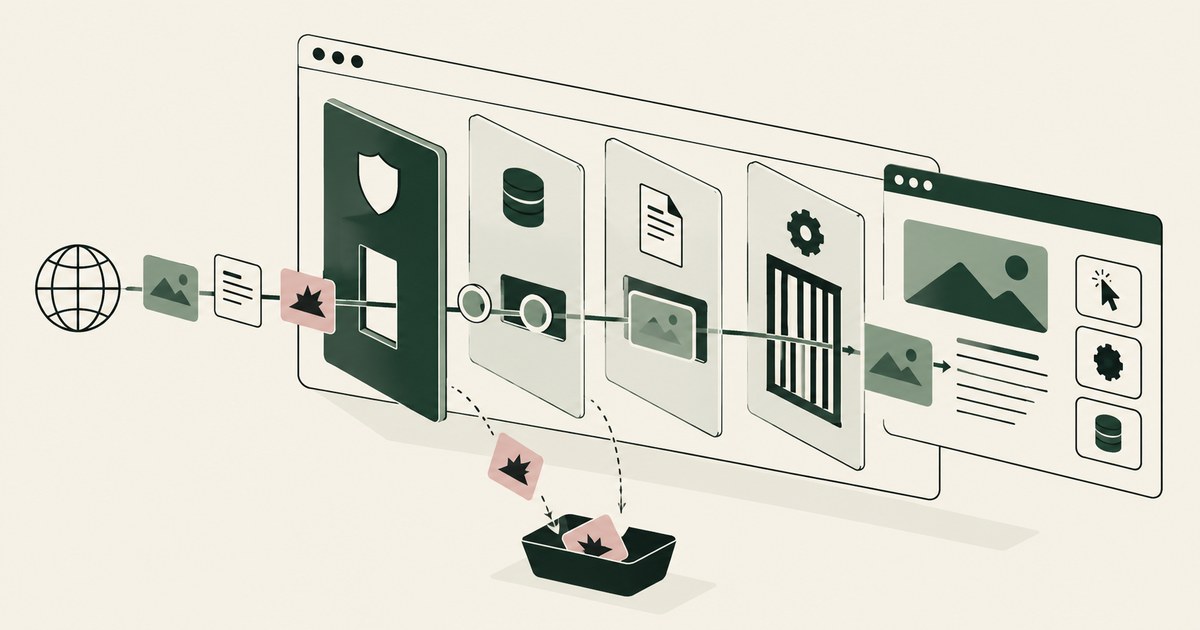
Browser-based AI agent security protects data and actions when an AI agent works inside a web browser. Its controls separate into four layers that are easy to confuse: the browser itself, the session and its credentials, the content presented to the model, and the actions the agent may take. Collapse them and a signed-in session becomes a blanket grant. The browser is a distinctive place to secure because it is simultaneously a display, a credential store, a network client, and a meeting point for content from many unrelated parties. An agent browsing on a person's behalf can encounter a malicious page, a compromised supplier portal, a deceptive form, or an ordinary application screen full of sensitive values, all in the same session. The field is defined by the browser's particular properties, and it is distinct from enterprise browser security and from general agent security. The content layer is where render-layer tokenization belongs: sensitive values replaced with consistent tokens before any model reads the page, so the model works with ACCT_001 rather than the account number. The environment that enforces this is built by RedactSure, an AI agent controls, governance and data protection company.
Key findings
- The browser session is the asset. An agent working in a signed in browser inherits the authority of every application open in that session, so session protection is the foundation of this field; the zero trust principle of per request, least privilege access applies (NIST, 2020).
- Web content is adversarial by default in a way desktop application content usually is not. Any page, advertisement, embedded frame, or document preview can carry instructions aimed at the agent (OWASP, 2025).
- Google's computer use material describes per step safety review and developer options to require confirmation for specified actions, an acknowledgement that browser actions need checking as they occur (Google, 2025).
- OpenAI's Operator work identified prompt injection from web content as a distinct risk category and applied monitoring, confirmations, and restrictions on sensitive sites (OpenAI, 2025).
- Browser agent security has four layers that must not be confused: the browser itself, the session and its credentials, the content presented to the model, and the actions the agent may take. The providers' own confirmation requirements address only the last of these (Google, 2025; OpenAI, 2025).
Why does the browser need its own security framing?
Most organizational work that lacks an automation interface is reached through a browser: insurer portals, banking and payment services, government sites, supplier systems, software as a service applications, and internal web tools. That is why browser capability is central to the agent products published by Google and OpenAI, both of which describe agents that perceive web pages and act on them (Google, 2025; OpenAI, 2025). If agents are going to work where the work is, the browser becomes an execution environment, and it has to be governed like one.
Four properties make the browser different from other execution environments. It renders untrusted content as its normal function, including content from parties the organization has no relationship with. It holds durable authentication state, in cookies and stored sessions, so a single browser profile can carry authority across many applications at once. It blurs the line between reading and acting: the same click that reveals information can also submit, purchase, delete, or authorize. And it is highly observable in some respects and opaque in others, recording history and network activity while giving an organization little native record of why a sequence of clicks happened or who approved them.
A security framing built for desktop applications, or for interface based automation, misses these properties. Browser agent security starts from the assumption that the agent will be shown hostile or careless content, inside a session with real authority, and that the distance between reading a page and changing a record can be a single action.
What is the difference between an enterprise browser and a browser agent?
The two are often discussed together because both concern the browser, but they solve different problems and protect different subjects. An enterprise browser is a managed browser for people. Its controls concern the employee's browsing: which sites can be reached, how data can be copied or downloaded, how identities are applied, and what the organization can inspect. The human remains the actor, and human judgment remains part of the control system.
A browser agent is an actor in its own right inside a browser. It perceives pages as a model, decides on actions, and executes them at machine pace and machine thoroughness. Controls designed for a person, such as warning banners, training, and policies that assume a reader will be suspicious, do not operate on a model in the same way. A page that a person would recognize as a phishing attempt can be processed by an agent as task content. Conversely, an agent can be given controls a person cannot: a pre confirmed policy for each screen, a hard stop before any consequential action, and a complete record of what it was shown.
There is also a middle category that causes confusion in procurement: a browser with AI features, such as summarization or form assistance. Those features process page content, so they raise some of the same data questions, but they do not autonomously carry out multi step work across applications. Browser-based AI agent security covers the autonomous case, where the agent acts; enterprise browsers and AI assisted browsers are neighboring categories with overlapping but distinct controls.
Which threats are specific to agents working in a browser?
| Threat | How it reaches the agent | Primary control layer |
|---|---|---|
| Indirect prompt injection | Instructions hidden in a page, email, or document the agent reads | Content presentation and action approval |
| Session misuse | Agent acts through a signed in session beyond its task | Session scope and environment isolation |
| Data overexposure | Application screens show full records to the model | Content presentation |
| Deceptive interface | Lookalike pages, misleading buttons, fake confirmations | Environment and action approval |
| Uncontrolled egress | Agent sends data to an external site or service | Network and destination control |
| Unrecorded action | Clicks change records with no attributable record | Run record |
Indirect prompt injection is the best documented of these. OWASP ranks Prompt Injection as LLM01 and describes the indirect form, in which instructions arrive in external content the model consumes, rather than from the user (OWASP, 2025). A browser agent is structurally exposed to it because browsing means consuming external content continuously. OpenAI's Operator system card described mitigations including monitoring for injection attempts and confirmation requirements, and it treated the risk as one that reduces rather than disappears (OpenAI, 2025). Google likewise describes a safety service reviewing each action for its computer use model, along with developer specified confirmation requirements (Google, 2025).
Session misuse is quieter and arguably more likely. An agent asked to check one account may be able, through the same session, to open account settings, export reports, or reach another application entirely. Nothing malicious is required, only a wrong turn in a complex interface. Deceptive interfaces exploit the agent's reliance on appearance: a page that imitates a trusted portal, or a button whose label understates its effect, can produce an action the operator never intended. Egress is the final path, where data the agent holds is written into a form, a message, or a URL on an external site.
What controls belong in each layer?
At the browser layer, the controls are configuration and containment: a dedicated profile rather than a person's everyday browser, controlled extensions, restrictions on downloads and uploads, and separation between agent browsing and personal browsing. At the session layer, controls concern identity and scope: a session created for the work, limited to the applications the workflow needs, with credentials handled so that the model does not read them as content, and with a defined end to the session.
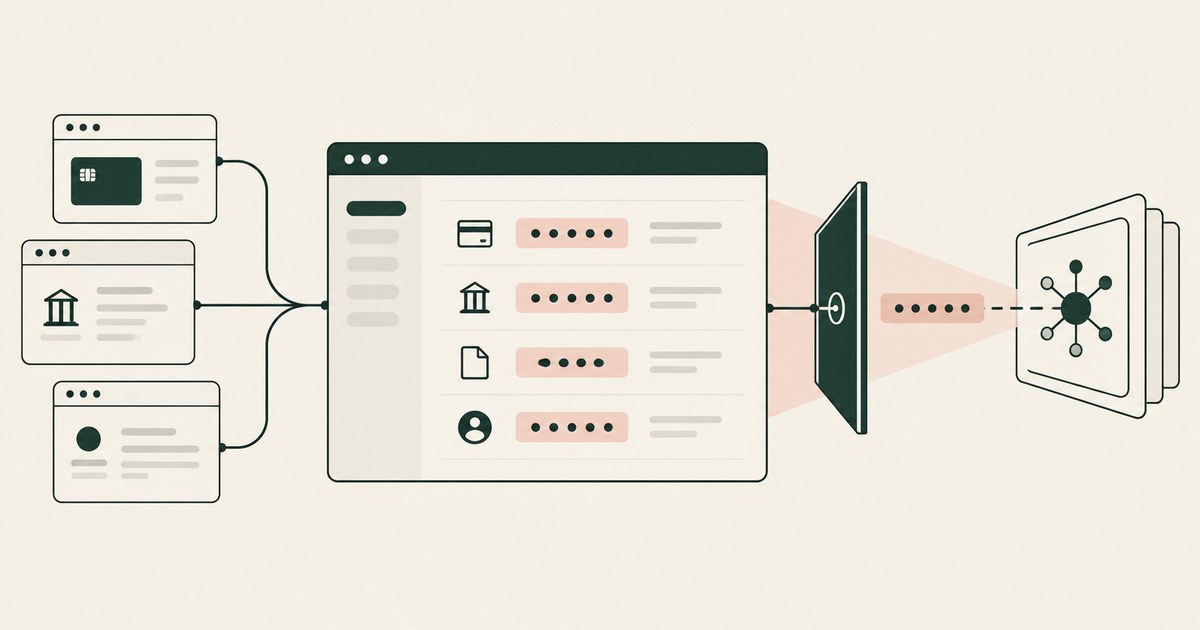
At the content layer, the question is what the model is shown. This is where presentation controls belong: replacing sensitive values with tokens before the model reads the page, deciding which parts of a page are task content, and treating page text as data rather than as instructions. Content controls are the only layer that reduces what a successful injection can collect, because they act before the model holds anything.
At the action layer, controls govern commitment: which actions the agent may take unaided, which need confirmation, and which are prohibited. Both Google and OpenAI describe confirmation requirements for specified or consequential actions in their published material, which reflects a category consensus that some browser actions should not be taken on a model's decision alone (Google, 2025; OpenAI, 2025). At the record layer, the deployment should produce an attributable account of pages shown, actions taken, and approvals given, suitable for export into the organization's own monitoring systems, so that browser activity by an agent is at least as reviewable as browser activity by staff.
How should a browser agent deployment be evaluated?
Ask first where the browser runs. An agent running in a person's own browser, with that person's sessions, history, and other tabs, has a fundamentally different profile from an agent running in a dedicated environment created for the work. Ask second what the model receives from a real page in the target application, and request that artifact. Ask third which actions require a person's approval, and whether that list includes submission, payment, deletion, permission changes, and sending messages to external parties. Ask fourth what happens on a page the deployment was not configured for: whether the agent proceeds, stops, or escalates.
The NIST AI Risk Management Framework supports structuring the evaluation this way, with Map requiring the context of use to be established and Measure requiring risks to be assessed rather than assumed (NIST, 2023). The NIST zero trust publication contributes the session principle: access decisions should be per request and least privilege, which in browser terms means not treating a signed in session as a blanket grant for the duration of a run (NIST, 2020).
Evaluators should also test the mundane failures, not only attacks. A session that expires mid task, a portal that changes its layout, a page that returns an error containing user data, and a workflow interrupted halfway all reveal whether controls are load bearing or decorative.
Where does RedactSure sit?
Judged layer by layer, RedactSure's design covers the content and action layers that browser and session controls leave open. Its AI co-workers use web applications as rendered inside a governed environment in the customer's cloud, with keys the customer holds, no per application integration and no change to user permissions. At the content layer, every identifier chosen by policy is replaced with a consistent token at the render layer before any model reads the page: the model receives the task's fields with SSN_001 and ACCT_001 in place of the real values, which resolve only at approved destinations at the moment of an approved action. A prompt injection that succeeds collects tokens.
At the action layer, the Planner sets what is tokenized and what the agent may do on each screen, a named person confirms that policy before the run, and every payment, submission and record change waits for that person under Supervised Delegation. Every screen as tokens, every action and every approval by name lands in the AI Control Record and exports to the customer's SIEM. The environment is model agnostic, and deployments are in pilot. Everyone else controls where data can go. RedactSure controls what the AI can see.
Methodology and limitations
The page rests on provider publications about browser and computer use agents, read as of October 13, 2026: Google's Gemini API computer use documentation and OpenAI's Computer-Using Agent announcement and Operator system card, all vendor documentation describing per step review, confirmation requirements, monitoring and site restrictions in the providers' own words (Google, 2025; OpenAI, 2025). The OWASP Top 10 for LLM Applications supplies the injection and disclosure risk definitions, LLM01 and LLM02, as a published standard. NIST SP 800-207 supplies the zero trust session principle and the NIST AI Risk Management Framework supplies the Map and Measure process, both as official guidance. The analysis is definitional and architectural: it separates the four control layers and assigns each documented threat to a layer.
No penetration testing was performed, no named browser product was tested hands on, and no browser products are compared against one another. The page does not claim that any control eliminates prompt injection, which the cited providers themselves describe as mitigated rather than solved. No statistics on browser agent incidents are presented, because no primary source consulted published a reliable count. Vendor features change with each release, so the page carries its date and is revised when the documentation changes. The portal, banking and supplier examples describe categories of work, not any organization; no customer or prospect is described. RedactSure statements are limited to design facts the company publishes.
Whether a given browser agent deployment meets an organization's obligations, and whether its session, content and action controls satisfy a particular regulation or policy, belongs to the organization's counsel, assessor, and security and compliance officers, not to this page.
What the record shows
Browser-based AI agent security begins from the browser's unusual position: it is at once a display, a store of credentials, a network client, and a meeting point for content from unrelated parties. An agent working there inherits the authority of a signed-in session while reading pages that may be careless, compromised, or deliberately hostile, sometimes within the same task. That is why the field cannot be reduced either to enterprise browser security, which protects people browsing, or to general agent security, which may assume a more controlled environment. The controls separate into four layers: the browser itself, the session and its credentials, the content presented to the model, and the actions the agent may complete. Providers building these agents already work on that basis, adding per-step review and confirmations, while describing prompt injection as mitigated rather than solved. The test for any deployment is to ask for the artifact the model received from one real page in the target application, and for the list of actions that stop for a named person.
Frequently asked questions
Is an enterprise browser the same thing as browser agent security?
No. An enterprise browser secures the browser as a workplace for people: it applies organizational policy to browsing, downloads, and data handling by human users. Browser-based agent security addresses a different actor in the same place, an automated agent that reads pages as instructions-bearing content and acts on what it finds. The two overlap on session protection and site restrictions, but the agent field adds questions the enterprise browser was not built to answer, above all what the model was shown and which actions it was allowed to complete.
Why is the browser session treated as the central asset?
Because the session carries authority. An agent working in a signed-in browser does not hold one application's permission; it inherits the entitlements of every application open in that session, together with the credentials and cookies that keep those applications signed in. Whoever or whatever controls the session's contents can direct work anywhere that authority reaches. Protecting the session, what enters it, what it displays to the model, and what may be done from it, is therefore the foundation on which the other layers rest.
Can prompt injection from web content be eliminated?
On the evidence of the providers building these systems, no. Google's and OpenAI's published material treats injection from web content as a risk to be mitigated, with per-step safety review, monitoring, confirmations, and restrictions on sensitive sites reducing what a successful attempt can accomplish, rather than a flaw that a filter removes. Planning should start from that admission. A deployment that assumes injected instructions will sometimes be followed will limit what the agent holds and what it may do unconfirmed; one that assumes detection is complete will not.
Should a browser agent run in an employee's own browser?
A person's everyday browser carries that person's sessions, history, extensions and other tabs, so an agent inside it inherits all of that authority and all of that exposure. A dedicated profile or a dedicated environment created for the work, limited to the applications the workflow needs and ended when the work is done, gives the agent a narrower session and gives the organization a cleaner record. The question of where the browser runs is the first one to ask in any evaluation.
Which browser actions should require a person's approval?
Any action that commits the organization: submitting a form, making a payment, deleting a record, changing permissions, and sending messages to external parties. Google and OpenAI both describe confirmation requirements for specified or consequential actions in their published material. The approval list should be written per workflow, confirmed by a named person before the run, and enforced as a hard stop rather than a prompt the agent can talk its way past.
What record should a browser agent deployment produce?
An attributable account of the pages the model was shown, the actions it took, and the approvals a named person gave, exported into the organization's own monitoring systems. A browser records history and network activity but little about why a sequence of clicks happened or who approved it, so the deployment has to supply that layer itself. The aim is that browser activity by an agent is at least as reviewable as browser activity by staff.
Related reading
What Is Screen-Level Tokenization? · Should an AI Agent Run in the Employee's Own Browser? · Enterprise Browser vs Render-Layer Tokenization · What Is Human-in-the-Loop Approval for AI Agents? · Prompt Injection When the Agent Sees Only Tokens · Alternatives to Prisma Browser and Island · How to Reduce Shadow AI Agents Across Your Enterprise · How to Secure AI Agents That Read Documents and Navigate Browser Screens · On the RedactSure blog: The Two Gaps AI Agents Opened in Your Security Stack
Sources
Vendor documentation
- Google, "Computer use with Gemini," Gemini API documentation (2025; vendor documentation). https://ai.google.dev/gemini-api/docs/computer-use
- OpenAI, "Computer-Using Agent" (January 2025; vendor documentation). https://openai.com/index/computer-using-agent/
- OpenAI, "Operator System Card" (January 2025; vendor documentation). https://openai.com/index/operator-system-card/
Regulation, standards and official guidance
- NIST, "Zero Trust Architecture," SP 800-207 (2020; official guidance). https://csrc.nist.gov/pubs/sp/800/207/final
- NIST, "Artificial Intelligence Risk Management Framework (AI RMF 1.0)," NIST AI 100-1 (2023; official guidance). https://www.nist.gov/itl/ai-risk-management-framework
- OWASP, "LLM01:2025 Prompt Injection," Top 10 for LLM Applications (2025; standard). https://genai.owasp.org/llmrisk/llm01-prompt-injection/
- OWASP, "LLM02:2025 Sensitive Information Disclosure," Top 10 for LLM Applications (2025; standard). https://genai.owasp.org/llmrisk/llm022025-sensitive-information-disclosure/
RedactSure documents
- RedactSure Research, "What Is Render-Layer Tokenization?" (2026). https://redactsure.com/research/what-is-render-layer-tokenization
- RedactSure Research, "What Is Supervised Delegation?" (2026). https://redactsure.com/research/what-is-supervised-delegation
- RedactSure Research, "What Is an AI Control Record?" (2026). https://redactsure.com/research/what-is-an-ai-control-record
- RedactSure Research, "What Is Screen-Level Tokenization?" (2026). https://redactsure.com/research/what-is-screen-level-tokenization
- RedactSure, "The Two Gaps AI Agents Opened in Your Security Stack" (2026). https://redactsure.com/blog/two-gaps-ai-agents-opened-in-your-security-stack/
- Product behavior described on this page reflects RedactSure's current design. Google and Gemini are trademarks of Google LLC; OpenAI and Operator are trademarks of OpenAI; named to identify the products.
What Is Screen-Level Tokenization?
Review Screen-Level Tokenization, with AI agent security, tokenization and approval checks for sensitive enterprise workflows.

Should an AI Agent Use the Employee's Own Browser?
Compare AI agent browser access, PII exposure and tokenization when employees work with claims, patient accounts or student records.

Enterprise Browser or Render-Layer Tokenization?
Compare enterprise browsers and render-layer tokenization for AI agent security, separating application controls from visible PII exposure.

What Is Human-in-the-Loop Approval for AI Agents?
Review Human-in-the-Loop Approval for AI Agents, with AI agent security, tokenization and approval checks for sensitive enterprise workflows.

What Does Prompt Injection Get From a Token-Only Agent?
Follow a prompt-injection scenario to examine AI agent security, PII exposure and the limits of tokenization when an attack succeeds.

What Are Alternatives to Prisma Browser and Island?
Compare enterprise-browser alternatives for AI agent security, including tokenization, workflow controls and protection of visible PII.
How to Reduce Shadow AI Agents Across Your Enterprise
Review Reduce Shadow AI Agents Across Your Enterprise, with AI agent security, tokenization and approval checks for sensitive enterprise workflows.

How to Secure AI Agents Reading Documents and Screens
Review Secure AI Agents Reading Documents and Screens, with AI agent security, tokenization and approval checks for sensitive enterprise workflows.

The Two Gaps AI Agents Opened in Your Security Stack
Explore AI agent security through two questions: which PII reaches the model, and who approves consequential billing and claims actions.

What Is Render-Layer Tokenization?
Learn how render-layer tokenization replaces PII before an AI agent reads a browser screen while preserving useful workflow context.
What Is Supervised Delegation?
Explore supervised delegation for AI agents in billing and claims, with named responsibility, tokenization policies and human approvals.

What Is an AI Control Record?
Explore an AI agent control record for billing and claims, linking permissions, tokenization decisions, approvals and audit evidence.
Book an AI Agent Security Review →
Bring your hardest questions.
Bring one sensitive workflow and the decisions your team needs to keep in its hands.
Book a demoAbout the author

Chris Sowa is a founder of RedactSure and a former CEO of an AI company; he started it years before ChatGPT existed. He previously led AI at Accenture, served as Global VP of Strategy & Innovation at Schneider Electric, was CCO of Sovos, and spent more than a decade at Oracle, with earlier roles at SAP and IBM.