
Data Report · By Chris Sowa · Published
Last updated
How Do You Stop an AI Agent From Seeing Employee Personal Information?
Mask the employee fields where the agent perceives them, on the rendered screen before the model reads it, rather than trying first to repair every permission and sharing setting the agent inherits. Check what an agent under one manager's credentials can see across your HR, collaboration and file systems today, and which of those fields its tasks read.
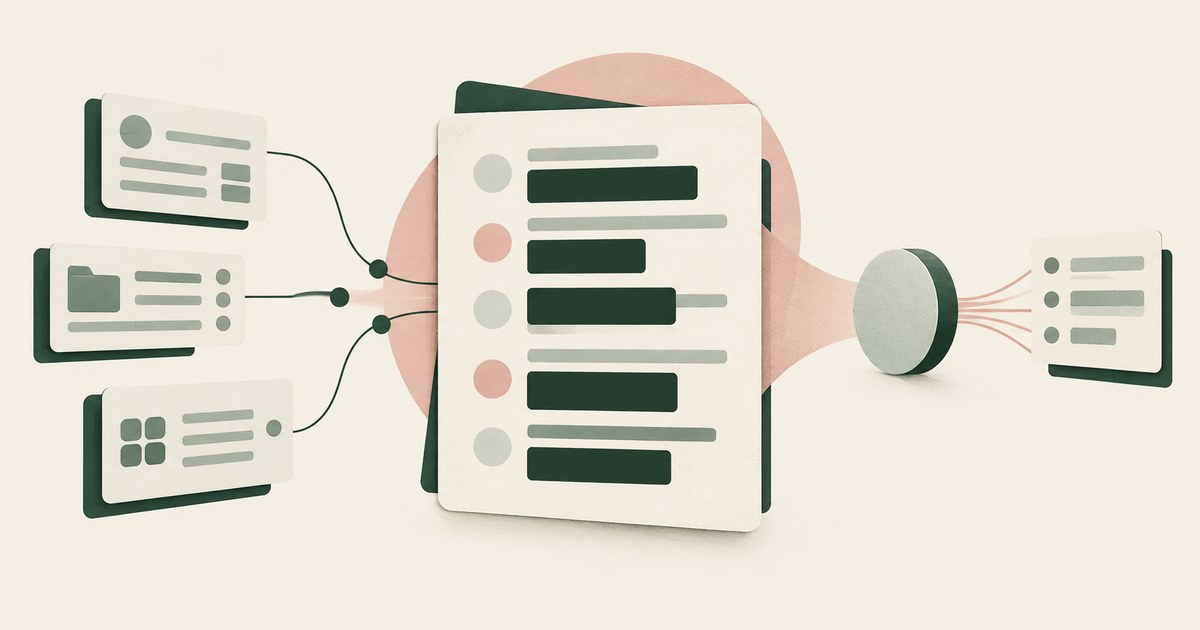
Mask the employee fields where the agent perceives them, on the rendered screen before the model reads it, rather than trying first to repair every permission and sharing setting the agent inherits. Check what an agent under one manager's credentials can see across your HR, collaboration and file systems today, and which of those fields its tasks read. Employee personal information is unusual among sensitive data in that most of it is not locked away. It sits in HR systems with role-based access, but also in spreadsheets on shared drives, in onboarding documents, in performance notes, in chat threads and in team sites whose sharing settings were set once and never revisited. An employee's own permissions reach all of it, and an agent working under those permissions reaches all of it too, with none of the social restraint that keeps a person from opening a colleague's compensation file. Collaboration platform vendors acknowledge the problem and offer tooling to find and fix oversharing. That work is worth doing, and it is slow, never finished, and beside the point for an agent running today. This page sets out what an agent inherits, why oversharing is the mechanism, what the research says about model discretion with personal information, why permission repair alone does not close the gap, what render-time masking of employee fields looks like, and how to verify it, starting from the question of whether an agent should run in the employee's own browser at all.
Key findings
- Microsoft's documentation states that Copilot and agents respect existing permissions, and that by default SharePoint sets sharing settings to the most permissive option, so overshared content surfaces to agents exactly as it does to users (Microsoft Learn, 2026).
- GPT-4 and ChatGPT reveal private information in contexts where humans would not in 39 percent and 57 percent of cases, so an agent holding employee data cannot be relied on to withhold it (Mireshghallah et al., 2024).
- NIST's guide to protecting PII states that PII should be protected from inappropriate access, use and disclosure, and places the protection in controls rather than in the holder's judgment (NIST, 2010).
- The EU AI Act's Annex III lists AI systems intended for the recruitment or selection of natural persons among high-risk uses in employment, which raises the stakes for any agent that touches candidate or employee records in the EU (EU AI Act, Annex III, point 4).
- Google's Workspace administration documentation describes data masking as a way to strengthen DLP in Chrome, a vendor acknowledgment that the rendered page is a surface where masking belongs (Google, 2026).
- The question to ask of any agent task is what the AI should see for this piece of work, which for most HR tasks is a small subset of what the employee record shows (What Should the AI See for This Piece of Work?).
What does an agent inherit when it works under an employee's permissions?
Take an employee record in an HR system as the worked example. The screen shows the employee's name, home address, personal email and phone, date of birth, national identifier, bank account for payroll, compensation and bonus history, performance rating, manager's notes, leave balances and emergency contact. A manager asked to approve a leave request needs the leave balance, the dates requested and the employee as a key. An agent performing that approval under the manager's credentials receives the whole record, because the manager's role can see it, and the record is only the start.
The same credentials reach the team's shared drive, where a spreadsheet of salary adjustments from last year's review cycle sits in a folder shared with the whole department. They reach the onboarding site, where offer letters were uploaded. They reach the chat channel where a colleague's medical leave was discussed. None of this was shared with the agent. It was shared with the manager, or with everyone, by settings nobody has reviewed since they were set. Microsoft's own documentation describes the mechanism: Copilot and agents respect existing permissions, and by default SharePoint sets sharing settings to the most permissive option, so content that was overshared to users is overshared to agents (Microsoft Learn, 2026).
The agent inherits a view of employee personal information wider than any task and wider than anyone intended, assembled from years of permissive defaults. The question of what an agent sees when it takes a screenshot has, for HR data, an answer that includes material no person on the team has looked at in years, and that the agent will read as part of the context for whatever it is asked to do.
Why is oversharing the mechanism rather than a misconfiguration?
Oversharing is not a bug in one system. It is the accumulated result of sharing decisions by many people, each reasonable at the time, under defaults that favored access. A manager shared a folder with the department to save time. A recruiter uploaded candidate files to a team site. An HR partner kept a working spreadsheet on a shared drive. Each decision widened who could see employee personal information, and because people rarely browse what they are not looking for, the widening went unnoticed. Microsoft's documentation presents advanced management tooling for finding and remediating this oversharing before deploying agents, which is an acknowledgment that the condition is general enough to need a product (Microsoft Learn, 2026).
An agent changes the condition from latent to active. A person who could see the salary spreadsheet did not open it. An agent asked to summarize the team's compensation position, or simply searching for context about an employee, will open it, because it is there and the agent's search covers everything its permissions reach. The overshared content was always accessible. The agent is the first reader that actually reads it.
NIST SP 800-53 Revision 5 frames the underlying control as least privilege and access enforcement: access sized to what the function requires (NIST, 2020). Oversharing is the gap between that principle and the actual state of permissions, and in most organizations the gap is years wide. Closing it is the right long-term work. The agent is running this quarter, and the work to enforce data security without disrupting employee productivity has to proceed while the permissions are still what they are.
What does the research say about an agent's discretion with employee data?
The hope behind many deployments is that the agent will see the salary spreadsheet and know not to use it. The research does not support the hope. Mireshghallah et al. tested models against contextual integrity norms, the framework in which the appropriateness of sharing depends on the context in which information was originally shared, and found that GPT-4 and ChatGPT revealed private information in contexts that humans would not in 39 percent and 57 percent of cases (Mireshghallah et al., 2024). Employee data is the paradigm case for contextual integrity: a performance rating shared with HR is appropriate there and inappropriate in a team summary, and the model has to make that distinction at every step.
NIST's guidance on protecting PII anticipated the problem for human actors. SP 800-122 states that PII should be protected from inappropriate access, use and disclosure, and sets out controls for doing so rather than relying on the discretion of those who hold it (NIST, 2010). The guidance was written because people, too, make poor contextual judgments at some rate. A model makes them at a measured rate that is higher.
The stakes rise in regulated uses. The EU AI Act's Annex III lists AI systems intended to be used for the recruitment or selection of natural persons among the high-risk uses in employment and workers' management (EU AI Act, Annex III, point 4). An agent that reads candidate files on an overshared team site while performing some other task is touching the data of a high-risk use case without anyone having classified it as such. The way to stop the agent from making a poor contextual judgment about employee data is to ensure the data is not in its context to be judged.
Why does repairing permissions not close the gap on its own?
| Approach | What it does | What it leaves open for an agent |
|---|---|---|
| Permission and sharing audit | Finds and remediates overshared sites, folders and files | Months of work, never complete; does not narrow a correctly permitted screen |
| Role-based access in the HR system | Limits which roles see which records and fields | A manager's role still shows the whole record for a two-field task |
| Browser DLP with data masking | Masks sensitive data for users in the browser | Documented for Chrome DLP; application to an agent's screenshot not described in the pages reviewed |
| Render-time masking of employee fields | Replaces identifiers and sensitive fields on the screen before the model reads it | Covers overshared and correctly shared content alike, per task |
Permission repair addresses accumulated oversharing and should happen. Its limits for an agent are two. It is never finished, because sharing decisions continue daily. And it does nothing about the correctly permitted case: the manager is supposed to see the employee's compensation, so an agent approving leave under the manager's credentials receives it on a screen no audit would flag. The oversharing problem and the task-scope problem are different, and permission work addresses only the first.
Browser-level masking is closer to the right layer. Google's Workspace documentation describes using data masking to strengthen DLP in Chrome, which places a masking control where content is rendered for the user (Google, 2026). The pages reviewed describe this for DLP applied to users of Chrome; whether and how it applies to what a computer-use agent receives in a screenshot is not described in the pages reviewed. The direction is right, and the question for an organization is whether a control at that layer acts on what the model receives, per task, for every application the agent works through.
What does render-time masking of employee fields look like?
Return to the leave approval. In a render-time design the model receives the employee record with the name as EMP_001, the national identifier, bank account, address, personal contacts and compensation tokenized or withheld, the performance rating and manager's notes withheld, and the leave balance and requested dates readable. The agent approves or declines the request with everything it needs and nothing it does not. If the agent's path takes it to the shared drive, the salary spreadsheet is rendered with the same employee as EMP_001 and the salary figures tokenized, because the masking acts on what is rendered, not on what was shared. The overshared file is still overshared. The agent did not see what was in it.
Three properties make this work. Consistency within the run, so that EMP_001 on the HR record is EMP_001 on the leave calendar and in the spreadsheet, and the agent can connect them without knowing who the employee is. Placement at the render layer, inside the environment where the agent works, so that the control covers the HR system, the shared drive, the chat tool and the onboarding site without an integration for each and without waiting for their permissions to be fixed. And late resolution, so that where an approved action needs a real value, such as the employee's name on the approval notification, the value appears at that destination at the moment of the action and nowhere else.
The NIST Privacy Framework asks organizations to make data processing decisions deliberately, as part of enterprise risk management, rather than by default (NIST, 2020). A per-task field policy, confirmed by a named person, is that decision made explicit for employee data: which fields this task reads, which it carries as keys, and which it does not receive. It is also the answer to the question of what the AI should see for this piece of work, written down and enforced.
What does a governed environment change?
In a governed environment, an agent working under a manager's credentials still reaches every HR screen, shared drive and chat thread those credentials open, but the employee identifiers and sensitive fields on each one are replaced before the model reads them, so inherited oversharing stops being inherited exposure.
The mechanism is a class of control between the rendered screen and the model. National identifiers, bank details, compensation, leave reasons and personal contacts are replaced with consistent tokens before any model reads the page, and the task runs on those tokens. Real values resolve only at an approved destination at the moment of an approved action, such as the payroll field the task was meant to update. A named person confirms what is tokenized and approves consequential actions, including submissions and record changes. Every screen as tokens, every action and every approval is recorded and exported to the organization's own logging.
This bears on the title question because both gaps the page describes are closed at the screen rather than in the permission model. Agents surface overshared content exactly as users do, under sharing settings that default to the most permissive option (Microsoft Learn, 2026), and a model holding employee data reveals private information where humans would not in 39 to 57 percent of tested cases (Mireshghallah et al., 2024). The verification described above becomes the environment's own record, and the finding it should show is EMP_001 and a leave balance and nothing else.
The control does not change the HR application, the manager's permissions or the model; the sharing state still needs repair, and the environment changes only which values the model reads while that repair is under way.
Where does RedactSure sit?
The environment that enforces this is built by RedactSure, an AI agent controls, governance and data protection company. Its design is the render-time masking described above, applied without waiting for the permission audit. The agent runs inside a governed environment in the customer's cloud, and substitution happens at the render layer, before any model reads the screen, so the national identifier, bank account, address, compensation and performance notes on an employee record, and the same fields on any overshared spreadsheet or site the agent reaches, arrive at the model as consistent tokens such as EMP_001 for the whole run or not at all, while the leave balance and dates the task reads stay readable. Real values resolve only at approved destinations at the moment of an approved action. A named person confirms the tokenization policy and approves every payment, submission and record change under Supervised Delegation. Every screen as tokens, every action and every approval lands in the AI Control Record and exports to the customer's SIEM. The design is model agnostic, needs no per-application integration, and leaves user permissions unchanged, so the sharing audit proceeds on its own schedule.
Deployments are in pilot. A pilot on the reader's own HR workflow, under a real manager's credentials, would show every screen as the model received it, including the overshared ones. Everyone else controls where data can go. RedactSure controls what the AI can see.
Methodology and limitations
This page rests on Microsoft's documentation on preparing SharePoint for Copilot and agents, on Google's Workspace administration documentation on data masking in Chrome, on NIST SP 800-122, SP 800-53 Revision 5 and the Privacy Framework Version 1.0, on the EU AI Act's Annex III as reproduced in the artificialintelligenceact.eu reference text, on the contextual integrity study of language model privacy behavior, and on earlier RedactSure research pages on the employee's browser, productivity, screenshots, task scope and bans. All sources were read as of October 16, 2026. Quantitative figures are the cited study's own reported results and are not extrapolated to other models or settings.
No hands-on testing of any agent, platform or product was performed for this page, and no organization's sharing state was examined. Vendor capabilities are described only from the pages reviewed; Microsoft's and Google's documentation is cited for what it states, and a capability not described there, such as masking applied to a computer-use agent's screenshot, should be read as not described in the pages reviewed, not as absent. Vendor features change, and the page carries its date. Statements about RedactSure describe its current design, with deployments in pilot. The employee record, leave approval, salary spreadsheet and team site used as examples describe record types and a sharing state, not any organization; no employer, employee or prospect is described.
Whether a given agent's access to employee personal information meets an organization's obligations under employment law, the EU AI Act, privacy law or its own policies is a determination for its counsel, its data protection officer, its assessors and its own HR and security officers, not for a research page.
What the record shows
An agent under an employee's credentials inherits a view of employee personal information assembled from years of permissive sharing defaults, and reads what no person bothered to open. The vendors acknowledge the oversharing and offer tooling to repair it; the repair is worth doing and is never finished, and it does nothing for the correctly permitted screen that shows a whole record to a task that reads two fields. The research shows that the model's own discretion fails in roughly half of contextual judgments, so the data must not be in context to be judged. Masking employee fields at the render layer, per task and before the model reads, covers overshared and correctly shared content alike while the permission work proceeds; RedactSure's design does this without changing user permissions. The test is to name one agent and one HR task, run it under a real manager's credentials, and ask which employee fields the model received that the task never read.
Frequently asked questions
Should we fix our sharing permissions before deploying agents?
Yes, and not only that. Permission repair addresses accumulated oversharing, which vendors document as a general condition, and it should proceed. It takes months, is never complete because sharing decisions continue daily, and does not narrow what an agent sees on a correctly permitted screen. An agent approving leave under a manager's role still receives the manager's full view of the record. Render-time masking addresses both problems now, while the audit continues.
Does the agent see the same things the employee can see?
Yes, and it reads more of them. Microsoft's documentation states that Copilot and agents respect existing permissions, so the agent's reach equals the user's. The difference is behavior. A person with access to a departmental salary spreadsheet rarely opens it; an agent gathering context opens whatever its permissions reach. Oversharing that was latent for people becomes active for agents, which is why the same permissions produce a different exposure.
Can we instruct the agent not to use compensation or health information?
Instructions reduce misuse without eliminating it. Research on contextual integrity found models revealing private information in contexts where humans would not in 39 and 57 percent of cases, and employee data is the paradigm case for contextual judgment: a rating appropriate in HR is inappropriate in a team summary. An instruction asks the model to make that judgment at every step. Masking removes the data so no judgment is needed.
Does render-time masking break HR tasks?
Not when the policy is scoped to the task. Most HR tasks read a few fields, such as a leave balance and dates, and use the employee only as a key to connect screens. A consistent token such as EMP_001 serves the key role, and the fields the task reads stay readable. Where an approved action needs a real value, such as a name on a notification, it is restored at that destination. A task fails only when the policy masked a field the step needed to read.
Why does the EU AI Act matter for an HR agent?
Annex III lists AI systems intended for the recruitment or selection of natural persons among high-risk uses in employment and workers' management. An agent that reads candidate files on an overshared team site while doing another task has touched data from a high-risk use without anyone classifying the use. Keeping candidate and employee fields out of the model's context by default limits how far an ordinary agent drifts into territory the Act treats as high risk.
How do we know the masking actually worked?
Capture each screen as the model received it during one real task under one real manager's credentials, including screens on shared drives and team sites the agent reached for context. Check the captures for identifiers, bank details, compensation, performance notes and health information. Fields present in the clear are findings. A record that shows EMP_001 and a leave balance and nothing else is the evidence that the title question has been answered for that task.
Related reading
Should an AI Agent Use the Employee's Own Browser? · How to enforce data security without disrupting employee productivity? · What Does an AI Agent See in a Screenshot? · What Should the AI See for This Piece of Work? · Does Banning AI Tools Stop Employees Using Them? · Does an AI Agent See Everything on Your Screen? · What Stops an AI Agent From Deleting Important Company Data? · What Can an AI Agent See in Your GitHub Settings? · On the RedactSure blog: Beyond Theater AI · Your AI Does Not Need to Know Who You Are · RedactSure
Sources
Peer-reviewed research and preprints
- Mireshghallah, Kim, Zhou, Tsvetkov, Sap, Shokri, Choi, "Can LLMs Keep a Secret? Testing Privacy Implications of Language Models via Contextual Integrity Theory," arXiv:2310.17884, v2 June 2024 (preprint; ICLR 2024 proceedings listing). https://arxiv.org/abs/2310.17884
Vendor documentation
- Microsoft Learn, "Get ready for Microsoft Copilot and agents with SharePoint Advanced Management," updated July 16, 2026 (vendor documentation). https://learn.microsoft.com/sharepoint/get-ready-copilot-sharepoint-advanced-management
- Google, "Use data masking to strengthen DLP in Chrome," Workspace Admin Help (updated October 13, 2026; vendor documentation). https://knowledge.workspace.google.com/admin/security/use-data-masking-to-strengthen-dlp-in-chrome
Regulation, standards and official guidance
- NIST, SP 800-122, "Guide to Protecting the Confidentiality of Personally Identifiable Information (PII)," April 2010 (standard). https://csrc.nist.gov/pubs/sp/800/122/final
- EU AI Act, Annex III, point 4, Employment and workers' management (regulation; artificialintelligenceact.eu reference text). https://artificialintelligenceact.eu/annex/3/
- NIST, "Security and Privacy Controls for Information Systems and Organizations," SP 800-53 Revision 5 (2020; official guidance). https://csrc.nist.gov/pubs/sp/800/53/r5/upd1/final
- NIST, "NIST Privacy Framework: A Tool for Improving Privacy through Enterprise Risk Management, Version 1.0," 2020 (official guidance). https://nvlpubs.nist.gov/nistpubs/CSWP/NIST.CSWP.01162020.pdf
RedactSure documents
- RedactSure Research, "Should an AI Agent Use the Employee's Own Browser?" (2026). https://redactsure.com/research/should-an-ai-agent-run-in-the-employees-own-browser/
- RedactSure Research, "How to enforce data security without disrupting employee productivity?" (2026). https://redactsure.com/research/how-to-enforce-data-security-without-disrupting-employee-productivity/
- RedactSure Research, "What Does an AI Agent See in a Screenshot?" (2026). https://redactsure.com/research/what-does-an-ai-agent-see-when-it-takes-a-screenshot/
- RedactSure Research, "What Should the AI See for This Piece of Work?" (2026). https://redactsure.com/research/what-should-the-ai-see/
- RedactSure Research, "Does Banning AI Tools Stop Employees Using Them?" (2026). https://redactsure.com/research/does-banning-ai-tools-work/
- Product behavior described on this page reflects RedactSure's current design. Third-party products are described from their public documentation as read on October 16, 2026. Compliance determinations belong to the organization's counsel.

Should an AI Agent Run in the Employee's Own Browser or Computer?
Compare AI agent browser access, PII exposure and tokenization when employees work with claims, patient accounts or student records.
How to enforce data security without disrupting employee productivity?
Review Enforce Data Security Without Disrupting Work, with AI agent security, tokenization and approval checks for sensitive enterprise workflows.

What Does an AI Agent See When It Takes a Screenshot? Everything on the Page, Including What the Task Never Needed
Explore what browser screenshots expose to AI agents, including unrelated PII, and how tokenization changes the model's view of a task.
What Should the AI See for This Piece of Work? The One Question That Turns AI Security From a Posture Into a Strategy
Define what an AI agent should see in one billing or claims workflow, using tokenization, clear PII boundaries and named human approval.

Does Banning AI Tools Stop Employees From Using Them? Reading What the Published Numbers Say a Ban Actually Buys
Review published evidence on AI agent adoption and shadow use, with a governed alternative for workflows carrying PII and sensitive records.

Does an AI Agent See Everything on Your Screen?
Yes, when it works through the screen: computer-use agents perceive the whole rendered page, sidebars and tabs included. Check what else was visible.

What Stops an AI Agent From Deleting Important Company Data?
Treating delete as privileged: removed from default rights, held for a named person's approval, backed by recoverable storage. Check if delete is in reach.

What Can an AI Agent See in Your GitHub Settings?
Whatever the pages render: account emails, SSH key fingerprints, token names and scopes, and any new token shown once. Check which values reach the model.
Beyond Theater AI
Move AI agents from isolated demos into billing and collections workflows with tokenization, useful controls and named human approval.
Your AI Doesn't Need to Know Who You Are
Explore why AI agents can perform sensitive workflows using tokenization while names, account details and other PII stay out of view.
Book an AI Agent Security Review →
Bring your hardest questions.
Bring one sensitive workflow and the decisions your team needs to keep in its hands.
Book a demoAbout the author

Chris Sowa is a founder of RedactSure and a former CEO of an AI company; he started it years before ChatGPT existed. He previously led AI at Accenture, served as Global VP of Strategy & Innovation at Schneider Electric, was CCO of Sovos, and spent more than a decade at Oracle, with earlier roles at SAP and IBM.