
Data Report · By Chris Sowa · Published
Last updated
Does an AI Agent See Everything on Your Screen?
Yes, when it works through the screen: computer-use agents perceive a screenshot of the whole rendered page, including sidebars, notifications, neighboring records and open tabs, not the fields a task names. Check what else was visible on the screen during one agent run, and whether any control acted on the pixels before the model read them.
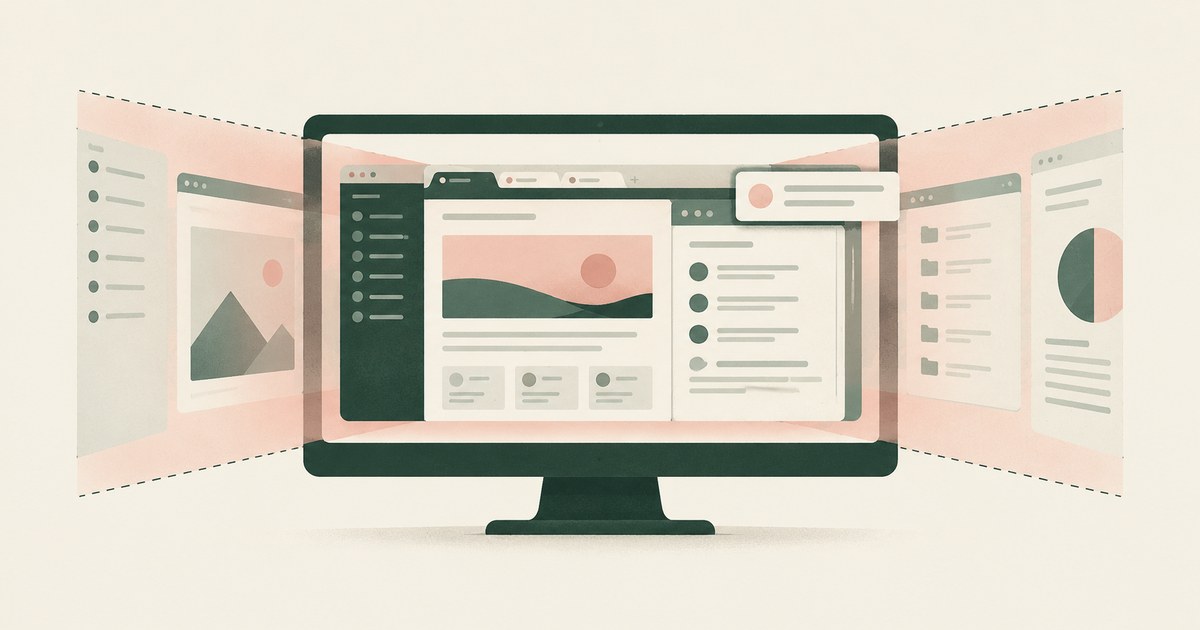
Yes, when it works through the screen: computer-use agents perceive a screenshot of the whole rendered page, including sidebars, notifications, neighboring records and open tabs, not the fields a task names. Check what else was visible on the screen during one agent run, and whether any control acted on the pixels before the model read them. The question sounds like a privacy worry and is really a question about perception. A person reading a ticket screen looks at the ticket and ignores the rest. A model that receives a screenshot of that screen receives the rest too, as the same kind of input as the ticket, and has no built-in way to know that the sidebar listing other customers' open tickets was not part of the task. The major agent platforms describe their computer-use capabilities in similar terms: the model takes a screenshot, decides on an action, and takes another screenshot. Everything rendered is therefore everything perceived. This page sets out what a screen-reading agent actually receives, how the major vendors describe their computer-use designs, what the research measures about exposure through screenshots, why controls that live elsewhere do not reach the screen, what a screen-level boundary looks like, and how an organization can audit what was visible during a run of an agent that navigates screens.
Key findings
- Anthropic's documentation describes a computer use tool through which the model views screenshots of a screen and issues mouse and keyboard actions, with safety guidance attached because the model acts on whatever it sees (Anthropic, 2024).
- OpenAI describes its Computer-Using Agent as a model that perceives a screen through screenshots and acts through a virtual mouse and keyboard, the same perception loop found across vendors (OpenAI, 2025).
- Screenshot-driven GUI agents may inadvertently expose sensitive information such as identities, accounts, locations and behavioral traces, because the screenshot carries everything rendered (Wang et al., 2026).
- A visual model for detecting personal information on rendered web pages more than doubled a text-extraction baseline, 0.753 against 0.357 mAP@50, which shows both that the screen can be protected and that text-based methods miss much of what is on it (Zhao, 2026).
- Google's Workspace administration documentation describes data masking as a way to strengthen DLP in Chrome, which is a vendor acknowledgment that the rendered page is a surface worth masking (Google, 2026).
- An agent's data reach is the set of everything it can perceive and act on, and for a screen agent that set is defined by the display, not by the task (What Is AI Agent Data Reach and How Do You Map Everything an Agent Can Access?).
What does a screen-reading agent actually receive?
Take a helpdesk ticket screen as the worked example. The main pane shows one ticket: the requester's name and email, the subject, the description, and a history of replies. The left sidebar lists the agent queue, with the names and subjects of twenty other open tickets. The top bar shows a notification that a colleague mentioned the user in an internal note on a different case. A second browser tab, visible in the tab strip, is titled with a customer's account number. A chat widget in the corner shows the last message from a teammate. The task is to categorize the one ticket in the main pane.
A person performing that task reads the main pane. A computer-use agent receives a screenshot of the display, and the screenshot contains the twenty other tickets, the notification, the tab title, the chat message and the ticket itself, all as pixels of equal standing. The model then reads the pixels. It has no field boundary to tell it that the sidebar is out of scope, and the task instruction, which named the ticket, said nothing about the sidebar because the person who wrote it did not think of the sidebar as part of the task.
That is the whole answer to the title question for agents that work this way. What the agent sees is what the display shows at the moment of the screenshot. The task defines what the agent is supposed to use. The display defines what the agent receives. The gap between the two is the exposure, and it is examined on the page about what an agent sees when it takes a screenshot. The gap is not a flaw in any one product; it follows from the decision to let the model perceive the way a person does, through the screen, while lacking the person's habit of looking only where the work is.
How do the major platforms describe their computer-use agents?
| Agent | What its documentation describes | What a buyer should verify |
|---|---|---|
| Anthropic, Computer use tool | The model views screenshots and issues mouse and keyboard actions | What is on the screen when the screenshot is taken |
| OpenAI, Computer-Using Agent | The model perceives a screen through screenshots and acts through a virtual mouse and keyboard | Isolated browser, or a user's display with other content visible |
| Google, Computer use with Gemini | The model receives screenshots and returns UI actions for a client to execute | Who controls the client environment and what it renders |
| Microsoft, Copilot Studio computer use | Automates web and desktop applications through the interface | Whether other open windows are exposed |
All four share a loop. Anthropic documents a tool in which the model sees the screen as a screenshot and acts with mouse and keyboard (Anthropic, 2024); OpenAI describes the same perception through screenshots and action through a virtual mouse and keyboard (OpenAI, 2025); Google's Gemini API documentation has the model receive screenshots and return UI actions for a client to carry out (Google, 2025); Microsoft describes automating web and desktop applications through their interfaces, including applications without an API (Microsoft, 2026).
Removing content from the screenshot before the model reads it is not described in the pages reviewed for any of the four; that is a question for a buyer to put to each vendor. The Claude in Chrome safety guidance asks users to be deliberate about the sites and sessions they expose to the browser agent (Claude Help Center, 2026). That is a control on the display, not on the screenshot.
What does the research say about exposure through screenshots?
Two studies measure the problem from opposite ends. GUIGuard-Bench approaches it from the agent side. The authors propose a general evaluation for privacy-preserving GUI agents because, as they describe it, screenshot-driven agents may inadvertently expose sensitive information such as identities, accounts, locations and behavioral traces (Wang et al., 2026). Each of those categories appears in the helpdesk example: identities in the sidebar, an account in the tab title, behavioral traces in the chat widget and the notification. The benchmark exists because the exposure is general enough to need a general measure.
WebPII approaches it from the detection side. If the screen is where the exposure happens, the screen is where protection has to find the sensitive values, and WebPII benchmarks visual detection of personal information on rendered web pages for computer-use agents. The reported result is that a visual redaction model more than doubled the accuracy of a text-extraction baseline, 0.753 against 0.357 mAP@50 (Zhao, 2026). Two conclusions follow: finding sensitive content on a screenshot is tractable, and methods that work from extracted text miss a large share of it, because rendering adds layout, images and widgets that text extraction does not capture.
Together the studies describe a surface that is both dangerous and defensible. The screenshot carries more than the task, and that is the danger. The screenshot can be examined and altered before the model reads it, with accuracy that a text-only approach cannot reach, and that is the defense. The question for an organization is whether any control in its stack acts at that layer. The comparison of screens, APIs and MCP as agent surfaces treats the screen as one of three surfaces, and the screenshot is the reason the screen surface has its own control problem.
Why do controls elsewhere not reach what the agent sees?
Most data protection controls were placed where data was thought to move: at the file, the database, the email gateway, the network edge, the API. A screen-reading agent moves data by a path none of those were watching. The data is rendered by an application the agent is permitted to use, displayed to an identity the agent is permitted to hold, and read as pixels by a model that then reasons about it. No file was downloaded, no query was run outside the application, no message was sent. The controls at those points saw nothing to act on.
Application permissions do not help, because the agent holds a permitted identity and the sidebar is rendered for that identity by design. Network controls do not help, because the screenshot travels to the model over a sanctioned channel. Database masking does not help, because the application has already rendered the values for the authorized user. Output filtering helps only on the output; the model has already read the sidebar by the time any output exists.
Vendors have begun to acknowledge the rendered page as a surface. Google's Workspace documentation describes using data masking to strengthen DLP in Chrome, which places a masking control in the browser where content is displayed (Google, 2026). The pages reviewed describe this in the context of DLP for users of Chrome; whether and how it applies to a computer-use agent's screenshot is not described in the pages reviewed. The direction, though, is the one the research points to: the control has to live where the rendering happens.
What does a screen-level boundary look like?
A screen-level boundary acts on the rendered page before the model reads it. For the helpdesk screen, that means the twenty names in the sidebar, the account number in the tab title, the colleague's note in the notification and the message in the chat widget are either removed from what the model receives or replaced with consistent tokens, while the ticket in the main pane, which the task reads, is presented with its requester as CUST_001 and its content readable. The model categorizes the ticket. It never had the sidebar.
Three properties make the boundary work. The first is placement: the substitution happens on the rendered screen, in the environment where the agent works, before the screenshot reaches the model. A design that lets the model read the full screenshot and filters the output afterward has placed the boundary after the exposure. The second is consistency: the same requester appears as CUST_001 on the ticket, in the reply history and on any related screen, so the agent can follow the thread without knowing who the requester is. This is the mechanism described on the page about screen-level tokenization. The third is resolution: where an approved action needs a real value, such as the requester's email in a reply, the value appears at that destination at the moment of the action, and nowhere else.
The boundary also has to cover what the task did not anticipate. The person who wrote the categorization task did not list the sidebar, the tab strip or the chat widget, and a boundary that protects only named fields would miss all three. A screen-level boundary protects by what is rendered, not by what was named, which is the only scoping rule that matches how the agent perceives. The research on visual detection shows that finding sensitive content on the rendered page, rather than in extracted text, is what makes this coverage possible (Zhao, 2026).
What does a governed environment change?
In a governed environment, a screen-reading agent still receives the whole rendered page, but the sensitive values on it have been replaced before the model reads a pixel, so the "everything" the agent sees is a tokenized screen rather than the live one.
The mechanism is a class of control that sits between the display and the model. Sensitive values on the rendered page, including the sidebar names, tab titles and notifications a task never asked for, are replaced with consistent tokens before any model reads them, and the task runs on those tokens. Real values resolve only at an approved destination at the moment of an approved action, such as the field the task was meant to update. A named person confirms what is tokenized and approves consequential actions, including payments, submissions and record changes. Every screen as the model received it, in token form, every action and every approval is recorded and exported to the organization's own logging.
This bears on the title question because the exposure is defined by the display, not the task. Anthropic describes a model that views screenshots of a screen and acts on whatever it sees (Anthropic, 2024), and screenshot-driven agents may expose identities, accounts and locations that happen to be rendered (Wang et al., 2026). The audit described above asked for each step's screen exactly as the model received it and for a list of what was visible but unneeded. The environment produces the first as a matter of record and empties the second for every value its policy covers.
The control does not change the application, the user's permissions or the model; the agent still perceives the full screen, and the environment changes only which values are on it when the model looks.
Where does RedactSure sit?
The environment that enforces this is built by RedactSure, an AI agent controls, governance and data protection company. Its design is the screen-level boundary described above. The agent runs inside a governed environment in the customer's cloud, and substitution happens at the render layer, before any model reads the screen, so the sidebar names, tab titles, notifications and neighboring records on a helpdesk screen reach the model as consistent tokens such as CUST_001 or not at all, while the ticket the task reads stays readable. The same value maps to the same token for the whole run. Real values resolve only at approved destinations at the moment of an approved action. A named person confirms the tokenization policy and approves every payment, submission and record change under Supervised Delegation. Every screen as tokens, every action and every approval lands in the AI Control Record and exports to the customer's SIEM, so the audit described above can be run from the record rather than reconstructed. The design is model agnostic, needs no per-application integration, and leaves user permissions unchanged.
Deployments are in pilot. A pilot on the reader's own workflow would show each screen as the model received it, with the unneeded content tokenized, and the short list of what the task actually read. Everyone else controls where data can go. RedactSure controls what the AI can see.
Methodology and limitations
This page rests on vendor documentation from Anthropic, OpenAI, Google and Microsoft describing their computer-use agents, on the Claude Help Center's guidance on using Claude in Chrome safely, on Google's Workspace administration documentation on data masking in Chrome, on preprints measuring privacy exposure by GUI agents and visual detection of personal information on rendered pages, and on earlier RedactSure research pages on data reach, screen navigation, screen-level tokenization, screenshots and agent surfaces. All sources were read as of October 16, 2026. Quantitative figures are the cited papers' own reported results and are not extrapolated to other agents or pages.
No hands-on testing of any agent or product was performed for this page. Vendor capabilities are described only from the pages reviewed, and a mechanism that is not described there, such as removal of content from a screenshot before the model reads it, should be read as not described in the pages reviewed, not as absent. Vendor features change, and the page carries its date. Statements about RedactSure describe its current design, with deployments in pilot. The helpdesk ticket screen, its sidebar, notifications and tabs used as examples describe a record type and a display, not any organization; no customer or prospect is described.
Whether a given agent deployment's exposure of screen content constitutes a disclosure under privacy law, contract or sector regulation, and whether a given boundary is sufficient, are determinations for the organization's counsel, its assessors and its own security and compliance officers, not for a research page.
What the record shows
An agent that works through the screen sees what the screen shows. The major platforms describe the same perception loop, a screenshot followed by an action followed by another screenshot, and none of the pages reviewed describes removing content from the screenshot before the model reads it. The research measures the consequence, inadvertent exposure of identities, accounts and traces that were rendered alongside the task, and also measures the remedy, visual detection on the rendered page at accuracy that text-based methods do not reach. Controls at the file, database, network and API never saw the path the screenshot took. A boundary on the rendered page, which RedactSure's design places at the render layer, is the one that matches how the agent perceives. The test is to name one agent and one task and ask what else was on the display at each step, and whether anything acted on it before the model did.
Frequently asked questions
Does the agent only see the application it is working in?
It sees the display. If the agent runs on a user's desktop or in a browser with other tabs and widgets, the screenshot includes them. If it runs in an isolated environment that renders only the target application, the screenshot includes only that application, but still includes every part of it: sidebars, lists of other records, notifications and banners. The task names the fields to use; the display defines what the model receives, and the two are rarely the same.
Can the task instruction tell the agent to ignore the sidebar?
It can ask. The model will often comply, but the sidebar's contents have already entered its context by the time the instruction is applied, and research on model behavior with sensitive information shows that instructions reduce but do not eliminate inappropriate use. An instruction governs what the model does with what it saw. A screen-level boundary governs what it saw. Only the second prevents the exposure rather than requesting restraint about it.
Do the vendors' own safety guides address this?
They address the deployer's and user's choices. Anthropic's computer use documentation carries safety guidance, and the Claude in Chrome safety article asks users to be deliberate about which sites and sessions they expose. That is guidance about what to put on the display. Removing content from the screenshot before the model reads it is not described in the pages reviewed for any of the four platforms, which is a question a buyer should ask each vendor directly.
Is a text-based DLP scan of the page enough?
The WebPII benchmark suggests not. A visual detection model more than doubled a text-extraction baseline, 0.753 against 0.357 mAP@50, on rendered web pages. Rendering carries information that extracted text does not: layout, images, rendered widgets and the visual relationships between elements. A control that reasons about the page as text will miss what the model, which reasons about the page as an image, will see.
Why not run the agent in a clean browser with nothing else open?
It helps, and it is not sufficient. A clean browser removes other tabs and desktop windows, but the target application still renders its own sidebars, queues, notifications and neighboring records for the authorized identity. A helpdesk screen with no other tabs still lists twenty other tickets. Isolation narrows the display to one application; a screen-level boundary narrows what the model receives within that application to what the task reads.
What should the record of a run contain to answer this question later?
Each screen as the model received it, at each step, alongside the action taken. A record that shows only actions cannot say what was visible, and the title question is about what was visible. If the record shows screens with unneeded content tokenized, it also shows that the boundary held. If the platform keeps no screenshots, the organization cannot reconstruct what the model saw, which is a finding in its own right.
Related reading
What Is AI Agent Data Reach and How Do You Map Everything an Agent Can Access? · How to Protect Sensitive Data From AI Agents That Navigate Screens · What Is Screen-Level Tokenization? · What Does an AI Agent See in a Screenshot? · Should AI Agents Use Screens, APIs or MCP? · What Can an AI Agent See in Your GitHub Settings? · Does an AI Agent Follow Instructions It Sees on Screen? · What Can Microsoft Copilot Studio Agents See? · On the RedactSure blog: Your AI Does Not Need to Know Who You Are · What If the Agent Never Had Your Data? · RedactSure
Sources
Peer-reviewed research and preprints
- Wang, Zhang, Zhou, et al., "GUIGuard-Bench: Toward a General Evaluation for Privacy-Preserving GUI Agents," arXiv:2601.18842, January 26, 2026 (preprint). https://arxiv.org/abs/2601.18842v1
- Zhao, "WebPII: Benchmarking Visual PII Detection for Computer-Use Agents," arXiv:2603.17357, March 18, 2026 (preprint). https://arxiv.org/abs/2603.17357
Vendor documentation
- Anthropic, "Computer use tool" documentation and safety guidance (2024; vendor documentation). https://docs.claude.com/en/docs/agents-and-tools/tool-use/computer-use-tool
- OpenAI, "Computer-Using Agent" (January 2025; vendor documentation). https://openai.com/index/computer-using-agent/
- Google, "Computer use with Gemini," Gemini API documentation (2025; vendor documentation). https://ai.google.dev/gemini-api/docs/computer-use
- Microsoft, "Automate web and desktop apps with computer use" (2026; vendor documentation). https://learn.microsoft.com/en-us/microsoft-copilot-studio/computer-use
- Claude Help Center, "Use Claude in Chrome safely" (2026; vendor documentation). https://support.claude.com/en/articles/12902428-use-claude-in-chrome-safely
- Google, "Use data masking to strengthen DLP in Chrome," Workspace Admin Help (updated October 13, 2026; vendor documentation). https://knowledge.workspace.google.com/admin/security/use-data-masking-to-strengthen-dlp-in-chrome
RedactSure documents
- RedactSure Research, "What Is AI Agent Data Reach and How Do You Map Everything an Agent Can Access?" (2026). https://redactsure.com/research/what-is-ai-agent-data-reach/
- RedactSure Research, "How to Protect Sensitive Data From AI Agents That Navigate Screens" (2026). https://redactsure.com/research/how-to-protect-sensitive-data-from-ai-agents-that-navigate-screens/
- RedactSure Research, "What Is Screen-Level Tokenization?" (2026). https://redactsure.com/research/what-is-screen-level-tokenization/
- RedactSure Research, "What Does an AI Agent See in a Screenshot?" (2026). https://redactsure.com/research/what-does-an-ai-agent-see-when-it-takes-a-screenshot/
- RedactSure Research, "Should AI Agents Use Screens, APIs or MCP?" (2026). https://redactsure.com/research/should-an-ai-agent-work-through-the-screen-or-through-apis-and-mcp/
- Product behavior described on this page reflects RedactSure's current design. Third-party products are described from their public documentation as read on October 16, 2026. Compliance determinations belong to the organization's counsel.
What Is AI Agent Data Reach and How Do You Map Everything an Agent Can Access?
Review AI Agent Data Reach, with AI agent security, tokenization and approval checks for sensitive enterprise workflows.
How to Protect Sensitive Data From AI Agents That Navigate Screens
Review Protect Data From Screen-Reading AI Agents, with AI agent security, tokenization and approval checks for sensitive enterprise workflows.
What Is Screen-Level Tokenization?
Review Screen-Level Tokenization, with AI agent security, tokenization and approval checks for sensitive enterprise workflows.
What Does an AI Agent See When It Takes a Screenshot? Everything on the Page, Including What the Task Never Needed
Explore what browser screenshots expose to AI agents, including unrelated PII, and how tokenization changes the model's view of a task.
Should an AI Agent Work Through the Screen or Through APIs and MCP?
Compare screen automation, APIs and MCP for AI agent billing and claims workflows, with PII input controls, tokenization and human approvals.

What Can an AI Agent See in Your GitHub Settings?
Whatever the pages render: account emails, SSH key fingerprints, token names and scopes, and any new token shown once. Check which values reach the model.

Does an AI Agent Follow Instructions It Sees on Screen?
Often, yes. An agent reads page text and its task as one stream, and benchmarks show planted instructions succeed. Check what it can do when fooled.
What Can Microsoft Copilot Studio Agents See?
Whatever the credentials behind each tool can see: the maker's view under author authentication, each user's own under user authentication. Check each one.
Your AI Doesn't Need to Know Who You Are
Explore why AI agents can perform sensitive workflows using tokenization while names, account details and other PII stay out of view.
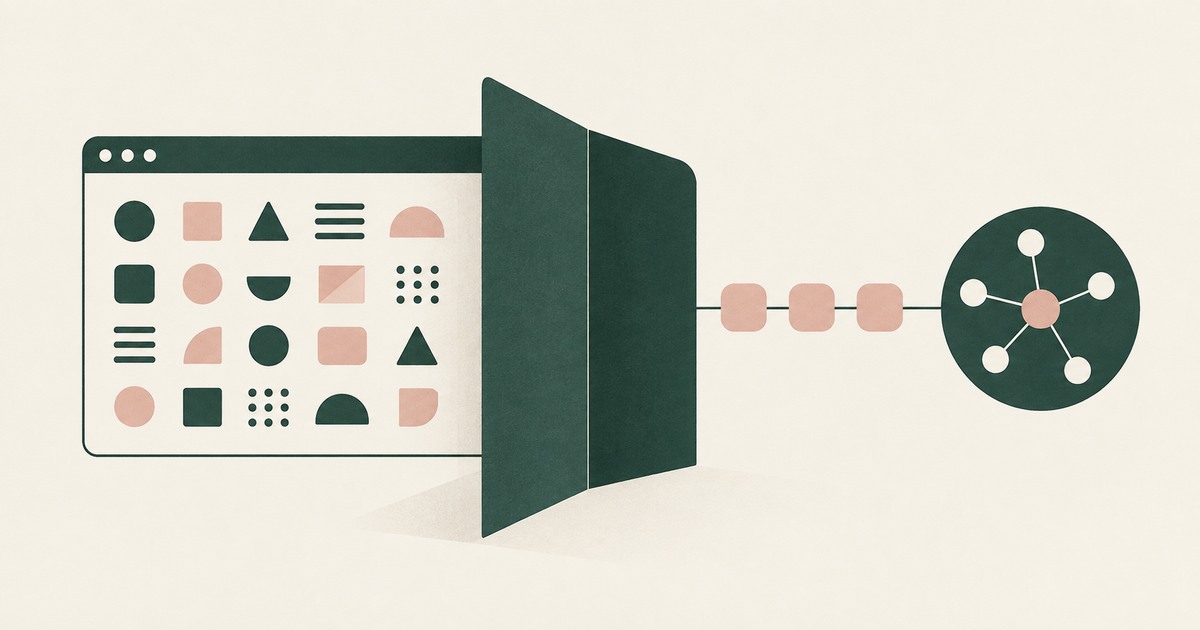
What If the Agent Never Had Your Data?
Explore AI agent security built around tokenization, controlled browser actions and human approval before sensitive payments proceed.
Book an AI Agent Security Review →
Bring your hardest questions.
Bring one sensitive workflow and the decisions your team needs to keep in its hands.
Book a demoAbout the author

Chris Sowa is a founder of RedactSure and a former CEO of an AI company; he started it years before ChatGPT existed. He previously led AI at Accenture, served as Global VP of Strategy & Innovation at Schneider Electric, was CCO of Sovos, and spent more than a decade at Oracle, with earlier roles at SAP and IBM.