
Guide · By Chris Sowa · Published
Last updated
How to Use Claude Cowork or OpenAI Dots to Safely Set Up Amazon S3 With GitHub: OIDC, Not Keys, and a Named Person on Every Policy
Let the agent work the S3 and GitHub consoles with 0 keys in reach; GitHub Actions assumes a role through OIDC, and a named person approves 4 saves.
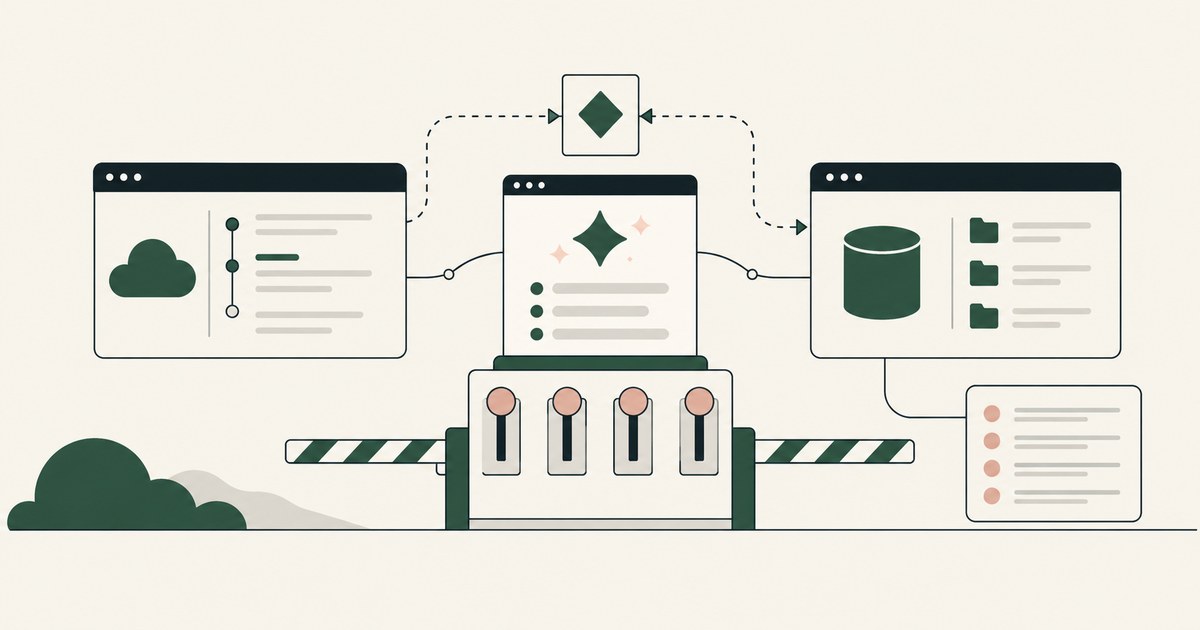
62% experimenting · 23% scaling · 0 keys
62% of organizations are experimenting with AI agents and 23% are scaling them (CX Today, 2026). A bucket and a deploy pipeline is the job that stalls the move from the first number to the second: small, repetitive, and the moment an access key gets created, pasted into a secret, and forgotten.
You probably run it like this today: a key in a file on a laptop, the agent in that shell, "always allow" on after the third prompt, secret scanning as the control. That hands the key and every account identifier to the model, and puts no one on the record for the trust policy it wrote.
The Spartans sent generals out with the scytale, a strip wound on a rod, readable only where the matching rod was kept. The rod never traveled with the messenger. Treat your AWS account the same way. The agent travels with the task; the credential stays where the role is assumed; the model reads a bucket name and a policy document, never a key.
The result is a private, encrypted, versioned bucket, a role GitHub Actions assumes one job at a time, a workflow with no secret in it, and 4 approvals in your SIEM, each with a name.
AWS and GitHub both document OIDC in place of the key you were about to paste
GitHub's guidance for deploying to AWS is to configure OpenID Connect and assume an IAM role, not to store access keys as secrets (GitHub, 2026). AWS says the same: temporary credentials, no long-lived access keys for workloads (AWS, 2026). The provider is created once per account in IAM (AWS, 2026), and each job's token lasts for that job.
That handles the first exposure: no key in the repository or the shell. The second is the one the agent adds. An IAM page renders your account ID, the role ARN and any key ID whether a person or a model reads it. Content a model reads can carry instructions (Greshake et al., 2023), and OWASP ranks prompt injection first among LLM risks (OWASP, 2025). The README in the repository the agent commits to is content.
OIDC settles how the pipeline authenticates. It says nothing about what the model saw while setting it up.
The setup touches 3 applications and needs 0 credentials in the model
The agent needs the AWS console, the repository and a terminal, and no credential. The principle for what it may read is Least Exposure: for each piece of work, the AI receives exactly the data the task requires and nothing more, enforced before any model reads the screen. The mechanism is render-layer tokenization: replacing sensitive values with consistent stand-in tokens at the point where a screen is rendered, before any AI model reads it, so the model works with SSN_001 and ACCT_001 and real values resolve only at approved destinations at the moment of action.
The model receives the bucket name, the region and the policy text in clear, and ACCT_001, ROLE_001 and KEY_001 for real values.
| Property | Keys in a shell on a laptop | Vendor-hosted cloud computer | Customer-owned governed environment |
|---|---|---|---|
| Credential | A file the model can read | Sign-in outside the model's context (OpenAI, 2026) | No key; the person's own identity |
| What the model reads on IAM pages | Everything | The webpage text (OpenAI, 2026) | Task fields, with ACCT_001 and ROLE_001 |
| Who approves the trust policy | Whoever set "always allow" | Custom Rules the user sets (OpenAI, 2026) | A named person |
Secure sign-in keeps the password out of the model; the account ID on the next screen is another matter.
4 approvals stand between an empty account and a working deploy
Supervised Delegation means a named person grants the access, chooses the applications, confirms what is tokenized, can watch and pause the run, and approves every consequential action, on the record. Here 4 qualify.
Block Public Access at the bucket, and at the account if your standard requires (AWS, 2026). The OIDC provider and its audience. The role save, with its trust and permissions policies read together. The first deployment after the merge.
The rest runs without a stop: create the bucket; set SSE-S3 or SSE-KMS; turn on versioning and access logging to a separate bucket (AWS, 2026); write the workflow that requests the token, assumes the role and uploads; open the pull request; confirm secret scanning and push protection are on (GitHub, 2026).
"Always allow" turns a drafting error into a standing exposure. A trust policy with no repository condition cannot reach IAM when the save waits for a name.
The trust policy names 1 repository and the model never sees the role ARN
The role is where setups go wrong. GitHub's guidance restricts the trust policy to your repository through the subject claim, narrowed to a branch or environment where you can (GitHub, 2026). A trust policy that names the provider but not the repository lets any GitHub workflow assume the role. A wildcard in the permissions policy makes a deploy role account-wide.
The agent drafts both. The planner has set what the model may see on IAM pages, so the ARN reaches it as ROLE_001 and the account ID as ACCT_001; the policy JSON stays in clear because the person reads it. The agent is a tethered agent: an agent that works only inside the governed environment a named person connected it to, on the applications that person chose.
The person's permissions do not change; the model's input does.
Secret scanning on GitHub catches 1 of the 2 ways a key leaks
GitHub's secret scanning detects credential patterns committed to the repository, and push protection can stop the push (GitHub, 2026). Turn both on. Then stop treating them as the control; they see one of two leak paths.
| Property | Secret scanning and push protection | DLP on the endpoint | Render layer in the governed environment |
|---|---|---|---|
| A key typed into a workflow file | Caught at commit or push | Caught if the pattern matches | Never drafted; outside the policy |
| A key ID read on an IAM page | Not seen | Not seen; a screen is not a transfer | KEY_001 |
| A trust policy with no repository condition | Passes | Passes | Stops for the named person |
Secret scanning governs what enters the repository. DLP governs where data may go. Connector scopes govern which application the agent reaches. None governs what a model receives from a screen.
1 record ties every screen and 4 approvals to a name in your SIEM
4 approvals · 1 record · 0 real identifiers
The AI Control Record is the record of every screen the agent saw as tokens, every action, every approval with a name, exported to the customer's own monitoring. The first entry is the confirmed per-task policy. Then every console page as tokens, every setting changed, both policy documents, the pull request, and 4 approvals with a name and a time.
CloudTrail says a principal created a role. The vendor's Activity View lets the user follow, redirect or stop work (OpenAI, 2026). Neither shows what the model read before drafting the trust policy, and neither carries a named approval. The named stop is the oversight. The record is the evidence.
One SIEM query answers your auditor: every entry in this run with a real account ID, ARN or key. Zero rows.
The environment stays yours whether Claude Code, Claude Cowork or an OpenAI dot does the work
Claude Cowork is Anthropic's desktop agent, GA April 9, 2026, with sandboxed folders, role-based access and per-tool connector controls (Beliūnas, 2026). Dots are always-on agents with their own cloud computer and browser, reaching more than 4,000 apps (The Next Web, 2026). Claude Code runs in the terminal, reads and edits files and runs commands (Anthropic, 2026). Any of the three can do the job; none is the control.
Separation of model and control is the principle that the environment deciding what an AI agent sees and who approves what it does is owned by the customer and independent of whichever model performs the work. The vendor that is the model should not also be the judge of the model. The render layer, the planner, the named person and the record sit in a secure VM you deploy, with keys you hold; the agent you chose (Claude Code in the terminal, Claude Cowork on the desktop, or an OpenAI dot) does the work inside the environment. Swap the agent; the tokens, the 4 stops and the record stay put.
6 Rules for setting up S3 with GitHub through an agent
Create no IAM access key, before, during or after the run
The pipeline assumes a role through OIDC (AWS, 2026). The agent works under the named person's permissions; key creation is outside the per-task policy. Before: a deploy user for the agent, a key in a file, a policy wider than one bucket. After: the person's own principal in CloudTrail; the key count unchanged.
Tokenize every identifier and keep the policy text in clear
The person reads the trust policy, so the JSON stays readable; the identifiers need not.
| Becomes a token | Stays in clear |
|---|---|
| Account ID (ACCT_001) | Bucket name and region |
| Role and provider ARNs (ROLE_001) | Policy documents the person reads |
| KMS key ID, OIDC token, any key (KEY_001) | Encryption method, versioning, log target |
Stop at public access, the provider, the role save and the first deploy
Each of the 4 commits exposure; the role save carries both policies. The agent drafts; the person saves. Before: a trust policy saved under "always allow" with no named approval and the subject claim missing. After: the role waits in the record with both documents; the person reads the condition and saves.
Name the repository in the trust policy, and a branch where you can
GitHub's guidance narrows the subject claim to the repository, then to a branch or environment (GitHub, 2026). Test: the trust policy's condition names your organization and repository; the permissions policy has no wildcard.
Turn on secret scanning and push protection, then treat them as a backstop
Both catch committed credentials (GitHub, 2026). Neither sees a key on a screen.
| The question | Secret scanning | The render layer |
|---|---|---|
| Did a key get committed? | Yes | Not its job |
| Did the model read a key? | No | KEY_001 in the record |
| Did anyone approve the policy? | No | A name and a time |
Export the whole run to the SIEM before you call it done
Every screen as tokens, every action, every approval, one schema, one run ID. Test: search the SIEM for the run; 4 approvals carry a name, the job log shows a role assumption, no real identifier appears.
How to choose how the pipeline and the agent authenticate to AWS
- If the deploy runs in GitHub Actions, use OIDC and an IAM role, never a key stored as a secret.
- If anyone proposes a deploy user with a key "for now," decline it; a key lasts until rotated, a token for one job.
- If the agent will open IAM pages, run it in a customer-owned governed environment where the account ID and ARNs reach the model as tokens.
- If a vendor's documentation says the model sees the page in full, keep that agent off IAM and KMS pages or put it in your environment.
- If the bucket holds regulated records, choose SSE-KMS with a key in your account, and keep the key ID tokenized.
- If several repositories deploy to one account, create one provider and one role per repository, each with its own trust condition.
The checklist
| Check | Pass | Fail |
|---|---|---|
| Keys and principals after the run | Same key count; the person's identity in CloudTrail | A new key or user |
| First record entry | The confirmed policy with a name | A console screen |
| One IAM screen in the record | ACCT_001 and ROLE_001 | A real ID or ARN |
| Public access, encryption, versioning | All set, approval recorded, key ID as a token | Any unset, no approval, or a key ID in clear |
| Trust policy condition | Your repository, and a branch or environment | Provider only, or a wildcard |
| Permissions policy | One bucket, the deploy's actions | Any wildcard |
| Workflow and branch | No secret; a role assumption in the job log | A key pattern on the branch |
| A planted README instruction | Collected tokens; the step still stopped | A key created or a policy widened, no name |
Questions
Why OIDC instead of access keys?
A key lasts until someone rotates it; an OIDC token lasts for one job. AWS calls for temporary credentials and no long-lived access keys for workloads (AWS, 2026), and GitHub's guidance is to assume a role rather than store keys as secrets. With no key in the repository, there is nothing in it to leak, and nothing to rotate when an engineer leaves.
Can the agent see the bucket's contents?
Only what the task's policy allows, and a setup task needs none of it. The agent gets the bucket name, the settings pages and the policy text it drafts. If a later task needs the contents, the planner writes a new policy, the render layer tokenizes the identifiers inside the objects, and the named person confirms that policy before the run starts.
What does secret scanning catch, and what does it not?
It catches a credential pattern committed to the repository, and push protection stops the push (GitHub, 2026). It does not see a key the agent read from a console page, pasted into a chat, or kept in a file outside the repository, and it does not read a trust policy. If you are relying on it as the control, a key is already misplaced.
Should the trust policy name a branch?
Restricting the role to one repository is the minimum. Restricting it to a branch or a deployment environment narrows who can assume it further, and GitHub's documentation shows both forms. Whatever you choose, a named person reads and approves the trust policy before the role is saved, and the record holds the approved document beside the person's name and the time.
Can a dot do this on its own while I am away?
No. OpenAI's documentation says that when the user is away, dots do proactive research in read-only mode (OpenAI, 2026). Creating a provider, saving a role and running a deploy are not read-only. In a governed environment each waits for a named person either way, and the agent resumes from the record once the person has signed, with the draft unchanged.
What if a README or an issue tells the agent to add a key?
Indirect prompt injection (Greshake et al., 2023), listed as LLM01 by OWASP (OWASP, 2025). In a governed environment the instruction collects tokens, key creation is outside the policy, and any action it tries to cause stops for a named person who declines it. The record shows the page the model read, the draft it produced, the refusal and the name.
Can Claude Code write the workflow and run the AWS CLI inside the environment?
Yes. Claude Code runs in the terminal, reads and edits files and runs commands (Anthropic, 2026). Inside the governed environment it works under the named person's permissions, and a command that creates a provider, saves a role or changes a bucket setting waits for that person, as a console click would. The command and the approval land in the record together.
Methodology
What this page rests on. AWS and GitHub documentation on OIDC, IAM, S3 security and secret scanning; Anthropic's Claude Code documentation; OpenAI's September 29, 2026 account of Dots and The Next Web's report; Beliūnas's 2026 Anthropic launch guide; McKinsey's State of AI 2026 via CX Today; OWASP LLM01; Greshake et al. (2023); all read as of October 9, 2026.
What was not tested. No hands-on testing of Claude Code, Claude Cowork, OpenAI Dots, AWS or GitHub was done for this page. Console flows and claim formats change with releases; the page carries its date.
Whose determination it is. Whether an agent, an environment or a record meets your obligations is for your counsel, your assessor and your security and compliance officers to decide.
How RedactSure does this
3 applications · 4 approvals · 0 keys
RedactSure runs the agent in a customer-owned governed environment: a secure virtual machine on hardware-encrypted enclaves, with keys you hold. The render layer tokenizes each S3, IAM and GitHub screen before any model reads it, so the model receives the task's fields with the account ID as ACCT_001, the role ARN as ROLE_001 and any key as KEY_001, and the policy text in clear. The planner writes the per-task policy with key creation left out; a named person confirms it, then approves the 4 saves under Supervised Delegation. Every screen, action and approval lands in the AI Control Record and exports to your SIEM.
The agent you chose (Claude Code in the terminal, Claude Cowork on the desktop, or an OpenAI dot) does the work inside it; the model is swappable without moving the controls. Permissions do not change. Prompt injection that succeeds collects tokens; the action still stops for a named person. Deployments are in pilot.
Book an AI Agent Security Review →
Further reading
Should an AI Agent Have an Always-Allow Setting? · How to Secure AI Agents Across AWS, Azure and GCP · Can a Credential Vault Protect What an AI Agent Reads? · What Is the Difference Between RedactSure and an AI Gateway for Protecting Sensitive Data? · What is Data Tokenization? · What Is AI Agent Credential Protection?
Sources
Peer-reviewed research and preprints
- Greshake, Kai, et al., "Not What You've Signed Up For: Compromising Real-World LLM-Integrated Applications with Indirect Prompt Injection," arXiv:2302.12173, 2023 (preprint; also AISec 2023). https://arxiv.org/abs/2302.12173
Vendor documentation
- GitHub, "Configuring OpenID Connect in Amazon Web Services," 2026 (vendor documentation). https://docs.github.com/en/actions/security-for-github-actions/security-hardening-your-deployments/configuring-openid-connect-in-amazon-web-services
- GitHub, "About secret scanning," 2026 (vendor documentation). https://docs.github.com/en/code-security/secret-scanning/about-secret-scanning
- AWS, "Create an OpenID Connect (OIDC) identity provider in IAM," 2026 (vendor documentation). https://docs.aws.amazon.com/IAM/latest/UserGuide/id_roles_providers_create_oidc.html
- AWS, "Security best practices in IAM," 2026 (vendor documentation). https://docs.aws.amazon.com/IAM/latest/UserGuide/best-practices.html
- AWS, "Security best practices for Amazon S3," 2026 (vendor documentation). https://docs.aws.amazon.com/AmazonS3/latest/userguide/security-best-practices.html
- AWS, "Blocking public access to your Amazon S3 storage," 2026 (vendor documentation). https://docs.aws.amazon.com/AmazonS3/latest/userguide/access-control-block-public-access.html
- Anthropic, "Claude Code overview," 2026 (vendor documentation). https://docs.claude.com/en/docs/claude-code/overview
- OpenAI, "How we build safety, security and privacy into dots," September 29, 2026 (vendor documentation). https://openai.com/index/how-we-build-safety-security-and-privacy-into-dots/
Regulation, standards and official guidance
- OWASP, "LLM01:2025 Prompt Injection," OWASP Top 10 for LLM Applications, 2025 (industry standard). https://genai.owasp.org/llmrisk/llm01-prompt-injection/
Industry analysis and press
- CX Today, "McKinsey's State of AI: The Scaling Gap Is Now CX's Problem," 2026 (industry analysis of McKinsey's State of AI 2026). https://www.cxtoday.com/ai-automation-in-cx/mckinseys-state-of-ai-the-scaling-gap-is-now-cxs-problem/
- Beliūnas, Linas, "Everything Anthropic Shipped in 2026," 2026 (industry analysis). https://linas.substack.com/p/anthropic-claude-2026-every-launch-guide
- The Next Web, "OpenAI launches dots, always-on AI agents with their own cloud computers," September 29, 2026 (press). https://thenextweb.com/news/openai-dots-always-on-ai-agents-cloud-computers-devday
RedactSure documents
- RedactSure Research, "What Is Least Exposure?" (2026). https://redactsure.com/research/what-is-least-exposure
- RedactSure Research, "What Is Render-Layer Tokenization?" (2026). https://redactsure.com/research/what-is-render-layer-tokenization
- RedactSure Research, "What Is Supervised Delegation?" (2026). https://redactsure.com/research/what-is-supervised-delegation
- RedactSure Research, "What Is a Tethered Agent?" (2026). https://redactsure.com/research/what-is-a-tethered-agent
- RedactSure Research, "What Is an AI Control Record?" (2026). https://redactsure.com/research/what-is-an-ai-control-record
- RedactSure Research, "Should an AI Agent's Environment Belong to the Model Vendor?" (2026). https://redactsure.com/research/should-ai-agent-environment-belong-to-model-vendor
- RedactSure, "The Two Gaps AI Agents Opened in Your Security Stack" (2026). https://redactsure.com/blog/two-gaps-ai-agents-opened-in-your-security-stack/
- Product behavior described on this page reflects current published designs. Amazon Web Services, Amazon S3 and AWS are trademarks of Amazon.com, Inc. or its affiliates; GitHub and GitHub Actions are trademarks of GitHub, Inc.; OpenAI and Dots are trademarks of OpenAI; Claude, Claude Code and Claude Cowork are trademarks of Anthropic, PBC; named to identify the products.

Should AI Agents Have an Always Allow Setting?
Review AI agent approval settings for claims, billing and payments, including standing permissions, named approvers and recorded decisions.
How to Secure AI Agents Across AWS, Azure and GCP
Review Secure AI Agents Across AWS, Azure and GCP, with AI agent security, tokenization and approval checks for sensitive enterprise workflows.

Can a Credential Vault Protect What an AI Agent Reads?
Compare credential storage with AI agent security for encountered PII, and examine where screen-level tokenization adds a different control.
RedactSure vs an AI Gateway: AI Agent Security
Review RedactSure vs an AI Gateway: AI Agent Security, with AI agent security, tokenization and approval checks for sensitive enterprise workflows.
What is Data Tokenization?
Review Data Tokenization for AI agent security, with practical checks on sensitive data, tokenization and named human approvals.
What Is AI Agent Credential Protection?
Review AI Agent Credential Protection, with AI agent security, tokenization and approval checks for sensitive enterprise workflows.

What Is Least Exposure?
Explore Least Exposure for AI agent security, limiting PII to what a workflow needs through tokenization and explicit human decisions.

What Is Render-Layer Tokenization?
Learn how render-layer tokenization replaces PII before an AI agent reads a browser screen while preserving useful workflow context.
What Is Supervised Delegation?
Explore supervised delegation for AI agents in billing and claims, with named responsibility, tokenization policies and human approvals.
What Is a Tethered Agent?
Learn how a tethered AI agent stays tied to a named person, with tokenization, bounded permissions and approval for sensitive payments.

What Is an AI Control Record?
Explore an AI agent control record for billing and claims, linking permissions, tokenization decisions, approvals and audit evidence.

Should the AI Model Vendor Own the Agent Environment?
Explore separation of AI agent environments from model vendors, including control of PII, tokenization policies and workflow approvals.

The Two Gaps AI Agents Opened in Your Security Stack
Explore AI agent security through two questions: which PII reaches the model, and who approves consequential billing and claims actions.
Bring your hardest questions.
Bring one sensitive workflow and the decisions your team needs to keep in its hands.
Book a demoAbout the author

Chris Sowa is a founder of RedactSure and a former CEO of an AI company; he started it years before ChatGPT existed. He previously led AI at Accenture, served as Global VP of Strategy & Innovation at Schneider Electric, was CCO of Sovos, and spent more than a decade at Oracle, with earlier roles at SAP and IBM.