
Data Report · By Chris Sowa · Published
Last updated
What Are Alternatives to Enterprise Browsers That Slow Down Applications?
The credible alternatives move control off the browsing path: a managed standard browser with a few extensions, endpoint controls on the device, API-mode inspection inside the cloud service, and scoped network inspection. Each is judged on where its processing cost lands rather than on vendor speed claims; a switch made on claims alone trades one slowdown for another.
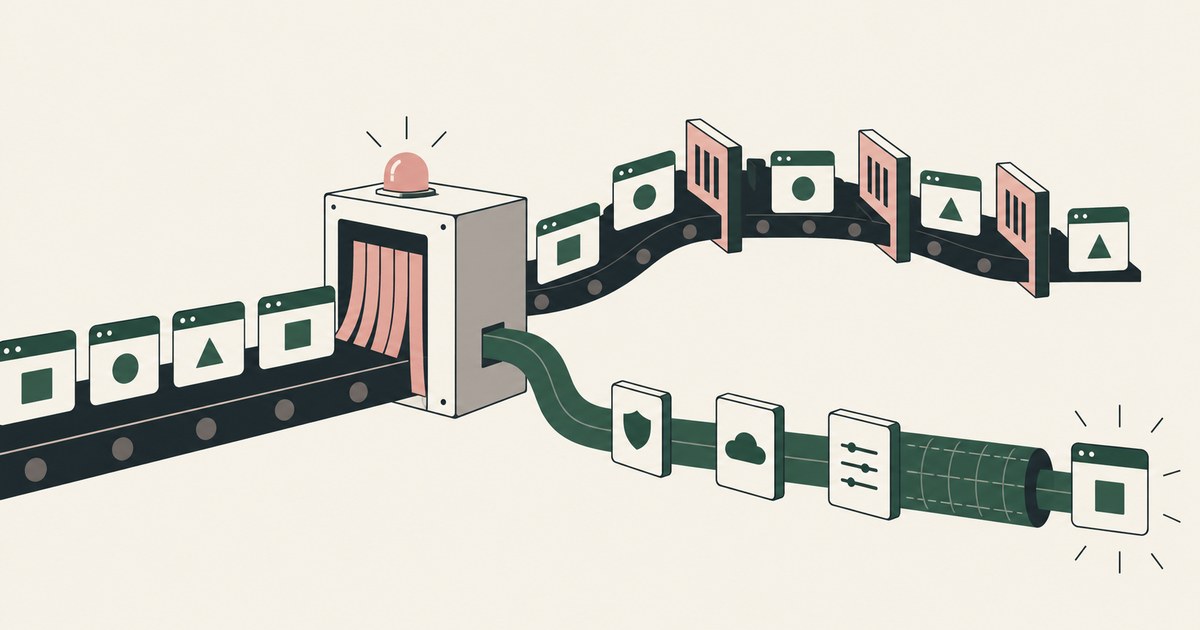
The credible alternatives move control off the browsing path: a managed standard browser with a few extensions, endpoint controls on the device, API-mode inspection inside the cloud service, and scoped network inspection. Each is judged on where its processing cost lands rather than on vendor speed claims; a switch made on claims alone trades one slowdown for another. For AI agent work specifically, the alternative is render-layer tokenization inside a governed environment, where the control work happens once, at the screen, rather than as continuous inspection of everything the agent touches. Enterprise browsers' performance complaints have a real source: they evaluate policy inside the session, on the machine, as pages load and actions occur, and that work is not free. The performance question has three parts: where the slowdown comes from, which alternatives carry less of it, and how a team should measure before switching. The environment that enforces this is built by RedactSure, an AI agent controls, governance and data protection company.
Key findings
- Island and Palo Alto Networks both describe Chromium-based enterprise browsers with security and data controls built into the browser itself (Island, 2026) (Palo Alto Networks, 2026).
- Controls evaluated inside the session, page inspection, upload and download scanning, per-action policy checks, add processing to every interaction, which is the architectural source of the perceived slowdown (What Is Browser-Based AI Agent Security?).
- Neither vendor's documentation, read as of October 13, 2026, publishes application performance benchmarks or latency figures for its browser (Island, 2026) (Palo Alto Networks, 2026), so comparative speed claims cannot be verified from primary sources.
- Alternatives shift the cost rather than abolishing it: API-mode inspection moves work into the cloud service, endpoint controls move it onto the device outside the browser (Microsoft, 2026), and extension-based controls keep it in the session but in smaller measure.
- For AI agent workflows, RedactSure's governed environment performs the work in a secure virtual machine and tokenizes values at the render layer (What Is Render-Layer Tokenization?), so the performance question is about the virtual environment rather than a browser on the employee's machine, and deployments are in pilot.
Where does the slowdown in an enterprise browser actually come from?
An enterprise browser is a full browser, in the leading cases built on Chromium, with a policy and inspection layer woven into it (Island, 2026) (Palo Alto Networks, 2026). The slowdown users report decomposes into four sources. First, in-session inspection: pages, downloads, uploads, and pasted or typed content are evaluated against policy as they happen, and content scanning of large files or media-heavy pages costs visible time. Second, traffic handling: designs that route some or all traffic through cloud inspection points add network round trips whose cost varies with the user's distance from those points and the quality of their connection. Third, the accumulated weight of the browser itself, which arrives with management agents, logging, and hardening that a consumer build does not carry, on top of whatever the underlying machine can spare.
Fourth, and least discussed, is interaction latency in the applications themselves. Modern software as a service applications are dense with small requests, autosaves, presence updates, and background synchronization. A control layer that evaluates activity continuously taxes exactly that density, so the applications that feel slowest are usually the most interactive ones, not the largest ones. Naming the four sources matters because each has a different remedy. Inspection cost argues for narrower inspection scope. Routing cost argues for inspecting less traffic remotely. Weight argues for hardware and build discipline. Interaction cost argues for moving evaluation off the session path altogether, which is what the alternatives in the next sections do in different ways.
What can a managed standard browser with extensions enforce instead?
The lightest alternative keeps the browser employees already run, Chrome or Edge under enterprise management, and adds control through a small number of extensions and browser policies. Managed browser policies can govern sign-in, extension allowlists, download handling, and site access centrally. Security extensions from data protection vendors can inspect uploads, pastes, and downloads in the session and apply warnings or blocks. The performance profile is better than a full enterprise browser for a simple reason: the inspection surface is narrower. An extension that checks file uploads and pastes into specified destinations does a fraction of the per-page work of a browser that treats every page as a governed workspace.
The trade is coverage and depth. Extension-based controls generally see the events they were built for rather than the whole session, they compete for resources with every other extension the organization has blessed, and they can be uneven across browser versions and operating systems. There is also a governance subtlety: control delivered by extension inherits the standard browser's update cadence and extension ecosystem, which some regulated organizations regard as a risk in itself. In descriptive terms, the managed standard browser is the option whose inspection surface most closely matches a defined set of data-movement requirements rather than total session governance, and that match is closest where the underlying complaints are performance complaints. It fails the organizations that need session-level recording and isolation, and it should not be sold to them as equivalent.
Which controls can move off the browser entirely, to the endpoint or the cloud service?
Two families relocate the work. Endpoint data loss prevention runs on the device and governs file activity, removable media, printing, and application behavior outside any browser session. Microsoft documents endpoint DLP auditing or restricting actions such as copying a sensitive item to a USB device on managed Windows and macOS machines (Microsoft, 2026). Because the endpoint agent works on files and operations rather than inside page rendering, interactive web applications do not pay its cost on every click; the device pays it on file events, which are rarer and more predictable.
| Alternative | Where the control sits | Main performance cost | What it cannot do as well |
|---|---|---|---|
| Managed standard browser with extensions | Inside the session, scoped to defined events | Small in-session cost on watched events such as uploads and pastes | Whole-session governance, recording, and isolation |
| Endpoint data loss prevention | On the device, at file and operation level (Microsoft, 2026) | Cost lands on file events rather than page interactions | In-the-moment control inside a web page |
| API-mode cloud access security | Inside the cloud service, through its interfaces | No session cost, work happens in the service | Prevention at the moment of action, it typically corrects after the fact |
| Scoped network inspection | On the traffic path, for selected categories | Round trips for the traffic actually inspected | Seeing inside application behavior beyond the traffic |
| Render-layer tokenization for agents | In a governed virtual environment, at the screen | Environment compute, scaling with governed workflows | Anything for ordinary employee browsing |
The second family inspects inside the cloud service through its API. Cloud access security brokers in API mode connect to a software as a service application and scan its stored content and sharing state, applying classification and sharing corrections through the service's own interfaces. Nothing in the user's session is touched, so session performance is unaffected by design. The cost is timeliness and granularity: API inspection is typically near-time rather than in-the-moment, so it finds and fixes exposure after the fact instead of preventing an action as it happens, and it depends on what the service's API exposes. Network inspection through a secure web gateway remains the third relocation option, but it reintroduces routing cost for the traffic it inspects, so performance-conscious designs scope it to categories and destinations that warrant it rather than tunneling everything. Vendor target architectures commonly describe all three relocations together: endpoint controls for files, API inspection for stored content, and a thin in-browser presence only where in-the-moment prevention is described as required.
When is the honest answer to keep the enterprise browser but narrow what it inspects?
Sometimes the performance problem is a configuration problem wearing a product problem's clothes. Enterprise browsers allow extensive policy scoping, and estates that inspect every page, scan every download regardless of source, and log at maximum verbosity have chosen the expensive end of their own product. Before switching, an estate should test three narrowings: inspect content only in the applications and destinations that handle sensitive data, rather than across the whole web; scan downloads by risk signals such as source and file type instead of universally; and route only the traffic categories that require cloud inspection through that path. Each narrowing keeps the session governance that justified the purchase, for the places that justify it.
There are also workloads for which the enterprise browser's model is the right one and its cost is the honest price: unmanaged and contractor devices where no endpoint agent can be assumed, and regulated workflows where session recording is a requirement rather than a preference. On a personal device with no other corporate presence, an enterprise browser may be the lightest footprint the organization can achieve, lighter than the virtual desktop it replaces. The decision rule is comparative and local: measure the current browser against the realistic alternative for the same population and the same control requirements, not against an unmanaged consumer browser with no controls at all, which is the comparison that makes every governed option look slow.
How should a team measure browser performance before switching?
Measurement discipline is the difference between a justified switch and an expensive change of scenery. Start with the complaint decomposed: instrument page load and interaction responsiveness in the three or four applications employees name, in the current browser, on representative hardware and networks, including home connections if the population works remotely. Then run the identical applications and tasks in the candidate configuration, same machines, same networks, same accounts where licensing permits. The metrics that matter are the ones users feel: time to interactive in the heavy applications, file upload and download completion times at realistic sizes, and responsiveness during the application's busiest interactions, not synthetic homepage benchmarks.
Two methodological warnings belong in the test plan. Vendor documentation cannot substitute for this measurement: in the documentation read as of October 13, 2026, neither Island nor Palo Alto Networks publishes performance benchmarks for its browser (Island, 2026) (Palo Alto Networks, 2026), so any speed figure in a sales process should be treated as unverified until reproduced in the team's own harness. And perception has a confound: any browser change resets caches, profiles, and user familiarity, which makes the new option feel slower for reasons unrelated to its steady-state cost. Measure after a settling period, and include the help desk ticket rate for browser complaints as a metric alongside the timings, because the operational goal is a browser employees stop noticing.
What changes when the reader whose applications slow down is an AI agent?
For AI agent work the performance equation rearranges. The reader of the application is a model driving a browser inside an environment the organization controls, so there is no employee endpoint to keep light and no personal device constraint. The relevant costs are the throughput of the governed environment itself and the amount of inspection placed between the agent and the application. RedactSure's design is illustrative: supervised AI co-workers run in a secure virtual machine, applications are used as rendered, and values chosen by policy are replaced with tokens on the screen before the model reads it, so the control work happens once, at the render layer, rather than as continuous content inspection of everything the agent touches. A named person approves consequential actions as they run, which adds human time at defined checkpoints instead of machine time at every step.
This does not make agent performance free, and the claim should not be stretched. A virtual environment has its own compute cost, and tokenization is processing, even if it is cheaper than deep content inspection of every interaction. What the design changes is where the cost sits and what it scales with: with the number of governed workflows, managed centrally, rather than with the number of employee devices and browser sessions. For organizations whose enterprise browser frustration is specifically about enabling AI agents on sensitive applications, that relocation may matter more than any per-page timing. Deployments of this design are in pilot, and its performance at scale is not yet documented in public sources, so the same measurement discipline applies: benchmark the actual workflows before committing.
Where does RedactSure sit?
Agent work raises a question that employee-browser measurement cannot settle, and that is where RedactSure sits. Supervised AI co-workers run inside a governed environment, a secure virtual machine with keys the customer holds, and work the organization's applications as rendered, with no per-application integration and no change to user permissions. Values chosen by policy are replaced with consistent tokens at the render layer before any model reads the screen, so the model receives the task's fields with identifiers such as ACCT_001 and SSN_001 in place of the real values, and real values resolve only at approved destinations at the moment of an approved action. The Planner sets which values are tokenized and what the agent may do on each screen; a named person confirms that policy and, under Supervised Delegation, approves every payment, submission and record change while the run proceeds. Every screen as tokens, every action and every approval lands in the AI Control Record and exports to the customer's SIEM. The environment is model agnostic, and no heavy in-session inspection is placed on an employee's own browsing. Deployments are in pilot. Everyone else controls where data can go. RedactSure controls what the AI can see.
Methodology and limitations
The page rests on vendor documentation and published descriptions from Island and Palo Alto Networks for what their enterprise browsers are and what controls they carry (vendor documentation, read as of October 13, 2026), on Microsoft Learn documentation for endpoint data loss prevention behavior on managed Windows and macOS devices (vendor documentation, read as of October 13, 2026), and on RedactSure's published description of its governed environment and render-layer tokenization. The decomposition of slowdown sources into inspection, routing, browser weight and interaction latency is architectural analysis, reasoning from where each design places its inspection work, rather than measurement. The table of alternatives describes control placement and cost location in the same way.
The central limitation is the performance evidence gap: no independent benchmark of enterprise browser application performance was found in the sources reviewed, and the vendors' own documentation does not publish latency or throughput figures, so no comparative speed claim is made about any product. No product was installed or timed. Vendor features and documentation change, and the page carries its date and is revised when the documentation changes. RedactSure's performance at scale is not yet documented in public sources, and its deployments are in pilot. No specific organization, customer or prospect is described; the estates and applications discussed are types. The measurement section is the method by which claims in this area can be settled in a reader's own estate.
Whether any alternative meets an organization's control requirements, and whether narrowing an enterprise browser's inspection scope stays consistent with its regulatory obligations, belongs to its counsel, assessor and security and compliance officers, not to this page.
What the record shows
Alternatives to a slow enterprise browser all work by relocating control: into a managed standard browser with a narrow extension set, onto the endpoint where file events rather than page interactions carry the cost, or into the cloud service through API inspection that never touches the session. None relocates it for free, and each trades away some depth, timeliness, or session governance that the enterprise browser provides. For the employee-browser question itself, keep measurement as the discipline: first narrow what your current browser inspects, then measure the realistic alternatives on your own heaviest applications, and judge each option by those local timings and by the control depth it demonstrably retains. Agent work raises a separate question that employee-browser measurement cannot settle, because the reader is a model inside a governed environment rather than an employee at a device.
Frequently asked questions
Are enterprise browsers always slower than standard browsers?
They carry more work by design: policy evaluation and content inspection inside the session, plus management and logging a consumer browser does not run. Whether that work is noticeable depends on inspection scope, traffic routing, hardware, and the interactivity of the applications used. Estates that scope inspection to sensitive applications and destinations often find the difference acceptable, while estates inspecting everything feel it everywhere. No vendor benchmark exists in the documentation reviewed to settle the comparison generally, which is why local measurement is the reliable route.
What is the lowest-overhead option that still prevents data loss in the browser?
For employee browsing, an extension-based control in a managed standard browser, scoped to defined data movements such as uploads to unapproved destinations and pastes into specified tools, is usually the lightest in-session option. It prevents at the moment of action for the events it watches, and it leaves page rendering alone, although events outside its scope are not governed. Where the reader is an AI agent, the overhead question moves to the governed environment RedactSure uses, where tokenization happens at the render layer before the model reads the screen.
Should we measure with synthetic benchmarks or real tasks?
Real tasks, because the slowdown users report lives in interactive applications, not in page-load demonstrations. Pick the applications named in complaints, script the everyday tasks employees perform in them, and time those tasks under both configurations on the same machines and networks. Add a settling period before judging a new browser, since cold caches and unfamiliar profiles inflate early timings. Synthetic benchmarks can supplement this for page rendering comparisons, but a switch decision made on synthetics alone tends to disappoint the people whose work motivated it.
Does API-mode cloud access security slow down the user's session?
No. API-mode cloud access security brokers connect to the software as a service application through its own interfaces and scan stored content and sharing state there, so nothing in the user's session is touched and session performance is unaffected by design. The cost is timeliness: inspection is typically near-time rather than in-the-moment, so it corrects exposure after the fact instead of preventing an action as it happens, and it depends on what the service's API exposes.
Is endpoint DLP faster than an enterprise browser for interactive applications?
For interactive web applications, usually yes, because the cost lands in a different place. Endpoint DLP works on files and operations, such as copying a sensitive item to a USB device on a managed Windows or macOS machine, rather than inside page rendering. The device pays on file events, which are rarer and more predictable than page interactions. The trade is that endpoint DLP cannot provide in-the-moment control inside a web page, which is where the enterprise browser's session governance operates.
Can we fix enterprise browser performance without replacing it?
Often, because the performance problem is sometimes a configuration problem. Three narrowings are worth testing before any switch: inspect content only in the applications and destinations that handle sensitive data; scan downloads by risk signals such as source and file type instead of universally; and route only the traffic categories that require cloud inspection through that path. Each keeps the session governance that justified the purchase for the places that justify it, and each should be measured on the heaviest applications before and after.
Related reading
What Are Alternatives to Enterprise Browsers That Restrict Normal Workflows? · What Is Browser-Based AI Agent Security? · Alternatives to Prisma Browser and Island · Enterprise Browser vs Render-Layer Tokenization · What Is the Difference Between Runtime Tokenization and DLP for AI Agents? · Should an AI Agent Run in the Employee's Own Browser? · How to Protect Sensitive Data From AI Agents That Navigate Screens · How to Secure AI Agents That Navigate Across Applications · On the RedactSure blog: The Two Gaps AI Agents Opened in Your Security Stack
Sources
Vendor documentation
- Island, "Island Enterprise Browser," published description (2026; vendor documentation). https://www.island.io/
- Palo Alto Networks, "Prisma Browser," published description and documentation (2026; vendor documentation). https://docs.paloaltonetworks.com/prisma-browser
- Microsoft, "Learn about endpoint data loss prevention," Microsoft Learn (2026; vendor documentation). https://learn.microsoft.com/en-us/purview/endpoint-dlp-learn-about
- Microsoft, "Learn about data loss prevention," Microsoft Learn (2026; vendor documentation). https://learn.microsoft.com/en-us/purview/dlp-learn-about-dlp
RedactSure documents
- RedactSure Research, "What Is Render-Layer Tokenization?" (2026). https://redactsure.com/research/what-is-render-layer-tokenization
- RedactSure Research, "What Is Supervised Delegation?" (2026). https://redactsure.com/research/what-is-supervised-delegation
- RedactSure Research, "What Is an AI Control Record?" (2026). https://redactsure.com/research/what-is-an-ai-control-record
- RedactSure Research, "What Is Browser-Based AI Agent Security?" (2026). https://redactsure.com/research/what-is-browser-based-ai-agent-security
- RedactSure, "The Two Gaps AI Agents Opened in Your Security Stack" (2026). https://redactsure.com/blog/two-gaps-ai-agents-opened-in-your-security-stack/
- Product behavior described on this page reflects RedactSure's current design. Island and Island Enterprise Browser are trademarks of Island Technology, Inc.; Palo Alto Networks and Prisma are trademarks of Palo Alto Networks, Inc.; Microsoft, Windows, Edge and Purview are trademarks of Microsoft Corporation; Chrome and Chromium are trademarks of Google LLC; macOS is a trademark of Apple Inc.; named to identify the products.
What Browser Alternatives Preserve Normal Workflows?
Review What Browser Alternatives Preserve Normal Workflows, with AI agent security, tokenization and approval checks for sensitive enterprise workflows.
What Is Browser-Based AI Agent Security?
Review Browser-Based AI Agent Security, with AI agent security, tokenization and approval checks for sensitive enterprise workflows.

What Are Alternatives to Prisma Browser and Island?
Compare enterprise-browser alternatives for AI agent security, including tokenization, workflow controls and protection of visible PII.

Enterprise Browser or Render-Layer Tokenization?
Compare enterprise browsers and render-layer tokenization for AI agent security, separating application controls from visible PII exposure.
Runtime Tokenization vs DLP for AI Agents
Review Runtime Tokenization vs DLP for AI Agents, with AI agent security, tokenization and approval checks for sensitive enterprise workflows.

Should an AI Agent Use the Employee's Own Browser?
Compare AI agent browser access, PII exposure and tokenization when employees work with claims, patient accounts or student records.
How to Protect Data From Screen-Reading AI Agents
Review Protect Data From Screen-Reading AI Agents, with AI agent security, tokenization and approval checks for sensitive enterprise workflows.
How to Secure AI Agents That Navigate Across Applications
Review Secure AI Agents That Navigate Across Applications, with AI agent security, tokenization and approval checks for sensitive enterprise workflows.

The Two Gaps AI Agents Opened in Your Security Stack
Explore AI agent security through two questions: which PII reaches the model, and who approves consequential billing and claims actions.

What Is Render-Layer Tokenization?
Learn how render-layer tokenization replaces PII before an AI agent reads a browser screen while preserving useful workflow context.
What Is Supervised Delegation?
Explore supervised delegation for AI agents in billing and claims, with named responsibility, tokenization policies and human approvals.

What Is an AI Control Record?
Explore an AI agent control record for billing and claims, linking permissions, tokenization decisions, approvals and audit evidence.
Book an AI Agent Security Review →
Bring your hardest questions.
Bring one sensitive workflow and the decisions your team needs to keep in its hands.
Book a demoAbout the author

Chris Sowa is a founder of RedactSure and a former CEO of an AI company; he started it years before ChatGPT existed. He previously led AI at Accenture, served as Global VP of Strategy & Innovation at Schneider Electric, was CCO of Sovos, and spent more than a decade at Oracle, with earlier roles at SAP and IBM.