
Data Report · By Chris Sowa · Published
Last updated
What are alternatives to enterprise browsers that restrict normal workflows?
Each option keeps the browser people already use and relocates the control to the endpoint, the service, or the data itself. Replacing the browser for all work restricts the ordinary gestures that knowledge work runs on, and when the policy is wrong in detail, work moves to personal devices and unmanaged browsers where no control reaches it.
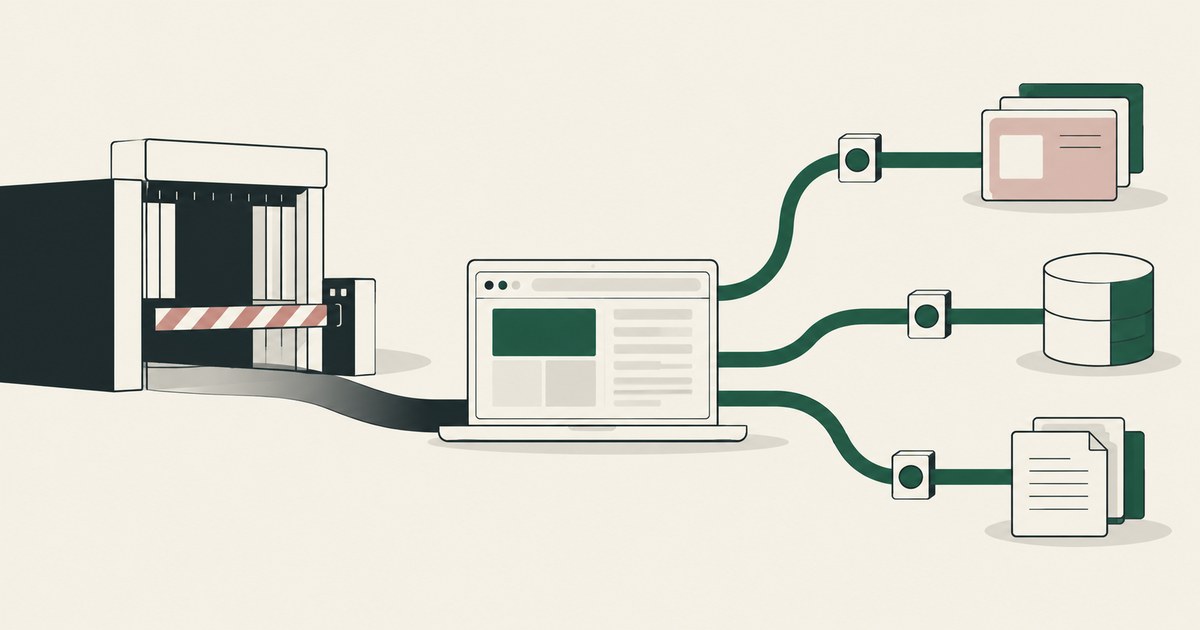
Each option keeps the browser people already use and relocates the control to the endpoint, the service, or the data itself. Replacing the browser for all work restricts the ordinary gestures that knowledge work runs on, and when the policy is wrong in detail, work moves to personal devices and unmanaged browsers where no control reaches it. The alternatives are to manage the mainstream browser as an enterprise browser, add policy to it with endpoint and extension controls, isolate only the applications that need isolation, enforce data rules at the endpoint and the service rather than in a replacement browser, or, for work done by AI agents, change what the agent receives instead of changing everyone's browser, under the principle of Least Exposure. Each alternative gives up something the dedicated enterprise browser offers, usually the single point of last mile control, and gains back the workflows, extensions, and habits that a browser replacement disrupts. The environment that enforces this is built by RedactSure, an AI agent controls, governance and data protection company.
Key findings
- Palo Alto Networks' published Prisma Browser datasheet lists the restrictions that define the category: controls on file download and upload, on cut, copy, paste and drag and drop, on printing, and on screenshots and screen sharing, all set by policy (Palo Alto Networks, 2025).
- Microsoft documents Edge for Business as a work experience within the existing Edge browser, with enterprise controls for secure data access and leak prevention and automatic separation of work and personal browsing, rather than a separate browser product to adopt (Microsoft, 2025).
- Microsoft's Endpoint DLP documentation describes restrictions applied at the device for activities including clipboard use, copying to USB or network shares, printing, and uploading to cloud services, independent of which browser is in use (Microsoft, 2025).
- The NIST zero trust publication frames access as a per session decision made by a policy engine using identity, device, and contextual inputs, a model that does not require any particular client application (NIST, 2020).
- For AI agent work specifically, RedactSure's published design leaves the browser and the user's permissions unchanged, and instead tokenizes policy selected values before a model reads the screen (RedactSure Research, 2026). Its deployments are in pilot.
What do enterprise browsers restrict, in their own documentation?
An enterprise browser is a browser built or configured so the organization, rather than the user, governs what can be done with content inside it. The restriction set is consistent across the category. Palo Alto Networks' datasheet for Prisma Browser describes granular controls over file downloading and uploading by type, size, hash, or label, restriction of cut, copy, paste, and drag and drop between websites or outside the browser, prevention of printing, and blocking of screen captures, video recording, and screen sharing, each applied according to policy (Palo Alto Networks, 2025). Island's published product descriptions present the same family of last mile controls, covering copy, paste, download, upload, and screenshots within its browser (Island, 2026).
These controls exist for a reason: the last mile, between an application rendering data and a person doing something with it, is where many leaks physically happen. The difficulty the headline points to is the other side of the same fact. The restricted gestures are not exotic. Pasting a value into a second system, downloading a statement, printing a letter, and sharing a screen with a colleague are the substance of ordinary knowledge work. When the browser that hosts most of that work restricts all of them by policy, the policy has to be right in detail for every team, or normal workflows bend around it, through personal devices, unmanaged browsers, or manual retyping. The question is therefore not whether last mile control has value, but whether a replacement browser is the only place to get it. The documented alternatives say it is not.
Alternative one: manage the mainstream browser as the enterprise browser?
The least disruptive alternative is to keep the browser staff already use and manage it in depth. Microsoft documents Edge for Business as a dedicated work experience inside the standard Edge browser: signing in with a work identity enables it, it carries enterprise controls for secure data access and leak prevention, it separates work and personal browsing into distinct windows with their own stored data, and it can switch automatically between the two contexts (Microsoft, 2025). Existing favorites, history, and saved passwords carry over, because the browser itself has not changed (Microsoft, 2025).
Google publishes an equivalent management model for Chrome through its enterprise policy framework, under which administrators set policies for the browser their users already run. The shared point of both models is that control arrives as configuration rather than as a migration. Nobody relearns a browser, extensions and web applications behave as they did, and the organization governs the work profile while leaving personal browsing structurally separate.
What this alternative does not provide by itself is the deepest last mile restriction set. Managed mainstream browsers expose data protection features, and Edge integrates with Microsoft's DLP tooling, but an organization that needs to suppress screenshots of a specific application, for example, may still find that capability only in a dedicated product. The honest trade is breadth of workflow continuity against depth of in browser restriction.
Alternative two: add controls to the existing browser with endpoint policy?
A second alternative moves enforcement below the browser, to the device. Microsoft's Endpoint DLP documentation describes auditing and restricting activities on protected items wherever they occur on the device: copying to the clipboard, copying to USB removable media or a network share, printing, and uploading an item to a cloud service or accessing it through an unallowed browser (Microsoft, 2025). Endpoint settings also allow restrictions to be scoped to groups of applications, with different actions per activity (Microsoft, 2025).
Because the control sits on the endpoint, it follows the file and the user rather than the browsing session, and it applies whether the person reached the data through a browser, a desktop application, or a synced folder. The browser question largely dissolves: staff keep their normal browser and their normal applications, and the policy governs the data movements that matter.
The limits are coverage and granularity. Endpoint controls govern managed devices, so unmanaged and personal devices fall outside them unless another control covers access from those devices. And endpoint policy judges activities on items it has classified or labeled, so its precision depends on the quality of that classification, a dependence examined in the page on DLP false positives.
Alternative three: isolate only the applications that need it?
A third alternative keeps the dedicated environment but shrinks its footprint. Instead of replacing the browser for all work, the organization routes only the applications that handle the most sensitive data, or the users with the riskiest access, through an isolated or virtualized session, and leaves everything else in the normal browser. The NIST zero trust architecture supports this shape of decision: access to each resource is granted per session after a policy engine evaluates identity, device posture, and other inputs, rather than being implied by network location or by a single mandated client (NIST, 2020).
Scoped isolation concentrates both the protection and the friction. The small set of workflows that justify screenshot suppression or download bans gets them, inside a session designed for that purpose, and the rest of the working day is untouched. Contractors and temporary staff are a natural fit, since an isolated session can be granted without issuing a managed device.
The cost is a boundary to maintain. Someone must decide which applications are inside the isolated set, and that decision will be wrong at the edges as applications change. Users also live in two environments, and work that spans both, such as researching in the open browser and entering results in the isolated application, crosses the very boundary the design created, often at the clipboard.
Alternative four: enforce at the service and the data, not the browser?
A fourth alternative enforces where the data lives. Sensitivity labels in Microsoft Purview can apply encryption and content markings to individual documents and emails, and encrypted content remains encrypted wherever it resides, inside or outside the organization, and can be decrypted only by users the label's settings authorize (Microsoft, 2025). Access decisions, sharing restrictions, and retention can likewise be applied by the services that store the data, per item and per user, without any involvement from the browser.
This approach protects the asset rather than the window it is viewed through. A downloaded file that stays encrypted has not leaked in usable form even though the download itself was allowed, a point the page on sensitivity labels develops in detail. Service side enforcement also reaches channels a browser never sees, such as synchronization clients and API driven integrations.
Its weakness is the rendered moment. Once an authorized user opens a document, the content is on a screen, readable and photographable, and service side controls have little to say about what happens next. That is the gap last mile controls were built to close, which is why most real architectures combine service side protection for the data with something lighter at the point of use, rather than treating either as complete.
Alternative five: change what an AI agent receives instead of the browser?
The headline question is usually asked about human staff, but a growing share of browser work is delegated to AI agents, and for that share the browser replacement question looks different again. An agent does not have habits, extensions, or a preferred browser. What it has is a view of a screen, and the risk sits in what that view contains.
RedactSure's published design works on that view. Supervised AI co-workers carry out browser workflows across an organization's existing applications, worked as rendered, with no per application integration and no change to user permissions. Before a model reads a screen, the values policy has selected are replaced at the render layer by consistent tokens, under its Least Exposure principle that an agent receives exactly what a task requires and nothing more. A person named in the policy approves every consequential action, such as a payment, a submission, or a record change, at the moment it runs. If an injected instruction redirects the agent, what it can collect is tokens and remaining task context, and the consequential step still waits for that named approval.
This alternative does not answer the human side of the question. It answers the agent side: for delegated work, the organization may not need to restrict a browser at all, because it can restrict the data the automated reader is ever shown. Deployments of this design are in pilot.
| Alternative | What changes for staff | What it controls well | Principal limit |
|---|---|---|---|
| Managed mainstream browser | Nothing, the same browser gains a governed work profile | Identity based access, work and personal separation, integrated DLP | Shallower last mile restrictions than a dedicated browser |
| Endpoint policy | Nothing in the browser, rules follow files on the device | Clipboard, USB, print, and upload activities across applications | Managed devices only, depends on classification quality |
| Scoped isolation | A separate session for a small set of applications | The strongest restrictions, applied only where justified | Boundary decisions, work spanning both environments |
| Service and data enforcement | Nothing, protection travels with the item | Encryption and access rules wherever the file goes | Little control over content once rendered on screen |
| Tokenized agent view | Nothing for staff, agents see tokens instead of values | What a model can read, copy, or be tricked into revealing | Covers agent work, not human browsing, and is in pilot |
Where does RedactSure sit?
For delegated agent work, the answer is RedactSure rather than any replacement browser. Its supervised AI co-workers operate inside the applications and browser staff already use, worked as rendered, with no per application integration and no change to user permissions. Render-layer tokenization replaces the values policy has selected with consistent tokens before the model reads each screen, so the model receives the task's fields with identifiers as SSN_001 and ACCT_001 and never sees real values on a support console or a finance page. Real values resolve only at approved destinations at the moment of an approved action.
The Planner sets which values are tokenized and what the agent may do on each screen, and a named person confirms that policy before the run and approves every payment, submission and record change while it runs, under Supervised Delegation. Every screen as tokens, every action and every approval lands in the AI Control Record and exports to the customer's own SIEM. Keys stay with the customer and the model is swappable. Normal workflows stay intact for people, and the agent works from tokens. Deployments are in pilot. Everyone else controls where data can go. RedactSure controls what the AI can see.
Methodology and limitations
This page compares documented capabilities, and it reports no testing. The restriction set attributed to enterprise browsers comes from Palo Alto Networks' published Prisma Browser datasheet (vendor documentation, 2025), with Island's product descriptions (vendor documentation) and a 2022 Computerworld launch report (press) used for category confirmation. The managed browser alternative is documented from Microsoft's Edge for Business material and Google's Chrome enterprise policy documentation (vendor documentation, 2025), the endpoint alternative from Microsoft's Endpoint DLP documentation (vendor documentation, 2025), and the service side alternative from Microsoft's sensitivity label encryption documentation (vendor documentation, 2025). Zero trust framing follows NIST SP 800-207 (official guidance, 2020). All sources were read as of October 13, 2026. RedactSure statements are restricted to design facts the company publishes about itself, and its deployments are in pilot.
No browser was installed, no workflow timing was measured, and no claim is made about how often enterprise browser restrictions disrupt work in practice, because no primary measurement of that question was available. Island's own technical documentation was not reviewed in depth for this reading, and no claim is made about any Island behavior beyond the last mile control family it publicly describes. No hands-on testing of Prisma Browser, Island, Edge for Business, Chrome, or Microsoft Purview was performed; each product is described from its vendor's documentation as dated. Vendor features change, and the page carries its date and is revised when the documentation changes. Performance effects of enterprise browsers are a separate question, covered on the page on browsers that slow down applications, and are not addressed here. The support console and finance page examples describe screen types, not any organization; no customer or prospect is described.
Whether any of these alternatives meets an organization's requirements, and whether a given placement of controls satisfies its obligations, belongs to its counsel, its assessor, and its security and compliance officers, not to a research page.
What the record shows
Enterprise browsers earn their restrictions: the last mile gestures they govern are real leak paths, and their own documentation is clear about what they control. But a replacement browser is one place to hold that control, not the only place. A managed mainstream browser, endpoint policy that follows the file, isolation scoped to the few applications that justify it, and encryption that travels with the data each preserve normal workflows for the work that does not need last mile restriction, at the price of giving up some part of the dedicated browser's depth. For delegated agent work, tokenizing what the model sees answers a different part of the problem again. The test for any placement is one question: for each workflow that a browser restriction would bend, name the control that governs the same data movement without the browser, and name the gap it leaves.
Frequently asked questions
Are managed mainstream browsers just enterprise browsers by another name?
They overlap in purpose but differ in delivery. Microsoft describes Edge for Business as a work experience inside the standard Edge browser, enabled by signing in with a work identity, with separation between work and personal browsing. Staff keep the browser, extensions, and habits they already have, and control arrives as configuration. A dedicated enterprise browser is a separate product adopted as its own application, generally with a deeper set of in browser, last mile restrictions set by policy.
Which alternative is best for contractors on personal devices?
The documented models divide that case by device ownership. Isolation and virtualized session products are described as granting access to specific applications through a delivered session, without issuing a managed device or taking over a personal one, and zero trust architecture supports deciding access per session from identity and device inputs. Endpoint policy, by contrast, is documented for managed devices, so its stated scope is staff machines rather than personal ones.
Do these alternatives remove the need for DLP?
No. Endpoint policy is DLP, applied at the device, and the managed browser option leans on integration with the same DLP tooling. The alternatives change where enforcement sits and how much of the working day it touches; they do not remove the underlying need to classify data and decide what may move where. An organization choosing among them is choosing a placement for its controls, not choosing whether to have controls.
Can an organization combine these alternatives instead of choosing one?
Yes, and most real architectures do. Service side encryption protects the item wherever it travels, endpoint policy governs the data movements on managed devices, a managed work profile governs identity and separation in the everyday browser, and scoped isolation covers the few applications that justify the strongest restrictions. The combination keeps last mile restriction to the workflows that need it, so the rest of the working day runs in the browser staff already use.
Why do enterprise browser restrictions disrupt normal workflows?
Because the gestures they restrict are ordinary. Pasting a value into a second system, downloading a statement, printing a letter, and sharing a screen with a colleague are the substance of knowledge work. When every one of them is governed by policy inside the browser that hosts most of the day, the policy has to be right in detail for every team. Where it is not, work bends around it through personal devices, unmanaged browsers, or manual retyping, which is where leaks become invisible.
Does a tokenized agent view replace an enterprise browser?
Not for human browsing. A tokenized agent view governs what a model receives from a screen: the task's fields, with identifiers as tokens, and real values resolved only at approved destinations when a named person approves the action. It covers work delegated to an AI agent, with no change to the browser or to user permissions. People still browse in whatever managed browser the organization chooses, and the human side of the question is answered by the other four alternatives.
Related reading
What Is the Difference Between RedactSure and Palo Alto Prisma Browser for AI Agent Security? · What Is the Difference Between RedactSure and Island Enterprise Browser for AI Agent Security? · What Are Alternatives to Enterprise Browsers That Slow Down Applications? · What Alternatives to Traditional DLP Reduce False Positives? · What Alternatives Exist to Complex Microsoft Purview Sensitivity Labels? · What Is Screen-Level Tokenization? · How to Protect Sensitive Data From AI Agents That Navigate Screens · How to Prevent AI Agents From Oversharing Data Between Apps · On the RedactSure blog: The Two Gaps AI Agents Opened in Your Security Stack
Sources
Vendor documentation
- Palo Alto Networks, "Prisma Browser datasheet, last mile data controls" (2025; vendor documentation). https://docs.paloaltonetworks.com/prisma-browser
- Microsoft, "Microsoft Edge for Business" (2025; vendor documentation). https://learn.microsoft.com/en-us/deployedge/microsoft-edge-for-business
- Microsoft, "Learn about Endpoint data loss prevention" (2025; vendor documentation). https://learn.microsoft.com/en-us/purview/endpoint-dlp-learn-about
- Microsoft, "Restrict access to content by using sensitivity labels to apply encryption" (2025; vendor documentation). https://learn.microsoft.com/en-us/purview/encryption-sensitivity-labels
- Google, "Chrome Enterprise policy list" (2025; vendor documentation). https://chromeenterprise.google/policies/
- Island, "The Enterprise Browser" (2026; vendor documentation). https://www.island.io/
Regulation, standards and official guidance
- NIST, "Zero Trust Architecture," SP 800-207, 2020 (official guidance). https://csrc.nist.gov/pubs/sp/800/207/final
Industry analysis and press
- Computerworld, "Island enterprise browser launch report" (2022; press). https://www.computerworld.com/
RedactSure documents
- RedactSure Research, "What Is Least Exposure?" (2026). https://redactsure.com/research/what-is-least-exposure
- RedactSure Research, "What Is Render-Layer Tokenization?" (2026). https://redactsure.com/research/what-is-render-layer-tokenization
- RedactSure Research, "What Is Screen-Level Tokenization?" (2026). https://redactsure.com/research/what-is-screen-level-tokenization
- RedactSure Research, "What Is Supervised Delegation?" (2026). https://redactsure.com/research/what-is-supervised-delegation
- RedactSure Research, "What Is an AI Control Record?" (2026). https://redactsure.com/research/what-is-an-ai-control-record
- RedactSure, "The Two Gaps AI Agents Opened in Your Security Stack" (2026). https://redactsure.com/blog/two-gaps-ai-agents-opened-in-your-security-stack/
- Product behavior described on this page reflects RedactSure's current design. Palo Alto Networks and Prisma are trademarks of Palo Alto Networks, Inc.; Island is a trademark of Island Technology, Inc.; Microsoft, Edge and Purview are trademarks of Microsoft Corporation; Google and Chrome are trademarks of Google LLC; named to identify the products.
RedactSure vs Prisma Browser: AI Agent Security
Review RedactSure vs Prisma Browser: AI Agent Security, with AI agent security, tokenization and approval checks for sensitive enterprise workflows.
RedactSure vs Island Enterprise Browser: AI Agent Security
Review RedactSure vs Island Enterprise Browser: AI Agent Security, including AI agent security, tokenization and checks on sensitive data.
What Browser Alternatives Avoid Application Slowdowns?
Review What Browser Alternatives Avoid Application Slowdowns, with AI agent security, tokenization and approval checks for sensitive enterprise workflows.
What alternatives to traditional DLP reduce false positives?
Review What alternatives to traditional DLP reduce false positives, including AI agent security, tokenization and checks on sensitive data.
What Alternatives Simplify Purview Sensitivity Labels?
Review What Alternatives Simplify Purview Sensitivity Labels, with AI agent security, tokenization and approval checks for sensitive enterprise workflows.
What Is Screen-Level Tokenization?
Review Screen-Level Tokenization, with AI agent security, tokenization and approval checks for sensitive enterprise workflows.
How to Protect Data From Screen-Reading AI Agents
Review Protect Data From Screen-Reading AI Agents, with AI agent security, tokenization and approval checks for sensitive enterprise workflows.
How to Prevent AI Agents From Oversharing Data Between Apps
Review Prevent AI Agents From Oversharing Data Between Apps, with AI agent security, tokenization and approval checks for sensitive enterprise workflows.

The Two Gaps AI Agents Opened in Your Security Stack
Explore AI agent security through two questions: which PII reaches the model, and who approves consequential billing and claims actions.

What Is Least Exposure?
Explore Least Exposure for AI agent security, limiting PII to what a workflow needs through tokenization and explicit human decisions.

What Is Render-Layer Tokenization?
Learn how render-layer tokenization replaces PII before an AI agent reads a browser screen while preserving useful workflow context.
What Is Supervised Delegation?
Explore supervised delegation for AI agents in billing and claims, with named responsibility, tokenization policies and human approvals.

What Is an AI Control Record?
Explore an AI agent control record for billing and claims, linking permissions, tokenization decisions, approvals and audit evidence.
Book an AI Agent Security Review →
Bring your hardest questions.
Bring one sensitive workflow and the decisions your team needs to keep in its hands.
Book a demoAbout the author

Chris Sowa is a founder of RedactSure and a former CEO of an AI company; he started it years before ChatGPT existed. He previously led AI at Accenture, served as Global VP of Strategy & Innovation at Schneider Electric, was CCO of Sovos, and spent more than a decade at Oracle, with earlier roles at SAP and IBM.