
Comparison · By Chris Sowa · Published
Last updated
What Is the Difference Between RedactSure and Chrome Enterprise Premium for AI Agent Data Protection?
Chrome Enterprise Premium applies DLP and on-page masking and governs Gemini's auto browse, which asks the user before purchases; RedactSure tokenizes what any model reads on the rendered screen and holds each consequential action for a named person. Ask Google whether masking applies to what Gemini reads and whether a masked value can complete a payment.

Chrome Enterprise Premium applies DLP and on-page masking and governs Gemini's auto browse, which asks the user before purchases; RedactSure tokenizes what any model reads on the rendered screen and holds each consequential action for a named person. Ask Google whether masking applies to what Gemini reads and whether a masked value can complete a payment. Chrome Enterprise Premium is the closest of the enterprise browsers to RedactSure's territory. It masks values on the page, it governs one browser agent, Gemini, in managed Chrome, and Google has written seriously about securing agentic browsing (Google, 2025). The differences are specific. Masking, as documented, hides a value; an agent that has to put the real account number into a payment field needs a stand-in it can resolve. The person who confirms an auto browse purchase is the user at the keyboard, not a named approver whose decision lands in the security team's record. And auto browse is one agent, Gemini, where render-layer tokenization applies to any model. Google does not state whether its masking applies to what Gemini reads, and this page does not claim that it fails to. The environment that enforces this is built by RedactSure, an AI agent controls, governance and data protection company.
Key findings
- Chrome Enterprise Premium lists "Configurable Data Loss Prevention," "Real-time Phishing, Malware, and Sandboxing Protection" and "Context-Aware Access Controls" for managed Chrome (Google, 2026).
- Administrators can "warn, block or monitor sensitive data actions within Generative AI websites," including paste, upload, download and print, each an action the person takes (Google Security Blog, 2024).
- Data masking can "hide, or 'mask', letters and numbers in sensitive data" on pages, including "input and output to and from the generative AI tool"; Google notes that "DLP data masking rules don't support iframes" (Google, 2026).
- Gemini's auto browse uses "the live context of your open tabs" to complete tasks, can be allowed or blocked for specific URLs, and is "currently off by default for managed users" (Google, 2026).
- Google states that "security for web agents is still an emerging domain" and that its prompt injection classifier "cannot flag everything"; the pages reviewed do not state whether masking applies to what Gemini or auto browse reads (Google, 2025).
- Researchers showed that instructions planted in content an LLM application reads can redirect it, which makes anything the model can see a possible target (Greshake et al., 2023).
What does Google's documentation say Chrome Enterprise Premium covers?
Chrome Enterprise Premium is Google's managed browser offering. Its overview lists "Configurable Data Loss Prevention," "Real-time Phishing, Malware, and Sandboxing Protection" and "Context-Aware Access Controls" for managed Chrome (Google, 2026). Google's one-pager describes it as needing "no additional agents or complex configuration" on Chrome it already manages (Google, 2026). Protection applies when users work in managed Chrome, and it reaches every managed installation through browser management.
On data, the offering works at two levels. Data loss prevention acts on user actions: Google's security blog describes administrators warning, blocking or monitoring paste, upload, download and print on generative AI websites (Google Security Blog, 2024). Google Cloud's April 2026 post adds that the engine can enforce Microsoft 365 sensitivity labels on those user actions (Google Cloud, 2026). Data masking acts on what a page displays, covered in the next section.
On agents, Gemini in Chrome and its auto browse capability are managed through the same administration, with policies that allow or block auto browse for specific URLs, a control on where it goes rather than what it reads (Google, 2026). Auto browse is available to eligible US Workspace users and is off by default for managed users (Google, 2026). Google's August 2026 post commits Premium DLP to "enforce strict data governance on agentic behaviors in the same way they are enforced on risky user actions," for Gemini (Google Cloud, 2026). Google's materials describe extension telemetry about the browser estate flowing to Google SecOps and other SIEMs.
Several features are in beta, trusted tester or announced as coming soon, and may change. The pages reviewed do not state whether masking changes what Gemini or auto browse reads, do not describe a masked value resolving back to the original for a later step, and do not describe an export of auto browse actions and approvals to a SIEM. Each may be covered elsewhere in Google's documentation; the pages reviewed are administrator help, an overview, a one-pager and blog posts.
What the pages do state places Chrome Enterprise Premium across the whole managed browser estate: what people see, what they send, and, where enabled, what Gemini does in a tab. That is a broad and useful remit for a workforce.
What happens to a sensitive value in each design?
Take a single record: an accounts payable screen showing a vendor's name, bank account number and an approved invoice amount. An agent has been asked to pay the invoice, which ends with the real account number in a payment field.
In the design Google's pages describe, masking can hide letters and numbers in sensitive data displayed on the page, using predefined detectors such as Social Security, card, email and phone numbers plus custom patterns, without stating what Gemini receives. It requires the Premium license and the Secure Enterprise Browser extension, settings "can take up to 24 hours to apply," and "DLP data masking rules don't support iframes" (Google, 2026). A bank account number would fall to a custom pattern. Masking hides the value from the person looking at the page. The pages reviewed do not state whether it also changes what Gemini or auto browse reads, and they do not describe a masked value resolving back to the original when the payment field needs it. Google's agent architecture does say that iframes from unrelated origins "are not shown to the model" (Google, 2025), which is a real limit on what Gemini, and only Gemini, receives.
In RedactSure's design, the agent works the application inside a governed environment. Before any model reads the screen, the environment replaces the vendor's name and account number with consistent tokens such as ACCT_001. The invoice amount stays in clear because the payment runs on it. When the payment form needs the real account number, the value resolves only at that approved destination, at the moment a named person approves the payment. The model never held it. The page on masking vs tokenizing data for AI sets out why a resolvable token lets the task finish where a hidden value may not.
The difference matters because of what a model does with what it reads. OWASP names sensitive information disclosure as a top LLM risk (OWASP, 2025), and content a model reads can carry instructions that redirect it (Greshake et al., 2023). Masking narrows what a person sees. Tokenizing the render narrows what the model learns, and still lets the work end with a real value in a real field.
What does Google describe for Gemini and auto browse?
Auto browse uses "the live context of your open tabs" to complete tasks such as data entry, for Gemini in managed Chrome (Google, 2026). Google's security architecture for agentic Chrome includes a User Alignment Critic that sees "only metadata about the proposed action," origin restrictions under which iframes from unrelated origins are not shown to the model, and a prompt injection classifier that "cannot flag everything" (Google, 2025). The August 2026 post requires "explicit human approval before any high-stakes action" by Gemini (Google Cloud, 2026).
This is careful work, and Google is candid that "security for web agents is still an emerging domain" (Google, 2025). It matches what the research shows. OWASP lists prompt injection as LLM01 and includes indirect injection through external content the model processes (OWASP, 2025). A classifier that cannot flag everything leaves some injections through, and what they reach is whatever the model already holds.
The evidence favors reducing that holding at a boundary. Bhagwatkar and colleagues found that a model-agnostic firewall which strips data a tool call does not need, paired with one that cleans tool outputs, brought attack success near zero on four agent benchmarks, while warning that public benchmarks have flawed metrics and weak attacks (Bhagwatkar et al., 2026). In a RedactSure run, an injection that succeeds collects tokens and remaining task context, and the consequential action still stops for a named person.
The other difference is scope. Google's work, as described, secures one agent, Gemini, inside one browser. RedactSure's environment is model agnostic: the organization can use Claude, GPT, Gemini or an open-weights model, and change models without moving the controls. For an organization standardized on Gemini in managed Chrome, Google's agent controls are the native choice for workforce browsing. For sanctioned agent work across models and regulated applications, the control has to sit before whichever model reads the screen.
How do the two compare side by side?
The table records what each side's documentation states. For Chrome Enterprise Premium, that is Google's overview, Workspace and Chrome administrator help, a one-pager and four blog posts, read on October 16, 2026 (Google, 2026). For RedactSure, it is the current published design.
| Dimension | Chrome Enterprise Premium, per its documentation | RedactSure, per its published design |
|---|---|---|
| Where it runs | Managed Chrome, with the Secure Enterprise Browser extension for masking | The customer's cloud, on hardware-encrypted enclaves with keys the customer holds |
| Treatment of a sensitive value | DLP warn, block or monitor; masking hides values on the page | Consistent token per entity before any model reads the screen |
| Using the real value later in the task | Not described for masked values in the pages reviewed | Resolves only at approved destinations, after a named person approves |
| Whether the agent's model sees the value | Not stated in the pages reviewed; cross-origin iframes are not shown to the model | The model receives tokens |
| Agents covered | Gemini in Chrome and auto browse | Any model the organization chooses |
| Approver for high-stakes actions | The user at the keyboard confirms purchases and email | A named person approves every payment, submission and record change |
| Record | Work log in the tab; extension telemetry to SecOps and other SIEMs | AI Control Record: every screen as tokens, every action, every approval with a name, exported to the customer's SIEM |
| Permissions and integration | Applies through browser management to managed Chrome | No per-application integration; user permissions unchanged |
| Stated limits | Masking does not support iframes; auto browse US only; several features in beta or trusted tester | Governs browser work; does not govern APIs or terminals |
Cells that read "not stated" or "not described" describe the pages reviewed, not the product's full capability, and a buyer should confirm each one with Google or in a demonstration. The RedactSure column describes a design with deployments in pilot, and its stated limit is real: it governs agents working through rendered screens.
How do approval and the record differ?
Auto browse pauses and "explicitly asks for your confirmation" before a purchase or sending an email, and keeps a work log in the tab, for Gemini's own actions and no other model's (Google Cloud, 2026). That is the right default for a personal assistant. For regulated work, the person confirming is whoever is at the keyboard, and the pages reviewed do not describe the confirmation being exported to the security team's monitoring.
In RedactSure's design, approval is a governance event. Under Supervised Delegation, a named person grants the access, chooses the applications, confirms what is tokenized, can watch and pause the run, and approves every consequential action on the record. The Planner sets which values are tokenized and what the agent may do on each screen; the named person confirms that policy before the run starts. There is no always-allow setting.
The reason to hold actions outside the model is that model-internal defenses have gaps. MIT Technology Review reported in October 2026 that model refusal is treated as a primary safety mechanism and is far from foolproof, with vendors stacking layered defenses whose individual holes they hope will not line up (MIT Technology Review, 2026). The NIST AI Risk Management Framework places decisions taken while work is in progress under Manage (NIST, 2023).
The record follows the same split. The AI Control Record captures every screen the agent saw as tokens, every action and every approval with a name, and exports to the customer's own SIEM. Because screens are stored as tokens, the record does not become a second copy of the identifiers it describes. Chrome's telemetry, as Google describes it, serves the managed browser estate. The two records answer different audit questions, the pattern described in the two gaps AI agents opened in the security stack.
Where does RedactSure sit?
For sanctioned agent work in regulated applications, RedactSure sits at the screen, between the rendered application and the model. Inside a governed environment deployed into the customer's cloud, on hardware-encrypted enclaves with keys the customer holds, identifiers chosen by policy are replaced with consistent tokens before any model reads the screen. Real values resolve only at approved destinations at the moment of an approved action, so the task still completes, and a named person approves every payment, submission and record change. The environment is model agnostic, needs no per-application integration and leaves user permissions as they are. Deployments are in pilot. Chrome Enterprise Premium complements it as the managed browser for the workforce, with DLP and masking for what people see and send, and governance for Gemini where the organization enables it.
Everyone else controls where data can go. RedactSure controls what the AI can see.
Methodology and limitations
This page rests on Google's Chrome Enterprise Premium overview, Workspace administrator help on data masking, Chrome administrator help on Gemini in Chrome, a product one-pager, and Google Cloud and Google Security blog posts, accessed October 16, 2026 (vendor documentation); OWASP's Top 10 for LLM Applications 2025 and the NIST AI Risk Management Framework (standards and guidance); preprint research on indirect prompt injection and agent firewalls; MIT Technology Review (press); and RedactSure's published design.
No hands-on testing of Chrome Enterprise Premium or any other named product was performed. "Not stated" and "not described" mean the pages reviewed; other Google documentation may describe the capability. In particular, this page does not claim that masking fails to apply to Gemini, only that Google does not state whether it does. Several Chrome Enterprise features are in beta or trusted tester. Vendor features change, and the page carries its date. RedactSure statements describe the current design, with deployments in pilot. No specific organization is described; the accounts payable screen is a type of work.
Whether either product, or both together, meets an organization's obligations is a determination for its counsel, its assessors, and its own security and compliance officers. A buyer should confirm each "not stated" cell directly with Google and request a demonstration of RedactSure's tokenized screen on the buyer's own task before relying on any row of the comparison.
What the record shows
Chrome Enterprise Premium brings DLP, on-page masking and a considered agent security architecture to managed Chrome and to Gemini, one agent in one browser. Three points separate it from what sanctioned agent work needs: the pages reviewed do not describe a masked value resolving for a later step, the confirming person is the user at the keyboard rather than a named approver on the record, and the agent is Gemini. RedactSure tokenizes what any model reads and resolves real values only on approval. The test is to name one agent and one task and ask each vendor to show what the model receives on the payment screen and who approves the payment.
Frequently asked questions
Does Chrome Enterprise Premium mask data on web pages?
Yes. Data masking hides letters and numbers in sensitive data displayed on pages, including generative AI input and output, using predefined detectors such as Social Security, card, email and phone numbers plus custom patterns. It requires the Premium license and the Secure Enterprise Browser extension, settings can take up to 24 hours to apply, and it does not support iframes.
Does Chrome's masking stop Gemini from reading sensitive values?
Google's pages reviewed do not state whether masking applies to what Gemini or auto browse reads, and this page does not claim that it fails to. Google does state that iframes from unrelated origins are not shown to the model. A buyer should ask Google directly. RedactSure replaces identifiers with tokens on the screen before any model reads it.
Can a masked value be used to complete a task?
The pages reviewed do not describe masked values resolving back to the originals for a later step. In RedactSure's design, the model works with consistent tokens such as ACCT_001, and the real value resolves only at an approved destination, such as a payment field, at the moment a named person approves the action. The task completes without the model holding the value.
Does auto browse ask for approval?
Yes. Auto browse pauses for the user's confirmation before a purchase or sending an email, and keeps a work log in the tab. The pages reviewed do not describe that confirmation being exported to a SIEM. RedactSure's approval is made by a named person, covers every payment, submission and record change, and is recorded in the AI Control Record.
Does RedactSure work with models other than Gemini?
Yes. Tokenization happens before the model reads the screen, so the organization can use Claude, GPT, Gemini or an open-weights model, and can change models without moving the controls. Google's agent security work, as described in the pages reviewed, applies to Gemini in Chrome and its auto browse capability inside managed Chrome.
Can Chrome Enterprise Premium and RedactSure be used together?
Yes, the designs govern different workers. Chrome Enterprise Premium governs the workforce's managed browsers, with DLP and masking for what people see and send, and governance for Gemini where enabled. RedactSure governs sanctioned agents doing regulated work in a governed environment, with tokens before the model and a named person approving each consequential action.
Related reading
Enterprise Browser vs Render-Layer Tokenization · What Is the Difference Between RedactSure and Akamai Workforce Protector (Formerly LayerX) for AI Agent Security? · What Is the Difference Between RedactSure and Island Enterprise Browser for AI Agent Security? · Masking vs Tokenizing Data for AI · Should an AI Agent Have an Always Allow Setting? · What Is Browser-Based AI Agent Security? · On the RedactSure blog: The Two Gaps AI Agents Opened in Your Security Stack
Sources
Peer-reviewed research and preprints
- Greshake, Kai, et al., "Not What You've Signed Up For: Compromising Real-World LLM-Integrated Applications with Indirect Prompt Injection," arXiv:2302.12173, 2023 (preprint; also AISec 2023). https://arxiv.org/abs/2302.12173
- Bhagwatkar, Kasa, et al., "Indirect Prompt Injections: Are Firewalls All You Need, or Stronger Benchmarks?," arXiv:2510.05244, v2 March 2026 (preprint). https://arxiv.org/abs/2510.05244
Vendor documentation
- Google, "Chrome Enterprise Premium overview" (updated October 13, 2026; vendor documentation). https://docs.cloud.google.com/chrome-enterprise-premium/docs/overview
- Google, "Use data masking to strengthen DLP in Chrome," Workspace Admin Help (updated October 13, 2026; vendor documentation). https://knowledge.workspace.google.com/admin/security/use-data-masking-to-strengthen-dlp-in-chrome
- Google, "Gemini in Chrome" administrator help (accessed October 16, 2026; vendor documentation). https://support.google.com/chrome/a/answer/16291696
- Google Cloud, "New ways to navigate the AI era with Google's enterprise platforms and devices" (April 22, 2026; vendor blog). https://cloud.google.com/blog/products/chrome-enterprise/new-ways-to-navigate-the-ai-era-with-googles-enterprise-platforms-and-devices
- Google Cloud, "Future Mode Part 2: the foundation for securing agentic browsing" (August 4, 2026; vendor blog). https://cloud.google.com/blog/products/chrome-enterprise/future-mode-part-2-the-foundation-for-securing-agentic-browsing
- Google, "Architecting security for agentic capabilities in Chrome" (December 8, 2025; vendor blog). https://blog.google/security/architecting-security-for-agentic/
- Google Security Blog, "Prevent generative AI data leaks with Chrome Enterprise DLP" (April 18, 2024; vendor blog). https://security.googleblog.com/2024/04/prevent-generative-ai-data-leaks-with.html
- Google, "Chrome Enterprise Premium" one-pager (accessed October 16, 2026; vendor documentation). https://services.google.com/fh/files/misc/chrome_enterprise_premium_one_pager.pdf
Regulation, standards and official guidance
- OWASP, "LLM01:2025 Prompt Injection," Top 10 for LLM Applications 2025 (standard). https://genai.owasp.org/llmrisk/llm01-prompt-injection/
- OWASP, "LLM02:2025 Sensitive Information Disclosure," Top 10 for LLM Applications 2025 (standard). https://genai.owasp.org/llmrisk/llm022025-sensitive-information-disclosure/
- NIST, "AI Risk Management Framework" (2023; official guidance). https://www.nist.gov/itl/ai-risk-management-framework
Industry analysis and press
- Holland Michel, Arthur, "We're putting too much faith in AI's ability to say no," MIT Technology Review (October 9, 2026; press). https://www.technologyreview.com/2026/10/09/1145728/we-are-putting-too-much-faith-in-ai-to-say-no/
RedactSure documents
- RedactSure Research, "What Is Render-Layer Tokenization?" (2026). https://redactsure.com/research/what-is-render-layer-tokenization/
- RedactSure Research, "What Is Supervised Delegation?" and "What Is an AI Control Record?" (2026). https://redactsure.com/research/what-is-supervised-delegation/ ; https://redactsure.com/research/what-is-an-ai-control-record/
- RedactSure Research, "How Do Data Masking and AI Tokenization Differ?" (2026). https://redactsure.com/research/masking-vs-tokenizing-data-for-ai/
- RedactSure, "The Two Gaps AI Agents Opened in Your Security Stack" (2026). https://redactsure.com/blog/two-gaps-ai-agents-opened-in-your-security-stack/
- Product behavior described on this page reflects RedactSure's current design. Google, Chrome, Chrome Enterprise, Gemini and Workspace are trademarks of Google LLC; Microsoft 365 is a trademark of Microsoft Corporation; Claude is a trademark of Anthropic, PBC; GPT is a trademark of OpenAI; named to identify the products.

Enterprise Browser vs. Render-Layer Tokenization: Two Different Answers to AI Data Exposure
Compare enterprise browsers and render-layer tokenization for AI agent security, separating application controls from visible PII exposure.

What Is the Difference Between RedactSure and Akamai Workforce Protector (Formerly LayerX) for AI Agent Security?
Akamai Workforce Protector, formerly LayerX, governs what people and AI browsers type, paste and upload; RedactSure governs what the model reads on screen.

What Is the Difference Between RedactSure and Island Enterprise Browser for AI Agent Security?
Island controls the last mile of a person's browser session. RedactSure controls what a supervised agent is shown and allowed to do. Different workers.

What Is the Difference Between Masking Data and Tokenizing It for AI?
Compare data masking and tokenization for AI agent workflows that match claims, patient accounts and student records across application screens.

Should an AI Agent Ever Have an "Always Allow" Setting?
Review AI agent approval settings for claims, billing and payments, including standing permissions, named approvers and recorded decisions.
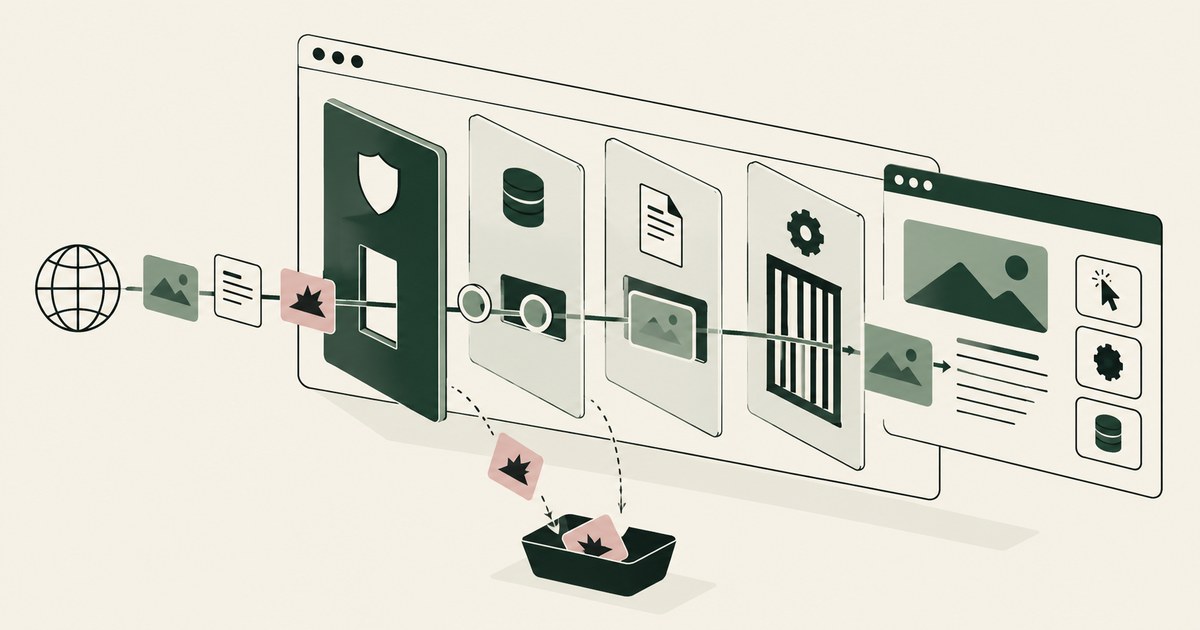
What Is Browser-Based AI Agent Security?
Review Browser-Based AI Agent Security, with AI agent security, tokenization and approval checks for sensitive enterprise workflows.

The Two Gaps AI Agents Opened in Your Security Stack
Explore AI agent security through two questions: which PII reaches the model, and who approves consequential billing and claims actions.

What Is Render-Layer Tokenization? The Control at the Layer Where the Agent Actually Reads
Learn how render-layer tokenization replaces PII before an AI agent reads a browser screen while preserving useful workflow context.
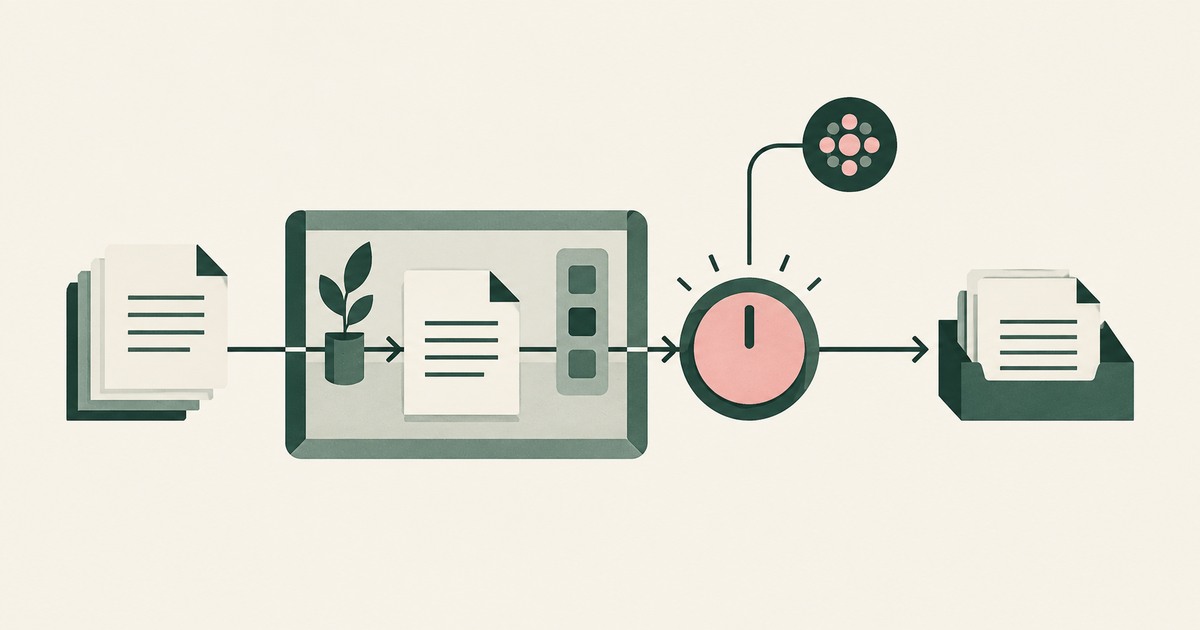
What Is Supervised Delegation? Who Answers for an AI Agent, and What the Record Shows
Explore supervised delegation for AI agents in billing and claims, with named responsibility, tokenization policies and human approvals.

What Is an AI Control Record? The Runtime System of Record for Sensitive AI Work
Explore an AI agent control record for billing and claims, linking permissions, tokenization decisions, approvals and audit evidence.
Book an AI Agent Security Review →
Bring your hardest questions.
Bring one sensitive workflow and the decisions your team needs to keep in its hands.
Book a demoAbout the author

Chris Sowa is a founder of RedactSure and a former CEO of an AI company; he started it years before ChatGPT existed. He previously led AI at Accenture, served as Global VP of Strategy & Innovation at Schneider Electric, was CCO of Sovos, and spent more than a decade at Oracle, with earlier roles at SAP and IBM.