
Comparison · By Chris Sowa · Published
Last updated
Does Microsoft Copilot Studio Computer Use Control What the Agent Sees?
An allow list limits where the agent may act; it does not by itself remove sensitive fields from screenshots. Review the model input and the chosen replay settings, since retained screenshots can create another copy of the record.
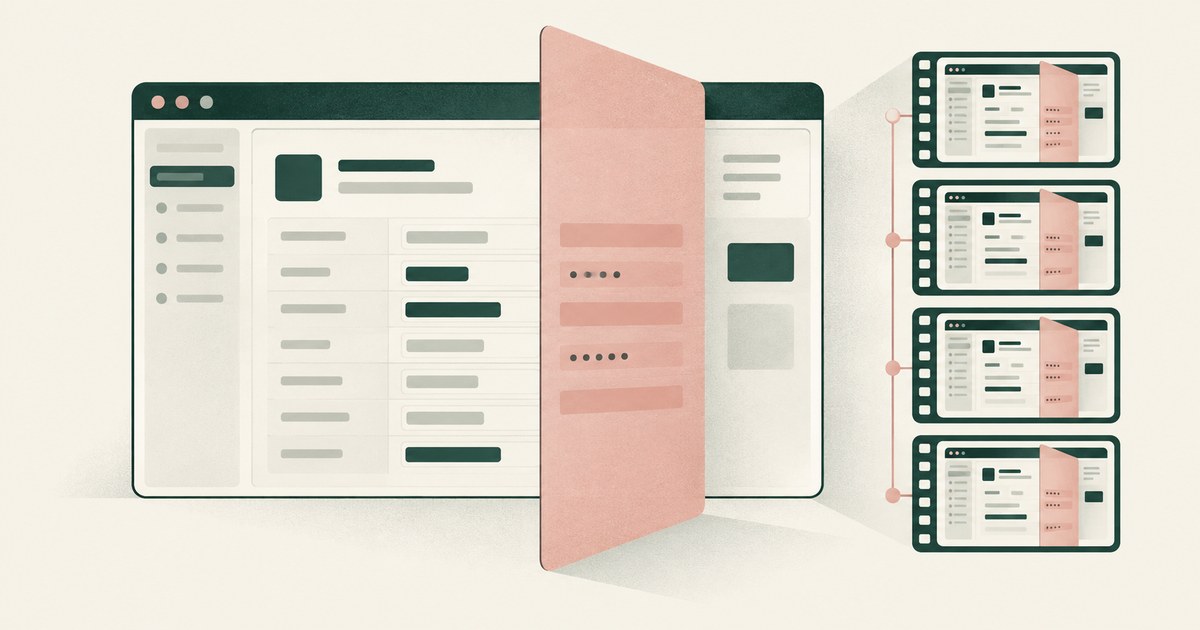
An allow list limits where the agent may act; it does not by itself remove sensitive fields from screenshots. Review the model input and the chosen replay settings, since retained screenshots can create another copy of the record. Microsoft documents hosted machines, credential isolation, application controls and configurable session logging for computer use. Those are useful safeguards. For a claims or patient-account task, the remaining question is which visible fields enter the vision model and whether screenshots containing them are retained. Logging can be configured without screenshots, so a second image copy is not inevitable. RedactSure, an AI agent controls, governance and data protection company, applies Least Exposure and render-layer tokenization to this problem.
Key findings
- Copilot Studio computer use is "Powered by Computer-Using Agents (CUA), an AI model that combines vision capabilities with advanced reasoning to interact with graphical user interfaces," per Microsoft Learn.
- Access control is documented as a limit on action, not on reading: it "only prevents the model from taking actions on websites or applications that aren't in the allow list. It doesn't stop the model from opening them" (Microsoft Learn).
- The February 2026 update added a managed Cloud PC pool on Windows 365 for Agents and built-in credentials "never exposed to the AI model." It also added "session replay with screenshots," kept 7 days to indefinitely, exportable to Purview (Microsoft Copilot Blog).
- Human supervision triggers by email when the agent "detects potentially harmful instructions." The documentation notes a reviewer who did not start the run "can't properly verify or act on the request" (Microsoft Learn).
- Machine, credentials, allow list, logging and supervision are configured per agent; Gartner warned in May 2026 that uneven governance across agents leads to enterprise agent failure.
What does Copilot Studio computer use do, in Microsoft's words?
Microsoft Learn describes a computer-using agent that works web and desktop applications through the user interface, "Powered by Computer-Using Agents (CUA), an AI model that combines vision capabilities with advanced reasoning to interact with graphical user interfaces (GUIs)." It runs on a hosted machine through Power Platform's managed infrastructure or on an on-premises machine registered through Power Automate. In conversational use "it shares reasoning messages and screenshots of the machine's activity in the chat."
The model is a choice. OpenAI's Computer-Using Agent and Anthropic's Claude Sonnet 4.5 are generally available at 5 Copilot Credits per step, with Claude Sonnet 4.6 and Claude Opus 4.6 experimental. Anthropic models require an administrator to turn on external models. Credentials sit in Power Platform's secret store or Azure Key Vault. The February 24, 2026 update added built-in credentials for unattended runs, encrypted and "never exposed to the AI model," plus a managed Cloud PC pool powered by Windows 365 for Agents. General availability followed in May 2026. Electron, Java and Unity applications, command-line interfaces, and Citrix or virtualized environments are listed as not supported.
What does the allow list control, and what does it not?
Access control lets a maker "define specific URLs and desktop applications that computer use should be limited to," with an option to enforce HTTPS. The documentation then draws the line itself: "Access control only prevents the model from taking actions on websites or applications that aren't in the allow list. It doesn't stop the model from opening them" (Microsoft Learn).
That is the answer to the title question in Microsoft's words. The allow list is a where control. It decides the sites and applications on which the agent may click, type and submit. On a screen inside the allow list it decides nothing about content. A claims platform on the list shows the agent every field the claims platform shows. Least privilege on the agent's account narrows which records the account can open, and least privilege still does not cover what the model sees once a permitted record is on screen.
What does the model receive from a screenshot?
A vision-based agent works from a picture of the screen. Every identifier visible in that picture reaches the model: the name in the header, the account number in the sidebar, the date of birth in the demographics panel. So does the list view behind the record the task concerns. The model is not handed the two fields the task needs. It is handed the screen and asked to find them. What Does an AI Agent See When It Takes a Screenshot? sets out how much of a typical enterprise screen is identifiers the task does not use.
Passwords are the one value the documentation keeps from the model, through the secret store, Key Vault and, since February 2026, built-in credentials "never exposed to the AI model." The record the agent opens with those credentials is exposed in full. A credential vault protects the login, not what the agent reads.
What is in the session replay?
The audit added in February 2026 is "session replay with screenshots, timestamped action logs, run summaries, and resource tracking," exportable and integrated with Microsoft Purview. Logging is configurable as all data, data without screenshots, or minimal, with retention from 7 days to indefinite (Microsoft Copilot Blog).
For an auditor, a replay with screenshots is strong evidence of what the agent did. For a privacy officer, it is a second copy of the records: every screen the agent read, with every identifier in clear, stored again for as long as the retention setting says. The option to log without screenshots removes the evidence rather than the exposure. The model still received the full screen, and the organization no longer holds proof of what it received. An AI Control Record records every screen as the tokens the model saw, so the record can preserve the tokenized view while still requiring protection for remaining task context.
Who supervises, and when?
Supervision is triggered by the agent's own detection. A maker can "specify who should be contacted via email (Outlook) if the computer-use agent detects potentially harmful instructions that could alter model behavior." The run stops if no response arrives in the configured time (Microsoft Learn). The trigger is suspected injection, not the consequential action. That detection trigger alone does not establish a human approval gate for every payment or record change. Review any additional workflow controls.
The documentation adds: "If you choose a reviewer other than the person running the computer-use agent, they likely don't see the activity because they didn't initiate the run. Therefore, they can't properly verify or act on the request." Authentication carries a parallel warning. Maker-provided credentials are the default, and if the agent is shared, users can act with the author's access on the machine. Supervised Delegation places the person differently: a named person grants the access, chooses the applications, confirms what is tokenized, can watch and pause the run, and approves every consequential action, on the record.
Is this assembled per agent or inherited?
Each control above is configured on the agent: the machine, the credential source, the allow list, the logging level and retention, the supervision contact, the authentication mode and the model. A second agent built by a second maker starts from the defaults. The controls exist; the governance is assembled, agent by agent. Gartner argued in May 2026 that governance applied unevenly across agents leads to enterprise agent failure. The per-agent model is where unevenness starts. A governed environment makes the exposure policy, the approval gate and the record properties of the environment every agent runs inside. The per-task decision is set by the Planner and confirmed by a named person (How a Governed AI Workflow Pilot Works).
What does a screenshot contain in a claims, clinical or school workflow?
A claims screen shows the claimant's name, address, date of birth, policy number and, on the payment tab, bank or card details. A screenshot carries all of it to the model. A reserve update needs the claim number, loss date and amount. The NAIC Model Bulletin on the Use of AI Systems by Insurers asks insurers to govern their AI programs. Card details on a screen the model reads bring the PCI scoping guidance into the analysis (Can an AI Agent Work Guidewire Claims Without PII?).
A chart in an EHR shows name, MRN, date of birth, insurer, diagnoses and encounter history on one screen. The minimum necessary standard at 45 CFR 164.502(b) asks a covered entity to limit PHI to what is reasonably necessary for the purpose. A screenshot is the whole chart regardless of purpose, and the replay is a second copy (Can an AI Agent Work in Epic Without Holding PHI?).
A student record shows name, ID, date of birth, guardian contacts, grades and attendance. FERPA's school official exception at 34 CFR 99.31(a)(1)(i)(B) requires an outside party to be under the district's direct control with respect to the use and maintenance of education records. A model receiving the full screen and an audit store retaining it are both places where that control has to be shown (Can an AI Agent Use PowerSchool Without Student PII?).
How does Copilot Studio computer use compare with a governed environment?
| Control | Copilot Studio computer use (from documentation) | RedactSure |
|---|---|---|
| Environment | Hosted machine on Power Platform, managed Cloud PC pool on Windows 365 for Agents, or on-premises machine | Secure VM on hardware-encrypted enclaves, in the customer's cloud |
| Credentials | Power Platform secret store or Azure Key Vault; built-in credentials "never exposed to the AI model" | Outside the model; a tethered agent |
| What the model receives | A screenshot of the full screen | The task's fields, identifiers as tokens (render-layer tokenization) |
| Who decides what it sees | The application, within the allow list | The Planner; a named person confirms |
| Action gate and supervision | Allow list on where it acts; email to a reviewer when the agent suspects harmful instructions | A named person approves every consequential action (Supervised Delegation) |
| The record | Session replay with screenshots, 7 days to indefinite, exportable to Purview | Every action logged, human and computer; all PII as tokens |
| DLP coverage of the session | Not described in the documentation | Not needed for identifiers; the model never holds them |
| Model | OpenAI CUA or Anthropic Claude, inside Microsoft's environment | Claude, GPT, Gemini, open-weights; swappable without moving the controls |
| Keys | Microsoft's platform; customer key options not described in the cited documentation | Customer-held; RedactSure holds ciphertext it cannot decrypt |
| Injection collects | The screen | Tokens and remaining task context |
Where does RedactSure sit?
RedactSure supplies the missing rows. AI co-workers do real work across an organization's applications inside a governed environment, with no per-application integration and no change to user permissions. Every sensitive value chosen by policy, starting with identifiers, is replaced by a consistent token at the render layer before any model reads the screen. The model is handed the task's fields rather than a picture of the screen. The Planner sets which values are tokenized and what the agent may do on each screen. A named person confirms that policy and approves every payment, submission and record change. Deployments are in pilot.
What the organization avoids is the second copy. Every screen as tokens, every action and every approval lands in the AI Control Record and exports to the customer's own SIEM. The audit trail is complete and holds no patient charts or claim files. Keys stay with the customer and the model is swappable, so the same OpenAI or Anthropic model Copilot Studio offers can do the work under the customer's controls.
Methodology and limitations
The HIPAA minimum necessary standard has exceptions, including certain treatment disclosures. Its application depends on the purpose and parties. Replacing direct identifiers does not by itself establish HIPAA de-identification or remove all PHI from the remaining context.
The page rests on Microsoft's computer use documentation and three Microsoft posts from February 24, 2026 and May 2026, read as of September 30, 2026. Microsoft's wording is cited with their dates; where it is silent the page says so rather than inferring. A Microsoft Q&A answer on Purview is cited as a forum answer, and Gartner's May 2026 release as that analyst's view. Regulation is read from its text: 45 CFR 164.502(b), 34 CFR 99.31(a)(1)(i)(B), the PCI Council's scoping guidance, the NAIC bulletin adoption map and OWASP's LLM01:2025 entry. Case law and enforcement actions were not surveyed.
No hands-on testing of Copilot Studio computer use was performed; what the model receives from a screenshot is Microsoft's own description. Microsoft's enterprise terms, its Windows 365 responsibility matrix and any business associate agreement were not reviewed. Those documents could disclose replay retention, key management or certifications that the launch material does not. The Purview answer is a moderator's reply on a public forum, not product documentation. Gartner's figure is that firm's forecast, not a measurement. Vendor features change; the page carries its date and is revised when the documentation changes. Statements about claims, charts and student records describe the record type, not any organization; no customer or prospect is described.
Whether a deployment meets the minimum necessary standard, FERPA's school official exception, PCI scope or the NAIC bulletin is for the organization's counsel or assessor, not this page.
- Microsoft Learn, "Automate web and desktop apps with computer use."
- Microsoft Copilot Blog, "Improve complex UI automation with computer-using agents" (February 24, 2026)
- Microsoft Tech Community, "Computer-using agents in Microsoft Copilot Studio are now generally available" (May 2026)
We did not run the vendor products or capture their model requests. Workflow examples are analysis, and RedactSure behavior is described from its current design.
What the record shows
An allow list limits where the agent may act; it does not by itself remove sensitive fields from screenshots. Review the model input and the chosen replay settings, since retained screenshots can create another copy of the record. Inspect one representative screen, its model request and the corresponding replay entry. Those artifacts establish the exposure more clearly than the allow list alone.
Frequently asked questions
Does the Copilot Studio allow list limit what the agent reads?
No, by Microsoft's own description: it "only prevents the model from taking actions on websites or applications that aren't in the allow list. It doesn't stop the model from opening them." Inside the allow list it says nothing about content. An application on the list shows the agent every field it shows, and the model receives the screenshot in full. RedactSure tokenizes the identifiers at the render layer, so the model receives the task's fields wherever the agent is allowed to act.
Are the session replay screenshots a copy of the records?
Yes. When screenshot recording is enabled, the replay can retain sensitive values visible in those images. Microsoft also documents logging without screenshots; inspect the configured level and retention. Logging without screenshots removes the evidence rather than the exposure. An AI Control Record keeps every screen as the tokens the model saw, so the record can preserve the tokenized view while still requiring protection for remaining task context.
Can the Copilot Studio agent use Claude or OpenAI's model?
Yes. The documentation lists OpenAI's Computer-Using Agent and Anthropic's Claude Sonnet 4.5 as generally available, with Claude Sonnet 4.6 and Claude Opus 4.6 experimental. Anthropic models require an administrator to turn on external models. Both are closed models running inside Microsoft's environment. The choice does not change what the model receives, which is the screen. Inside a RedactSure environment the same models receive tokens where the identifiers were.
Does end-user authentication change what the model sees?
No. End-user credentials change whose access the agent uses, and so which records the account may open, in place of the maker's. On any record the account opens, the model still receives the full screenshot. Authentication is a permission on the account. Exposure is set at the render layer, before the model reads the screen, which is where RedactSure places its control.
Can RedactSure run inside a Windows 365 agent machine?
Not described in RedactSure's current published design. RedactSure's environment is a secure virtual machine deployed into the cloud the customer's posture requires, with keys the customer holds. It is model-agnostic, so the OpenAI or Anthropic models Copilot Studio offers can perform the work inside it, receiving tokens where the identifiers were.
Is Copilot Studio computer use a governed workflow or an assembled one?
Assembled. Machine, credentials, allow list, logging, supervision and model are configured per agent by the maker, and a second agent starts from the defaults. A governed workflow, as RedactSure builds it, makes the exposure policy, the approval gate and the record properties of the environment every agent runs in. The per-task decision is confirmed by a named person (How a Governed AI Workflow Pilot Works).
Sources
Vendor documentation
- Microsoft Learn, "Automate web and desktop apps with computer use." https://learn.microsoft.com/en-us/microsoft-copilot-studio/computer-use
- Microsoft Copilot Blog, "Improve complex UI automation with computer-using agents" (February 24, 2026). https://www.microsoft.com/en-us/copilot/blog/copilot-studio/computer-using-agents-now-deliver-more-secure-ui-automation-at-scale/
- Microsoft Tech Community, "Computer-using agents in Microsoft Copilot Studio are now generally available" (May 2026). https://techcommunity.microsoft.com/blog/copilot-studio-blog/computer-using-agents-in-microsoft-copilot-studio-are-now-generally-available/4519427
- Microsoft Copilot Blog, "What's new in Copilot Studio: May 2026." https://www.microsoft.com/en-us/copilot/blog/copilot-studio/new-and-improved-computer-using-agents-a-new-workflows-experience-and-real-time-voice-experiences/
- Microsoft Q&A, "Clarification on Purview DLP Coverage for Copilot 'Computer Use' Data Exfiltration Scenario." https://learn.microsoft.com/en-gb/answers/questions/5915515/clarification-on-purview-dlp-coverage-for-copilot
Regulation and standards
- 45 CFR 164.502(b), minimum necessary standard. https://www.ecfr.gov/current/title-45/subtitle-A/subchapter-C/part-164/subpart-E/section-164.502
- 34 CFR 99.31(a)(1)(i)(B), FERPA school official exception. https://www.ecfr.gov/current/title-34/subtitle-A/part-99/subpart-D/section-99.31
- PCI Security Standards Council, "Guidance for PCI DSS Scoping and Network Segmentation." https://www.pcisecuritystandards.org/documents/Guidance-PCI-DSS-Scoping-and-Segmentation_v1.pdf
- NAIC, Model Bulletin on the Use of AI Systems by Insurers, adoption map. https://content.naic.org/sites/default/files/legal-adoption-map-ai-model-bulletin.pdf
- OWASP, LLM01:2025 Prompt Injection. https://genai.owasp.org/llmrisk/llm01-prompt-injection/
Independent analysis and press
- Gartner, "Applying Uniform Governance Across AI Agents Will Lead to Enterprise AI Agent Failure" (May 2026). https://www.gartner.com/en/newsroom/press-releases/2026-05-26-gartner-says-applying-uniform-governance-across-ai-agents-will-lead-to-enterprise-ai-agent-failure
RedactSure documents
- RedactSure, "The Two Gaps AI Agents Opened in Your Security Stack" (2026). https://redactsure.com/blog/two-gaps-ai-agents-opened-in-your-security-stack/
- RedactSure, "Accountable AI and Workflow Governance" (2026). https://redactsure.com/blog/accountable-ai-and-workflow-governance/
- RedactSure, "Secure AI That Crosses Every Silo" (2026). https://redactsure.com/blog/secure-ai-that-crosses-every-silo/
- RedactSure Research, "What Does an AI Agent See When It Takes a Screenshot?" (2026). https://redactsure.com/research/what-does-an-ai-agent-see-when-it-takes-a-screenshot
- RedactSure Research, "What Is Least Exposure?" (2026). https://redactsure.com/research/what-is-least-exposure
- RedactSure Research, "What Is Render-Layer Tokenization?" (2026). https://redactsure.com/research/what-is-render-layer-tokenization
- RedactSure Research, "What Is Supervised Delegation?" (2026). https://redactsure.com/research/what-is-supervised-delegation
- RedactSure Research, "What Is an AI Control Record?" (2026). https://redactsure.com/research/what-is-an-ai-control-record
- Product behavior described on this page reflects RedactSure's current design. Microsoft, Copilot Studio, Windows 365, Purview and Intune are trademarks of Microsoft Corporation; named to identify the products. Compliance determinations belong to the organization's counsel.
Related research
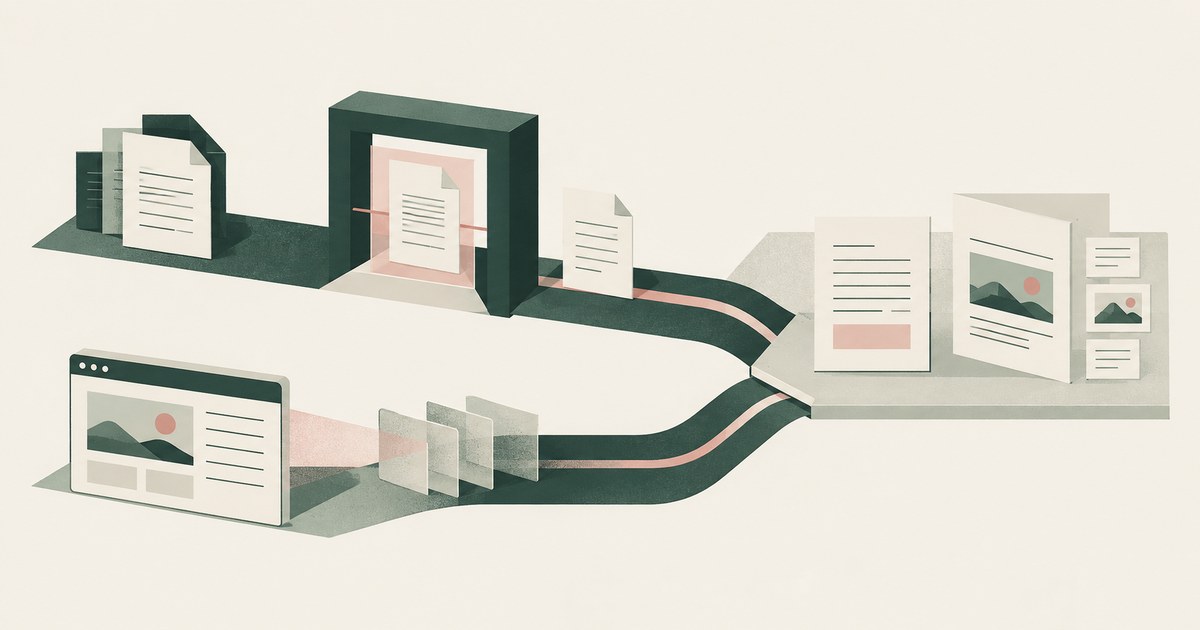
Does Purview DLP Cover Computer-Using AI Agents?
Assess Purview DLP coverage for AI agent sessions handling PII and payments, including screenshot inputs, file uploads and endpoint controls.
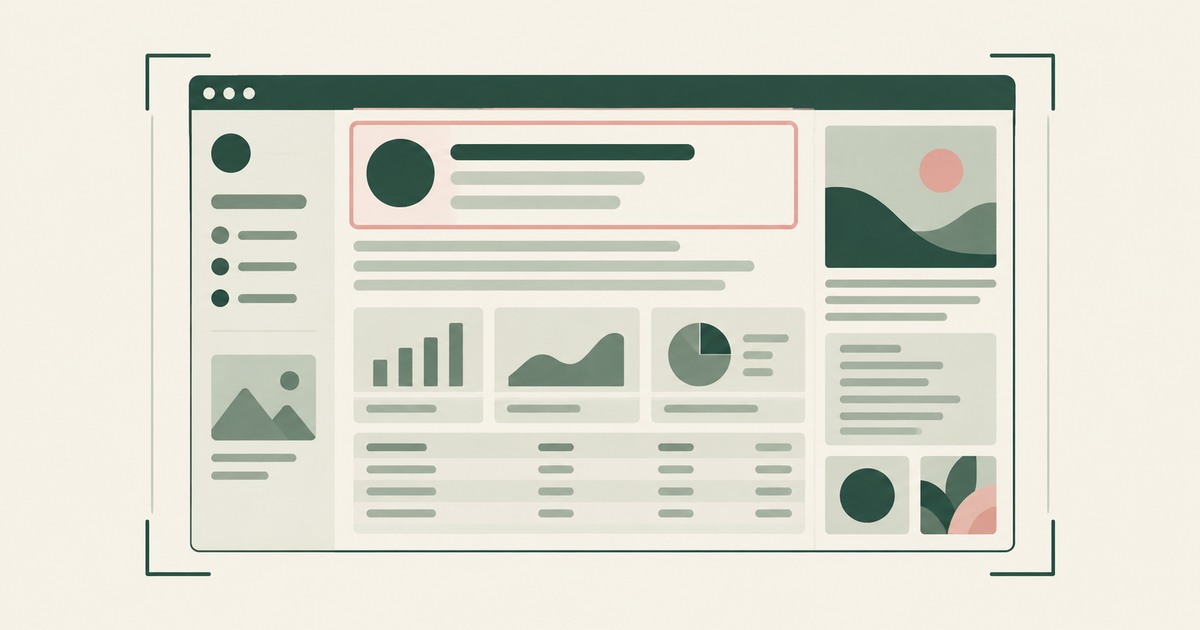
What Does an AI Agent See in a Screenshot?
Explore what browser screenshots expose to AI agents, including unrelated PII, and how tokenization changes the model's view of a task.

Does an AI Agent Need Its Own Virtual Machine?
Examine what a dedicated virtual machine adds to AI agent security and why tokenization is a separate control for visible sensitive PII.
How Does a Governed AI Workflow Pilot Work?
Plan an AI agent pilot for billing or claims with one workflow, tokenization, a named approver and measurable criteria for the next decision.

Do OpenAI Dots Rules Control What the Agent Sees?
Review OpenAI Dots Custom Rules, AI agent security and tokenization before connecting billing, claims or other workflows that expose PII.

What Is an AI Control Record?
Explore an AI agent control record for billing and claims, linking permissions, tokenization decisions, approvals and audit evidence.

The Two Gaps AI Agents Opened in Your Security Stack
Explore AI agent security through two questions: which PII reaches the model, and who approves consequential billing and claims actions.
See it on your workflow.
Bring one billing, collections, claims or patient-account workflow and your questions.
Book a demo