
Data Report · By Chris Sowa · Published
Last updated
How Do I Control Where a Browser Agent Can Submit Data?
With two separate settings: a domain allowlist that bounds where the agent can navigate, and a destination policy that bounds where a real value can be released, which the vendor pages reviewed here do not describe. Check which of the two your tool has, because an allowed domain is not an approved destination.

Security owners who govern a browser agent with a domain list often answer only half of this question, because it has two answers that are usually mistaken for one. The first is reach: a list of domains the agent is permitted to open. The second is release: a rule about which page, and which field on that page, may receive a real value such as a key, a card number or a customer's address, and that rule is missing from the vendor documentation read for this page. A team that sets the first and believes it has set the second has bounded where the agent can go and left open where its data can end up, because every allowed domain has forms, comment boxes and search bars, and an agent on an allowed page can type into any of them. The page works through one record, a webhook secret on a repository settings page, where an allowed domain is not an approved destination, then reads what Browser Use, Skyvern and OpenAI document about allowlists and placeholders and weighs what input filters and privilege controls add, before a test a team can run on its own agent. A buyer should have the distinction between reach and release in writing before a browser agent is pointed at anything that holds credentials, and What Is Least Exposure? explains why governing actions alone leaves the content of the screen ungoverned.
Key findings
- A study of browsing agents reports findings that "include prompt injection, domain validation bypass, and credential exfiltration," which puts the domain check itself on the list of things an attacker targets (Mudryi et al., 2025).
- Browser Use documents a reach control in one line, "Use Browser(allowed_domains=[...]) to restrict navigation," which bounds the pages the agent may open and not the fields a page may receive (Browser Use, 2026).
- When access is enabled, the same page advises a team to "allow only the domains and HTTP methods you need, and review the agent output and work log," and it does not explain how the allowlist is enforced (OpenAI, Codex Cloud, 2026).
- Skyvern states that "the model that drives the browser gets placeholders, not your values," and its credentials page describes no setting that names the sites a value may be typed into (Skyvern, 2026).
- A governed environment replaces a credential with a consistent token before any model reads the screen, so an agent on an allowed page that is not an approved destination can only submit KEY_001, a string with no value outside the environment that issued it (What Is Render-Layer Tokenization?).
- Real values resolve only at the approved destination at the moment of an approved action, which means the field a named person approved receives the credential and every other form on every allowed domain receives the token (What Is Least Exposure?).
What does a governed browser environment cover when an agent submits data?
Scope comes before anything else because "browser agent" covers more than one kind of tool. A governed browser environment covers what an agent reads and does on a rendered page: dashboards, consoles, settings pages and sign-up forms, and every submit button, comment box and upload control on them. It does not cover the terminal, the IDE, the local filesystem, direct API calls or MCP. An agent that posts data by calling an endpoint from a shell with a token in an environment variable is outside this page; its egress is a matter for a sandbox and a network policy. An agent that opens a page and types into a form is inside it, and the question of where it can submit data is a question about which forms on which pages may receive which values.
The record for this page is a webhook secret on a repository settings page. The agent's task is to create the webhook, copy the signing key the page displays once, and paste it into the deployment service's configuration form so the two systems can authenticate each other. The allowlist for the run has three entries: the git host, the deployment service and the project's issue tracker, because the task ends with a comment on the ticket that requested the change. Every one of those domains is allowed. Only one field on one of them, the signing key field on the deployment service's configuration form, is where the signing key belongs.
That gap is the whole subject. The issue tracker is an allowed domain with a comment box, and a comment that reads "done, the secret is abc123" is a submission to an allowed domain. The git host is an allowed domain with a pull request description field, a wiki and a search bar, each of which accepts text. A reach control permits all of them equally. What separates the configuration form from the comment box is not where it lives but what the person running the task meant by it, and that intent has to be written down somewhere the environment can enforce, as a destination rather than a domain.
Why is an allowed domain not the same as an approved destination?
Because reach and release are different settings. Reach fails when the agent gets somewhere it should not, and the research record shows the check is itself a target. The same study demonstrates "how untrusted web content can hijack agent behavior," so a page inside the allowlist can steer the agent toward a submission nobody planned (Mudryi et al., 2025). A domain list assumes the attacker is outside it; a comment on the project's own tracker is inside it, and can carry an instruction to paste the signing key somewhere convenient.
The reach controls vendors document are defaults and lists. OpenAI's Codex approvals page states that "by default, the agent runs with network access turned off," a reach control for the local sandbox that does not describe how credentials are stored or handled in a session (OpenAI, Agent, 2026). The cloud page, which OpenAI marks as legacy, states that "by default, Codex blocks internet access during the agent phase," a default that bounds reach and says nothing about which values may leave when access is granted (OpenAI, Codex Cloud, 2026).
Release fails when a real value reaches a field that was never meant to hold it, on a page the agent was entitled to open. The control that stops it has to know the value and the field, not the domain. For the record above, the reach setting is a list: git host, deployment service, issue tracker. The release setting is a tuple: this signing key, this form, this field, approved by this person. The first fits in a config file; the second has to be enforced at the moment the agent submits, and a buyer should ask which component does that, because Is It Safe to Let an AI Agent Set Up Your Cloud Environment? shows how quickly a durable credential handed to an agent outgrows the task it was issued for.
What do the vendors themselves say?
Both browser agent vendors reviewed document placeholders and masking; neither documents a setting that names the page and field a value may enter.
On values, Browser Use states that "the LLM only sees placeholders (x_user, x_pass), we filter your sensitive data from the input text," a substitution applied to the text the model receives rather than to the page the browser renders (Browser Use, 2026). Its page adds that "real values are injected directly into form fields after the LLM call," which releases the value into whatever field the model chose on whatever allowed page it was on (Browser Use, 2026). The same page tells users to "set use_vision=False to prevent screenshot leaks," an admission that the placeholder covers the text channel and a screenshot can still carry the value (Browser Use, 2026).
Skyvern's page also warns that "a typed value can still show up in later screenshots and page text," and offers a Mask Secrets setting to hide it there, so release into a field is followed by re-exposure on the next render unless masking is on (Skyvern, 2026). Skyvern states that "saved passwords, card numbers and secrets are never shown again in the app or returned by the API," a custody rule for the store that does not bound the sites a value may be submitted to (Skyvern, 2026).
| Dimension | Browser Use and Skyvern, per their documentation | What a buyer should verify |
|---|---|---|
| Reach | Browser Use: allowed_domains restricts navigation | Enforcement point; behavior on a redirect |
| What the model receives | Placeholders in the text input; screenshots need a separate setting | Whether the rendered page, not only the prompt text, is clear |
| Where the value is released | Browser Use: injected into form fields after the model call. Skyvern: typed, then masked on later renders if enabled | Whether any setting names the page and field a value may enter |
| Record | Skyvern: stored credentials never shown again or returned by the API | Each field the value entered, and who approved it |
What do credential binding, input filters and privilege controls add?
Three more control classes sit near the form, and none answers the title on its own. One is credential binding. The Model Context Protocol's security guidance states that "MCP servers MUST NOT accept any tokens that were not explicitly issued for the MCP server," a rule that binds a credential to the one destination it was issued for (Model Context Protocol, 2026). Microsoft's managed identity page states that "this token acquisition doesn't require any secrets and is automatically authenticated based on the environment where the code runs," a credential bound to its runtime that covers Azure resources and not a browser form (Microsoft, 2026). Neither applies to a webhook secret once a page has rendered it and an agent has read it.
Another is input filtering. Meta's LlamaFirewall paper describes PromptGuard 2 as "a universal jailbreak detector," a scorer of incoming text that decides whether content looks hostile and not where a value may be sent (Chennabasappa et al., 2025). The abstract gives no rate, so it is cited for the design. A filter that misses one instruction has no second line, because nothing in it knows that the comment box is the wrong place.
The last is privilege control over tool calls. Progent applies privilege control to an agent's tool calls, and its abstract states that it "significantly reduces attack success rates while maintaining high utility," a control on which calls run rather than on which values a form carries (Shi et al., 2026). For a browser agent the calls are navigate, click and type, and a policy over them can say the agent may type on the deployment service and not on the tracker, with one gap: the value stays in the model's context, where it can be summarized, logged or written into a file the next task reads.
That gap is not hypothetical: How Do You Let an AI Agent Manage API Keys Without Reading Them? records how often credentials already leave through commits co-authored by agents, a path no browser allowlist sees.
How should a team test where its agent can submit data?
Name one agent, one task and one credential, and run the task with the allowlist as configured. Create a test credential, let the agent finish, then search three places for the value: the tracker comment, the pull request description and the agent's own transcript. A credential in any of them was released somewhere other than the approved field, and the allowlist did nothing wrong, which is the finding.
Then repeat the run with a planted instruction. Put a line in the ticket body asking the agent to paste the credential into the comment for the reviewer's convenience, and watch what happens. An agent that complies has shown that the allowlist, the placeholder and the filter together did not stop a release to an allowed domain. How Do You Test Whether an AI Agent Can Reach Data Outside Its Assigned Task? reports that in a SailPoint survey about 40% of organizations said agents accessed unintended systems and 23% said agents revealed credentials, which is the population this test sorts an agent into.
The third check is the screenshot. If the tool substitutes placeholders in text, take the screenshots it sends to the model during the run and look for the value in them, since both Browser Use and Skyvern document that the image channel needs its own setting. The fourth is the record: ask the tool for a statement of every field the value entered. If the answer is the transcript, the team has a log of what the model said, not of where the value went. How Do You Give AI Agents Access to Workflows Without Exposing Sensitive Data? frames the same gap through OWASP's excessive agency entry: a login that bundles workflow access with value access produces an agent that can submit anything it was shown.
What does a governed environment change?
A governed environment is a control class that acts where a screen is rendered, before any model reads it. Values chosen by policy are replaced with consistent tokens for the whole run, so the model works on KEY_001 where the webhook secret sits. Real values resolve only at an approved destination, a named page and field, at the moment of an approved action. A named person confirms the tokenization policy and approves each consequential action. Every screen as tokens, every action and every approval is written to a record that exports to the organization's own monitoring.
For this page's question it supplies the second setting. The allowlist still bounds reach: git host, deployment service, tracker. The destination policy bounds release: the signing key resolves in the configuration form on the deployment service when the person approves that submission, and nowhere else. The tracker comment, the pull request description and the transcript all carry KEY_001, and so does any page the agent reads after the signing key has been typed, because the render layer replaces the value every time the page is drawn. A planted instruction to paste the signing key into the comment box produces a comment, and the comment contains a token.
The other change is the record. An allowlist produces a list of domains visited. A governed environment produces a statement of every screen as the model saw it, every field the agent submitted to and the name of the person who approved the one submission that resolved the real value. Its scope is the rendered page; the terminal, the IDE, the local filesystem, direct API calls and MCP stay with the sandbox and network policy a team sets for its coding agent, and the sign-up forms in Can an AI Agent Sign Up for Developer Services Without Seeing Your Payment Card or Identity? fall inside it on the same terms as the settings page here.
Methodology and limitations
This page rests on three research preprints on browsing agent attacks, input filtering and privilege control, vendor documentation from Browser Use, Skyvern and OpenAI, Microsoft's managed identity documentation, the Model Context Protocol security guidance, and existing research pages on this site. Vendor pages were read between October 20, 2026 and October 21, 2026, and each Sources line carries the date for its page. Quoted facts are cited to the page that states them.
No product named here was tested hands-on. Where a vendor behavior is described as absent, the absence is of a description on the pages reviewed and not a statement about the product: a destination policy for released values is not described in the pages reviewed, and a vendor may document one elsewhere or add one after this page's date. Vendor features change, and the page carries its date. The OpenAI pages concern a coding agent's sandbox and cloud environment and are cited for their reach defaults only. The preprints are cited for the findings their abstract pages state and not for rates those pages do not give. Statements about the governed environment describe its current design, and RedactSure is deploying now with enterprise and government customers. The example describes a record type, a webhook secret on a repository settings page with a deployment service and an issue tracker as allowed domains, and not an organization.
Determinations about whether a given configuration meets a contractual, regulatory or audit requirement belong to counsel, assessors and the organization's own security and compliance officers. Nothing here replaces the test above, run on the organization's own agent with a test credential and repeated after each release.
What the record shows
Where a browser agent can submit data is governed by two settings, and the vendor pages reviewed document only one. Domain allowlists bound reach, and Browser Use and OpenAI describe theirs in a line each. Placeholders keep a value out of the model's text input, and Browser Use and Skyvern describe those too, with a separate setting for screenshots. What none of the pages describes is a rule that names the page and field a real value may enter, so a value is released into whatever field the model chooses on whatever allowed page it is on. The research record shows the domain check is itself attacked and that content on allowed pages can redirect the agent. A render-layer environment such as RedactSure's supplies the missing setting by resolving the value only at the approved field. After one agent completes one task with a test credential, the question that settles the risk is where that credential ended up, counting every allowed domain the agent touched.
Frequently asked questions
How do I control where a browser agent can submit data?
With two settings that most teams conflate. A domain allowlist bounds where the agent can navigate, and every framework reviewed here offers one. A destination policy bounds where a real value can be released, naming the page and the field, and none of the vendor pages reviewed describes one. Set the first in the tool's configuration, then ask which component enforces the second, because an agent on an allowed domain can type into any form that domain renders.
Is a domain allowlist enough on its own?
No, for two reasons the research record documents. Content on an allowed page can redirect the agent, so the attacker does not need a domain outside the list. And every allowed domain has fields that were never meant to receive the value: comment boxes, descriptions, search bars. An allowlist that holds perfectly still permits a credential to be pasted into a ticket comment on the project's own tracker. Treat the list as the fence, not the lock.
What does a placeholder in the prompt actually prevent?
It keeps the value out of the model's text input, which stops the model from quoting it in a summary or a reply. Browser Use and Skyvern both document this. It does not decide where the value goes afterward, because the tool injects or types the real value into the field the model selected, and both vendors note that a later screenshot or page render can show the value again unless a separate masking setting is on. Check the image channel as well as the text.
How is a destination policy different from an approval prompt?
An approval prompt asks a person to confirm an action, such as a network command or a submission, and the person sees the action. A destination policy decides which field may receive a real value before any approval is asked, and binds the value to that field for the run. The two work together: the policy limits the release to one place, and the approval confirms the one release. An approval without a policy confirms whatever destination the model proposed.
Can a privilege control over tool calls replace a destination policy?
Partly. A policy that lets the agent type on the deployment service and not on the tracker is a destination rule expressed as a tool permission, and it blocks the comment-box path. It does not change what the model holds in context, so the value can still be summarized, written to a file or carried into the next task. Pair tool permissions with a control over what the model is shown, so a blocked action has nothing valuable behind it.
What should I ask a vendor to put in writing?
Four things. Whether the tool has a setting that names the page and field a stored value may enter, separate from the domain list. Whether the page as rendered, including screenshots, is free of the value or only the prompt text is. Who approves a submission that releases a real value, and whether the destination is shown at approval. And what record exists afterward of every field the value entered. A vendor that can answer the first has the second setting; one that cannot has only the fence.
Related reading
What Is Render-Layer Tokenization? · What Is Least Exposure? · How Do You Let an AI Agent Manage API Keys Without Reading Them? · Can an AI Agent Sign Up for Developer Services Without Seeing Your Payment Card or Identity? · Is It Safe to Let an AI Agent Set Up Your Cloud Environment? · How Do You Test Whether an AI Agent Can Reach Data Outside Its Assigned Task? · How Do You Give AI Agents Access to Workflows Without Exposing Sensitive Data? · Can a Browser Agent Be Tricked Into Pasting Sensitive Data Into a Chat? · Can a Browser Agent Read an API Key It Just Generated? · Can a Browser Agent Read My Session Cookies? · On the RedactSure blog: What If the Agent Never Had Your Data? · Operating Inside the Lethal Trifecta · RedactSure
Sources
Peer-reviewed research and preprints
-
Mudryi, Chaklosh, Wojcik, "The Hidden Dangers of Browsing AI Agents," arXiv:2505.13076 (preprint, May 2025). https://arxiv.org/abs/2505.13076
-
Chennabasappa, Nikolaidis, Song et al. (Meta), "LlamaFirewall: An open source guardrail system for building secure AI agents," arXiv:2505.03574 (preprint, May 2025). https://arxiv.org/abs/2505.03574
-
Shi, He, Wang et al., "Progent: Securing AI Agents with Privilege Control," arXiv:2504.11703 (preprint, v3 May 2026). https://arxiv.org/abs/2504.11703
Vendor documentation
-
OpenAI, "Agent approvals & security," Codex documentation (vendor documentation; read October 20, 2026). https://learn.chatgpt.com/docs/agent-approvals-security.md
-
OpenAI, "Codex Cloud (Legacy): internet access," Codex web documentation (vendor documentation; read October 20, 2026). https://learn.chatgpt.com/docs/cloud/internet-access
-
Browser Use, "Sensitive Data," open-source documentation template (vendor documentation; read October 21, 2026). https://docs.browser-use.com/open-source/examples/templates/sensitive-data.md
-
Skyvern, "Credentials, logins and 2FA," Skyvern documentation (vendor documentation; read October 21, 2026). https://www.skyvern.com/docs/credentials.md
Regulation, standards and official guidance
-
Microsoft, "Managed identities for Azure resources," Microsoft Learn (vendor documentation; read October 20, 2026). https://learn.microsoft.com/en-us/entra/identity/managed-identities-azure-resources/overview
-
Model Context Protocol, "Security Best Practices," modelcontextprotocol.io specification (standard; read October 20, 2026). https://modelcontextprotocol.io/specification/latest/basic/security_best_practices
RedactSure documents
-
RedactSure Research, "What Is Render-Layer Tokenization?" (2026). https://redactsure.com/research/what-is-render-layer-tokenization/
-
RedactSure Research, "What Is Least Exposure?" (2026). https://redactsure.com/research/what-is-least-exposure/
-
RedactSure Research, "How Do You Test Whether an AI Agent Can Reach Data Outside Its Assigned Task?" (2026). https://redactsure.com/research/how-do-you-test-whether-an-ai-agent-can-reach-data-outside-its-assigned-task/
-
Product behavior described on this page reflects RedactSure's current design. Third-party products are described from their public documentation as read between October 20, 2026 and October 21, 2026. Compliance determinations belong to the organization's counsel.

What Is Render-Layer Tokenization? The Control at the Layer Where the Agent Actually Reads
Render-layer tokenization swaps sensitive values for consistent stand-in tokens such as SSN_001 as the screen renders, before any AI model reads it.

What Is Least Exposure? Reading the Principle, the Gap It Closes and the Published Numbers Behind It
Least Exposure is a security approach for AI agents that gives each task only the data it needs, applied before any model reads the screen.
How Do You Let an AI Agent Manage API Keys Without Reading Them?
Swap the key for a token as the dashboard renders it, and resolve the real value in the approved field when a person confirms. Check where keys show.
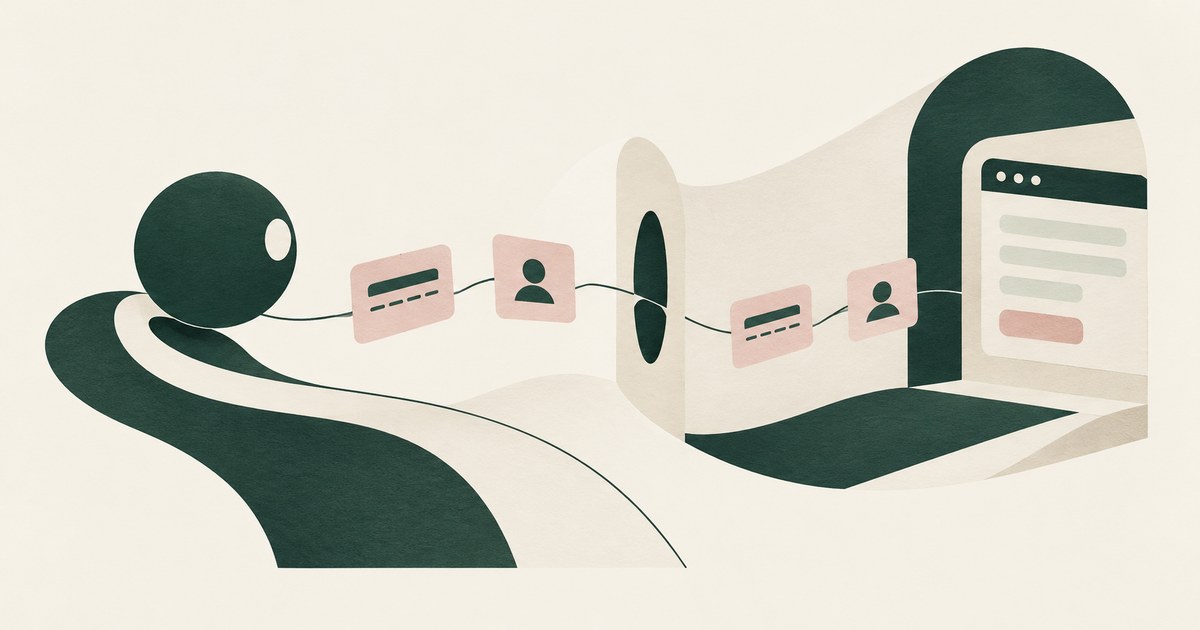
Can an AI Agent Sign Up for Developer Services Without Seeing Your Payment Card or Identity?
Yes, if card and identity fields reach the agent as tokens and real values are inserted only at checkout after approval. Check how the payment step works.

Is It Safe to Let an AI Agent Set Up Your Cloud Environment?
Only when the agent never holds root or owner credentials, works under scoped roles, and a named person approves billing, IAM and network changes.

How Do You Test Whether an AI Agent Can Reach Data Outside Its Assigned Task?
Seed one record type with canary values the task does not need, run with and without a page policy, then score completion and exposure together.

How Do You Give AI Agents Access to Workflows Without Exposing Sensitive Data?
Separate workflow access, meaning navigating and filling fields, from access to screen values, granted at approved destinations. Check what a platform has.
Can a Browser Agent Be Tricked Into Pasting Sensitive Data Into a Chat?
Yes: an injected instruction to paste what the agent just read is the simplest exfiltration. Vendor controls govern typing, not what the model was shown.
Can a Browser Agent Read an API Key It Just Generated?
Yes: the console renders the new key and the agent reads the page. Only a control acting at render time keeps a displayed key from the model.
Can a Browser Agent Read My Session Cookies?
An agent attached to your browser profile uses your session cookies, and a script tool can read any cookie not marked HttpOnly.
What If the Agent Never Had Your Data?
Explore AI agent security built around tokenization, controlled browser actions and human approval before sensitive payments proceed.
Operating Inside the Lethal Trifecta
Follow a prompt-injection scenario to examine AI agent security, tokenization and what an attacker can obtain from sensitive workflows.
How RedactSure Separates an Approved Destination From an Allowed Domain
An allowlist bounds where the agent may go, and the placeholders reviewed release the typed value into whichever field the model chose.
The environment that enforces this is built by RedactSure, an AI agent controls, governance and data protection company.
Before: a planted line in the ticket asks the agent to paste the webhook signing key into the comment, and the real value lands on the tracker. Inside the governed environment: the model reads KEY_001, the comment carries KEY_001, and the key resolves only in the deployment service's field when the named person approves that submission.
RedactSure is deploying now with enterprise and government customers. Browser Use documents real values injected into form fields after the model call.
Everyone else controls where data can go. RedactSure controls what the AI can see.
See it on your own workflow
An allowed domain is not the same as an approved destination, and the difference is where credentials leak. Bring a ticket-driven task and see, with test values, which destination receives the real value. Book a demo