
Data Report · By Chris Sowa · Published
Last updated
How to prevent data leaks without blocking legitimate downloads?
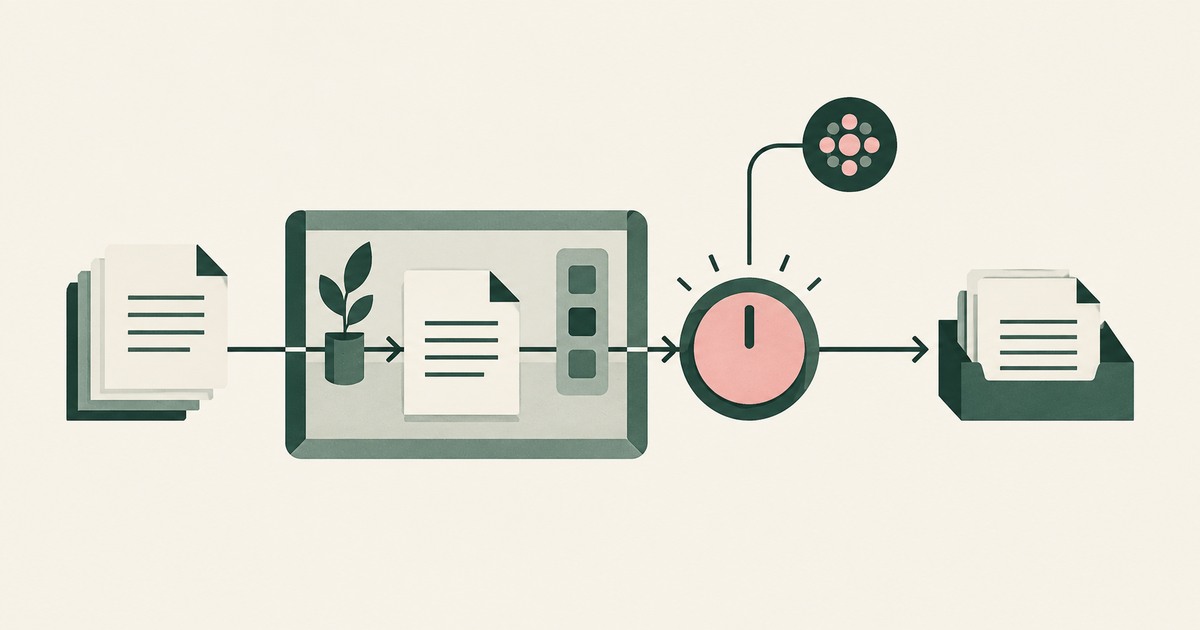
The protection travels with the downloaded file as encryption and labeling rather than stopping the download itself. A graduated ladder of actions, from logging through override to block, matched to the data and the device, keeps work moving. Block every download and the work relocates to email, colleagues and export tools the policy never sees.
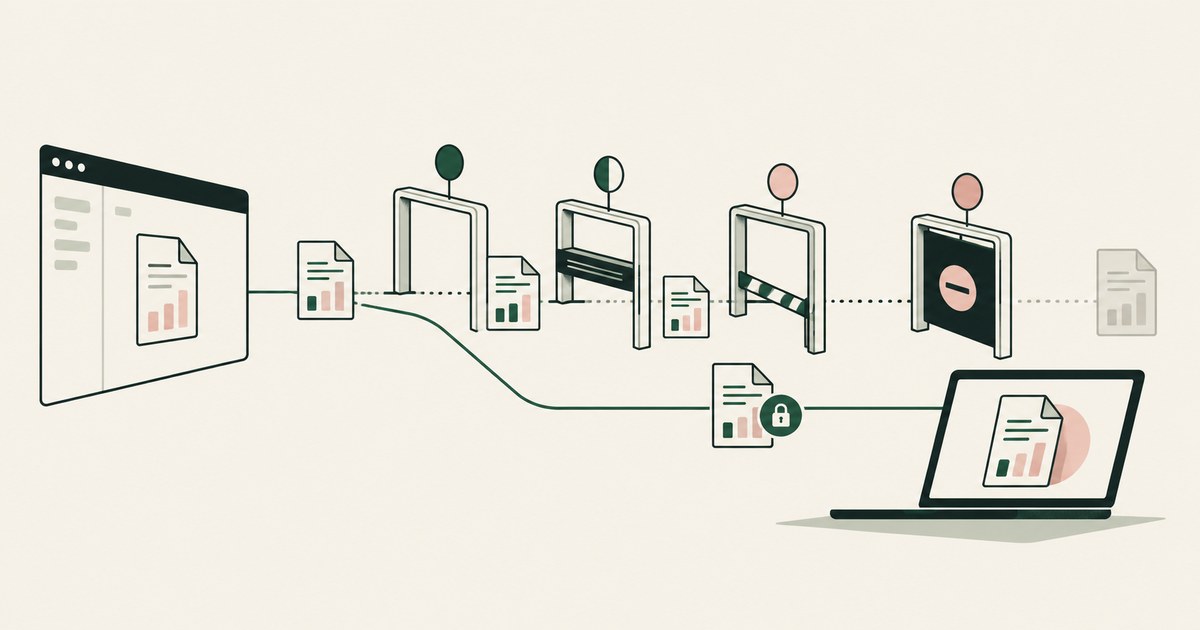
The protection travels with the downloaded file as encryption and labeling rather than stopping the download itself. A graduated ladder of actions, from logging through override to block, matched to the data and the device, keeps work moving. Block every download and the work relocates to email, colleagues and export tools the policy never sees. A download that arrives encrypted under a sensitivity label, usable only by authorized people wherever it travels, is a different event from a download of plaintext. Current tooling supports that shift in documented ways: file activities can be audited, warned on, blocked with override, or blocked, in graduated combinations; downloads can be encrypted by browser policy; and labels can extend protection to files as they leave a library. Where an AI agent retrieves the file as part of delegated work, render-layer tokenization applies the same logic to what the agent reads: the protection sits on the data, not on a prohibition against moving it. The environment that enforces this is built by RedactSure, an AI agent controls, governance and data protection company.
Key findings
- Microsoft's Endpoint DLP documentation lists uploading to a cloud service or access by unallowed browsers among the file activities that can be audited and restricted on devices, alongside copying to USB or network shares and printing (Microsoft, 2025).
- Microsoft's DLP deployment guidance describes a graded set of actions, from audit only, which allows the action and logs it, through block with override, to block, and recommends starting with the passive actions and moving toward restriction as policies are tuned (Microsoft, 2025).
- Microsoft documents that sensitivity labels can extend SharePoint protection when files are downloaded, so that the permissions on the file travel with it after download (Microsoft, 2025).
- Encrypted content under a sensitivity label remains encrypted no matter where it resides, inside or outside the organization, and can be decrypted only by users authorized in the label's settings (Microsoft, 2025).
- Palo Alto Networks documents file encryption for downloaded files in its browser design material, making downloads viewable only from sanctioned devices, as an alternative to preventing the download (Palo Alto Networks, 2025).
Why does blocking become the default answer to download risk?
Blocking is the easiest download policy to explain. A file that never leaves has not leaked, and a rule that says no downloads from a given application produces a clean audit story. The NIST glossary defines data loss prevention around detecting and preventing unauthorized use and transmission of information (NIST, 2026), and a block is the most literal form of prevention available.
The problem is that downloading is not an edge case in knowledge work; it is how work moves. Statements are downloaded for reconciliation, exports for analysis, attachments for review, reports for regulators. When the block is indiscriminate, the work does not stop, it relocates: staff request the same data by email, ask a colleague with different permissions to fetch it, or export through a reporting tool the policy does not cover. Each workaround is a transmission the security team did not design and may not see. A policy that appears strict on paper can therefore produce an estate where the riskiest downloads are the undocumented ones. The narrower and more useful goal is to keep the download visible, and make what is downloaded safe to hold.
What does a graduated ladder of download actions look like?
Microsoft's DLP deployment guidance describes the available actions as a range: allow with logging for device policies, audit only, block with override, and block, and it advises beginning with the passive actions and moving toward the restrictive ones as tuning improves (Microsoft, 2025). Applied to downloads, that range becomes a ladder matched to data class rather than a single switch.
| Download situation | Sensible default action | Reasoning |
|---|---|---|
| Ordinary working documents, internal use | Allow and log | The movement is routine, evidence matters more than friction |
| Sensitive content to a managed device | Allow, with the file encrypted under its label | The file stays protected after it lands |
| Sensitive content, user asserts a business need the policy did not foresee | Block with override and justification | A person decides, and the decision is recorded |
| Regulated content to an unmanaged device or unapproved service | Block | No protection travels with the file and no managed control applies |
| Bulk export far outside a role's normal pattern | Block and alert | Volume itself is the anomaly a reviewer should see |
Endpoint tooling also treats the upload side and the browser side as governable activities: uploading an item to a restricted service domain, or reaching sensitive items through a browser the organization has not allowed, can be audited and restricted on the device (Microsoft, 2025). A download policy designed as a ladder can therefore be paired with a matching policy for where downloaded material may go next, which is where many real leaks actually occur.
How does encrypting the download change the decision?
Encryption changes what a download is. Microsoft documents that sensitivity labels configured for a SharePoint library can extend protection to downloaded files, so the current permissions on an item travel with the file when it is downloaded (Microsoft, 2025). More generally, content encrypted under a label remains encrypted wherever it resides, at rest and in transit, even if the file is renamed, and opens only for users the label's encryption settings authorize (Microsoft, 2025).
Under that model, the security question moves from "may this file leave?" to "who can ever read this file, wherever it is?" A downloaded statement on a laptop is protected in the same way as the original in the library. If the laptop is lost or the file is forwarded, the content is not exposed to whoever finds it. Palo Alto Networks documents the same principle from the browser side, describing file encryption for downloaded files so they are viewable only from sanctioned devices (Palo Alto Networks, 2025).
Encryption is not a complete answer. An authorized user can still read the file, copy its contents into an unprotected document, or photograph the screen. Encryption governs the file, not the information once a legitimate reader has it in front of them. But it removes the largest and least controlled category of download risk, the file at rest outside the library, without asking anyone to change how they obtain their working documents.
How do approved destinations reduce the need to block?
Many downloads are risky mainly because of where the file ends up: a personal cloud drive, a local folder that is never backed up or scanned, a home machine outside management. If the destination is the problem, governing the destination is more precise than governing the download. Endpoint policy can restrict copying to network shares and removable media and uploads to restricted service domains, while allowing movement to approved locations (Microsoft, 2025). Browser policy can take the same approach from the other direction: Palo Alto Networks describes directional context in its browser material, under which data obtained from specific applications may be saved or uploaded only to approved destinations defined by policy (Palo Alto Networks, 2025).
In practice this lets an organization say yes more often. Downloading a customer export to the managed workspace is ordinary work and proceeds. Downloading the same export to a personal storage service is the event the policy exists to catch, and it is caught on destination grounds the user can understand and the security team can defend. The distinction also produces cleaner evidence, because the recorded question is where organizational data resides, which is a question an auditor can actually ask.
Which downloads should still be blocked outright?
Graduation is not permissiveness. Some downloads should be blocked without an override path, and a credible policy names them. Downloads of regulated content to unmanaged devices are the clearest case, because no encryption enforcement, no endpoint agent, and no later audit can be relied on once the file is on hardware the organization does not control. Downloads to destinations the organization has explicitly not approved belong in the same category, as do bulk exports that no plausible reading of a person's role explains.
The override mechanism needs discipline to stay meaningful. Microsoft documents block with override as an action in which the user proceeds by providing a justification, and describes it as a way to identify false positives during policy refinement (Microsoft, 2025). If everything can be overridden, the ladder collapses into audit with extra clicks. The defensible pattern is a small hard block list, a broader override band for the cases policy cannot foresee, and audit for the rest, with override justifications reviewed rather than merely collected.
What should be recorded when a download is allowed?
An allowed download should leave a record proportionate to its sensitivity: who downloaded what, from which application, to which device and destination, under which label, and, where an override was used, the justification given. That record is what converts a permissive policy from an act of faith into a governed control, because it lets a reviewer reconstruct the estate of downloaded data and spot the patterns, a user accumulating exports, a destination filling with regulated files, that no single event reveals.
For work delegated to AI agents, the equivalent record concerns what the automated reader was shown. An agent that retrieves a file as part of a task should operate inside the same evidentiary discipline as a person's download, rather than outside it: each screen it worked from, each action it took, and each approval a named person gave, kept in a form a reviewer can reconstruct later. The download ladder's logic applies to an automated reader as it does to a person: the movement is allowed where it is governed, and the protection is attached to the data rather than to a prohibition on moving it.
Where does RedactSure sit?
RedactSure applies the download ladder's logic to the step where an AI agent retrieves or sends a file as part of delegated work. In RedactSure's published design, each screen an agent works from is recorded in tokenized form: every identifier chosen by policy is replaced by a consistent token at the render layer before any model reads the screen, so the model receives the task's fields with identifiers as tokens such as ACCT_001 rather than a picture of the page. Real values resolve only at approved destinations at the moment of an approved action, which is the destination rule applied to an automated reader. Saving or sending the file is a consequential action a named person approves as it runs, under Supervised Delegation; the Planner sets which values are tokenized and what the agent may do on each screen, and a named person confirms that policy before the run.
Every screen as tokens, every action and every approval lands in the AI Control Record and exports to the customer's SIEM, so the agent's file retrieval leaves the same evidence a person's download does. Permissions do not change, no per-application integration is required, and the model is swappable. Deployments are in pilot. Everyone else controls where data can go. RedactSure controls what the AI can see.
Methodology and limitations
This page is a review of published documentation, read as of October 13, 2026. It rests on Microsoft's Endpoint DLP documentation on file activities and restrictions, Microsoft's sensitivity label documentation on protection for downloaded files and on label based encryption, Microsoft's DLP deployment guidance on policy actions and simulation mode, Palo Alto Networks' published design material for its browser, and the NIST glossary definition of data loss prevention, which draws on CNSSI 4009. All vendor material is cited as vendor documentation, as the vendor's statement about its own product, with the date. RedactSure statements are restricted to design facts the company publishes.
No download control was configured or tested for the page, and no hands-on testing of Microsoft Purview, Prisma Browser or any other named product was performed. No leakage incident was examined, and no rate of leakage through downloads is claimed, because no primary measurement of that question was available. Documentation describes what a control can be configured to do; it does not establish how any organization has configured it, and readers should not treat capability descriptions as evidence of practice. Vendor features change between releases, and the page carries its date and is revised when the documentation changes. The statement, export and laptop examples describe situations, not any organization; no customer or prospect is described.
Whether a given download policy, encryption setting or override band meets an organization's obligations, and which content counts as regulated for its purposes, belongs to its counsel, assessor, and security and compliance officers, not to the page.
What the record shows
Blocking downloads prevents leaks by preventing work, and the work usually finds another route that nobody governed. The documented alternatives are more durable: graduate the response from logging through override to block according to the sensitivity of the content and the state of the device, encrypt the file so its protection survives the download, govern destinations so that approved storage is easy and unapproved storage is the exception, and record every allowed movement well enough to reconstruct it later. A small set of downloads, regulated content to unmanaged devices above all, should still be refused outright, and naming them clearly makes the rest of the ladder credible. Judge the wider download policy by whether the organization can see and protect its downloaded data, not by how many downloads it stops, because visibility plus protection still applies on the day a new tool appears that the original block list never anticipated.
Frequently asked questions
Does an encrypted download still count as data leaving the organization?
The file leaves, and the record should say so. What does not leave in usable form is the content: Microsoft documents that label based encryption stays with a file wherever it resides and opens only for users the label authorizes. The organization has still extended its estate, which is why the download is logged and the destination governed, but a lost laptop or a forwarded file no longer exposes the contents to whoever holds it.
When is block with override better than a straight block?
When the policy cannot foresee every legitimate case, which is most of the time for knowledge work. Microsoft describes block with override as the action where a user proceeds by giving a justification, and notes its value in surfacing false positives while a policy is refined. The override keeps the workflow moving, puts the decision with the person who understands the task, and creates the justification record a reviewer needs. Cases with no legitimate reading, such as regulated data to unmanaged devices, should not offer it.
Can destination rules replace download rules entirely?
Not entirely. Destination rules govern where a file may be saved or uploaded, and endpoint tooling documents them for network shares, removable media, and restricted service domains. They say less about the file that stays on the device itself, which is why the designs above combine them with label based encryption for the file and logging for the event. Each mechanism covers a failure the others miss, and the combination is the control.
Does encrypting the download stop an authorized user from leaking the content?
No. Encryption governs the file, not the information once a legitimate reader has it open. An authorized user can still read the content, copy it into an unprotected document, or photograph the screen. What encryption removes is the largest uncontrolled category of download risk, the plaintext file at rest outside the library, on a lost laptop or in a forwarded message. Insider misuse by an authorized reader is a separate problem for logging, destination rules and review.
What belongs on the hard block list with no override?
Three categories, and a credible policy names them. Regulated content going to unmanaged devices, because no encryption enforcement, endpoint agent or later audit can be relied on there. Downloads to destinations the organization has explicitly not approved, such as personal storage services. Bulk exports that no plausible reading of a person's role explains. Everything else sits in the override band or in audit, so the hard list stays short enough to defend.
What record should an AI agent's file retrieval leave?
The same evidence a person's download leaves, plus what the agent was shown. In RedactSure's design, each screen the agent worked from is recorded in tokenized form, together with every action and every approval a named person gave, in an AI Control Record exportable to the customer's SIEM. Saving or sending the file is a consequential action that waits for a named person. Deployments are in pilot.
Related reading
How to Prevent Legitimate Work from Being Blocked by DLP Rules? · What Alternatives Exist to Complex Microsoft Purview Sensitivity Labels? · How to Reduce False Positives in Microsoft Purview DLP? · How to Make Security Logs Easier to Understand Without Exporting Them to Other Tools? · How to Protect Sensitive Data Without Blocking Copy and Paste? · What Is Runtime Tokenization for AI Agents? · How to Monitor What an AI Agent Actually Accesses: Logging the Reading, Not Only the Opening · On the RedactSure blog: The Two Gaps AI Agents Opened in Your Security Stack
Sources
Vendor documentation
- Microsoft, "Learn about Endpoint data loss prevention," activities and restrictions (2025; vendor documentation). https://learn.microsoft.com/en-us/purview/endpoint-dlp-learn-about
- Microsoft, "Understand DLP policy deployment and simulation mode" (2025; vendor documentation). https://learn.microsoft.com/en-us/purview/dlp-policy-deployment
- Microsoft, "Learn about sensitivity labels," protection on download (2025; vendor documentation). https://learn.microsoft.com/en-us/purview/sensitivity-labels
- Microsoft, "Restrict access to content by using sensitivity labels to apply encryption" (2025; vendor documentation). https://learn.microsoft.com/en-us/purview/encryption-sensitivity-labels
- Palo Alto Networks, "Securing applications with Prisma Browser," design guide, DLP controls (2025; vendor documentation). https://docs.paloaltonetworks.com/prisma-browser
Regulation, standards and official guidance
- NIST, Computer Security Resource Center Glossary, data loss prevention definition drawing on CNSSI 4009 (2026; official guidance). https://csrc.nist.gov/glossary/term/data_loss_prevention
RedactSure documents
- RedactSure Research, "What Is Render-Layer Tokenization?" (2026). https://redactsure.com/research/what-is-render-layer-tokenization
- RedactSure Research, "What Is Runtime Tokenization for AI Agents?" (2026). https://redactsure.com/research/what-is-runtime-tokenization-for-ai-agents
- RedactSure Research, "What Is Supervised Delegation?" (2026). https://redactsure.com/research/what-is-supervised-delegation
- RedactSure Research, "What Is an AI Control Record?" (2026). https://redactsure.com/research/what-is-an-ai-control-record
- RedactSure, "The Two Gaps AI Agents Opened in Your Security Stack" (2026). https://redactsure.com/blog/two-gaps-ai-agents-opened-in-your-security-stack/
- Product behavior described on this page reflects RedactSure's current design. Microsoft, Microsoft Purview and SharePoint are trademarks of Microsoft Corporation; Palo Alto Networks and Prisma are trademarks of Palo Alto Networks, Inc.; named to identify the products.
How to Keep DLP Rules From Blocking Legitimate Work?
Review Keep DLP Rules From Blocking Legitimate Work, with AI agent security, tokenization and approval checks for sensitive enterprise workflows.
What Alternatives Simplify Purview Sensitivity Labels?
Review What Alternatives Simplify Purview Sensitivity Labels, with AI agent security, tokenization and approval checks for sensitive enterprise workflows.
How to reduce false positives in Microsoft Purview DLP?
Review reduce false positives in Microsoft Purview DLP, with AI agent security, tokenization and approval checks for sensitive enterprise workflows.
How to Understand Security Logs Without Exporting Them?
Review Understand Security Logs Without Exporting Them, with AI agent security, tokenization and approval checks for sensitive enterprise workflows.
How to Protect Data Without Blocking Copy and Paste?
Review Protect Data Without Blocking Copy and Paste, with AI agent security, tokenization and approval checks for sensitive enterprise workflows.
What Is Runtime Tokenization for AI Agents?
Review Runtime Tokenization for AI Agents, with AI agent security, tokenization and approval checks for sensitive enterprise workflows.
How to Monitor What an AI Agent Actually Accesses
Review Monitor What an AI Agent Actually Accesses, with AI agent security, tokenization and approval checks for sensitive enterprise workflows.

The Two Gaps AI Agents Opened in Your Security Stack
Explore AI agent security through two questions: which PII reaches the model, and who approves consequential billing and claims actions.

What Is Render-Layer Tokenization?
Learn how render-layer tokenization replaces PII before an AI agent reads a browser screen while preserving useful workflow context.
What Is Supervised Delegation?
Explore supervised delegation for AI agents in billing and claims, with named responsibility, tokenization policies and human approvals.

What Is an AI Control Record?
Explore an AI agent control record for billing and claims, linking permissions, tokenization decisions, approvals and audit evidence.
Book an AI Agent Security Review →
Bring your hardest questions.
Bring one sensitive workflow and the decisions your team needs to keep in its hands.
Book a demoAbout the author

Chris Sowa is a founder of RedactSure and a former CEO of an AI company; he started it years before ChatGPT existed. He previously led AI at Accenture, served as Global VP of Strategy & Innovation at Schneider Electric, was CCO of Sovos, and spent more than a decade at Oracle, with earlier roles at SAP and IBM.