
Data Report · By Chris Sowa · Published
Last updated
How Do You Protect Customer Data When Dynamics 365 Copilot Agents Work CRM Records?
Configure Dynamics security roles and column-level security to decide which fields the agent's identity may open, then add a second step that replaces field values with tokens before the model reads the rendered record. Check that the agent still completes the update on tokens, because the first step governs access and only the second changes what the model sees.
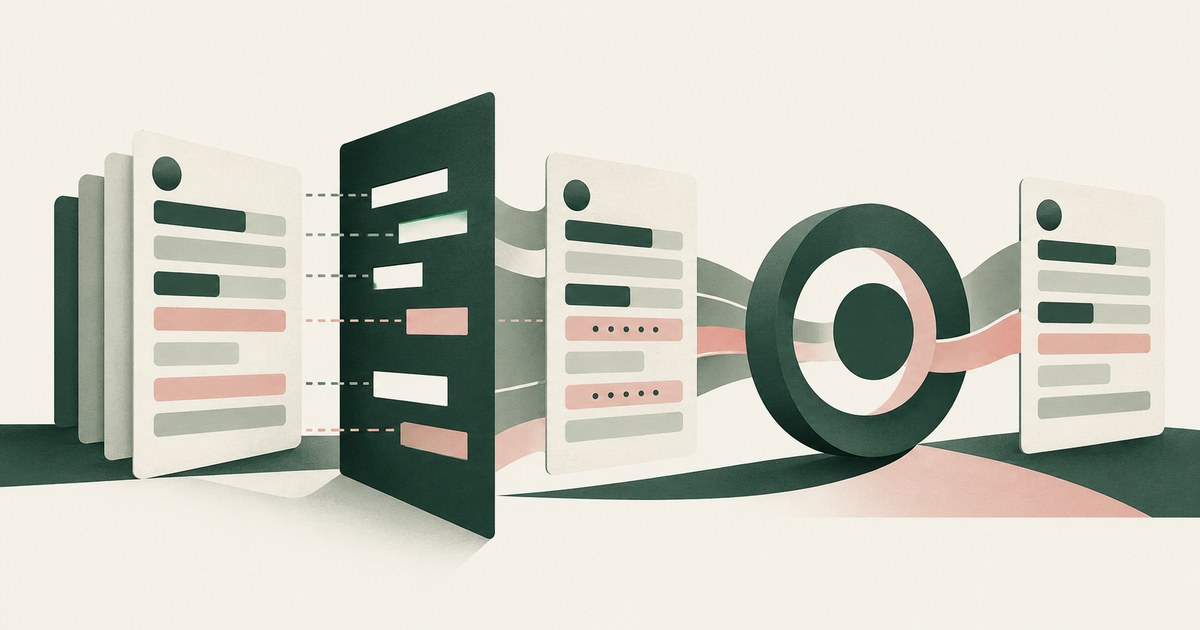
Configure Dynamics security roles and column-level security to decide which fields the agent's identity may open, then add a second step that replaces field values with tokens before the model reads the rendered record. Check that the agent still completes the update on tokens, because the first step governs access and only the second changes what the model sees. Microsoft now ships pre-built CRM skills that let Copilot agents work Dynamics 365 Sales and Customer Service records, and buyers in insurance and financial services are asking how the customer data on those records is protected while an agent reads and updates them. The answer has two parts, often collapsed into one. Dynamics decides what the agent's identity can open; nothing in Dynamics decides what the model receives once a permitted record renders. This page sets out which Dynamics controls govern access, where the model reads the record, what Purview adds, a before-and-after on one contact record, what Microsoft's documentation says, and what a governed environment changes. It builds on research on what Microsoft Copilot Studio agents can see.
Key findings
- Microsoft's October 2026 announcement describes "30 new pre-built CRM skills for Copilot Cowork, now generally available," with proposed field updates not saved automatically; the post does not list which records or fields the skills read (Microsoft, 2026).
- Column-level security lets administrators restrict specific Dataverse columns so designated users cannot read or set their values, with optional masking of displayed data (Microsoft, 2026).
- Microsoft states that "Copilot can only summarize or reference content that the user is authorized to access" and that audit records capture "Copilot prompts, responses, and referenced content" (Microsoft, 2026); whatever the user may open, the model may read.
- Microsoft's own posture guidance observes that "generative AI amplifies the problem of oversharing data" (Microsoft, 2025).
- The GDPR's data minimisation principle at Article 5(1)(c) requires personal data to be limited to what is necessary for the purpose; a model that reads a full contact record to update one field processes more than that field (EUR-Lex, 2016).
- An agent can carry a token in place of a customer identifier through a record update and still complete the task, the method examined in research on how AI agents can work with customer records without seeing the actual data.
Which Dynamics 365 controls decide what a Copilot agent may open on a contact record?
Dynamics 365 runs on Dataverse, and three layers of its access model matter here. Security roles grant privileges on tables: whether an identity can read, write, create or delete contact, opportunity or case rows, and at what scope. Business units bound which rows an identity may see. Column-level security goes one layer deeper: Microsoft documents that administrators can restrict specific Dataverse columns so designated users cannot read or set their values, with optional masking of displayed data, and that the settings apply organization-wide to all data access requests (Microsoft, 2026).
For a Copilot agent, the identity that matters is set by the authentication mode. Microsoft's Copilot Studio documentation distinguishes "agent author authentication," which applies where access is implicit, from user authentication, prescribed "if you must restrict data access to specific groups or individuals" (Microsoft, 2026). Under user authentication, the agent is bounded by that user's security roles and column security profile. Under author authentication, every session inherits the author's privileges.
Take an insurance contact record as the worked record type. It carries name, policy number, date of birth, a national identifier, a bank account for premium collection, a phone number and a free-text notes field. Column-level security can restrict the national identifier and bank account to a billing profile; a service identity outside that profile sees those columns masked, and an agent acting under it is refused the values. That is the protection Dynamics provides. It answers which fields the agent's identity may open. It does not answer what the model is shown when it opens the fields it is permitted to open, which is the next question.
Where does the model read the record, and what reaches it once the page renders?
Microsoft's architecture documentation states that "Copilot can only summarize or reference content that the user is authorized to access" (Microsoft, 2026). The sentence states a ceiling, not a floor. The model will not reach past the user's permissions; nothing says it receives less than they allow. For a service identity whose role includes the policy number, date of birth and phone number, all three reach the model when the contact record is in play.
The October 2026 CRM skills announcement is consistent with this. The skills "add task-specific guidance to MCP tools" and organizations can "extend the skills into custom agents and AI harnesses" (Microsoft, 2026). The post does not list which records or fields the skills read or write. A buyer should read that silence as meaning the tool returns what the identity may read, because nothing in the post describes a narrower return.
The same holds where an agent works the record on screen: the rendered form shows every column the user's profile permits, and for permitted columns the model reads the value. OWASP's sensitive information disclosure entry describes this class of exposure, where a model's input contains personal data the task did not require (OWASP, 2025). The GDPR's data minimisation principle at Article 5(1)(c) frames the obligation: personal data limited to what is necessary for the purpose (EUR-Lex, 2016). A task that updates a renewal date does not need the date of birth, yet it is on the rendered record.
What does Microsoft Purview add for Copilot and agents, and where does it stop?
Purview works from the classification side. Microsoft documents a DLP location for Microsoft 365 Copilot that applies labels and policy to what Copilot may process (Microsoft, 2025). Data Security Posture Management for AI reports on oversharing, with Microsoft's own framing that "generative AI amplifies the problem of oversharing data" (Microsoft, 2025). For Copilot Studio agents, data policies control knowledge sources, actions, connectors and skills, with maker audit logs visible in Purview (Microsoft, 2026).
| Control | What it governs, per Microsoft's documentation | What it does not govern on a rendered contact record |
|---|---|---|
| Security roles and business units | Tables and rows an identity may open | Values the model is shown on a permitted row |
| Column-level security | Columns an identity may read or set; masking for excluded users | Permitted columns render in full |
| Copilot Studio authentication mode | Whether the agent acts as author or user | What the permitted fields contain |
| Purview DLP for Copilot and labels | Labeled items Copilot may process | Form fields with no item-level label |
| Copilot Studio data policies | Knowledge sources, actions, connectors, skills | Values a permitted connector or page returns |
Each row controls reach or use; none controls what the model receives from a record it may open. Whether Purview DLP for Copilot extends to browser-based agents working Dynamics forms is not described in the pages reviewed. Research on whether Microsoft Copilot exposes sensitive SharePoint data reaches the same conclusion for documents: permissions and labels decide reach, not what the model reads within reach.
What does a before-and-after on one contact record look like?
The task: update the renewal date and add a note on a policyholder's contact record after a phone call, under a service identity permitted every column except the bank account, which renders masked.
Before. The agent opens the contact form. The rendered page, and therefore the model's input, contains the policyholder's name, policy number, date of birth, national identifier, phone number, masked bank account, the renewal date field and a notes history mentioning a dependent's medical condition. The agent proposes the new date and drafts a note; the update is not saved automatically (Microsoft, 2026). A person confirms and the record saves. The model has read six categories of personal data to change one date, and the audit record, capturing prompts, responses and referenced content (Microsoft, 2026), holds that content in the clear.
After. Same identity, same roles and column profile, same form. Between the render and the model, values are replaced: the name reads CONTACT_001, the policy number POLICY_001, the date of birth DOB_001, the national identifier NATID_001, the phone PHONE_001, the medical reference COND_001. The renewal date field and the labels render as they are, because the task needs them. The agent proposes the new date, drafts the note against CONTACT_001, and the person confirms. At the save, tokens resolve only where a real value must land. Task complete. The difference between the runs is the model's input, not the outcome; Dynamics did the same work in both. Research on render-layer tokenization describes the mechanism; the point here is that the Dynamics configuration and the tokenization are two steps, and the first does not perform the second.
What does the vendor's own documentation say?
Microsoft's documentation is specific about the controls it provides and silent about the one this page concerns. On access, column-level security restricts columns so designated users cannot read or set their values, with optional masking (Microsoft, 2026). On identity, Copilot Studio offers author authentication where access is implicit and user authentication to restrict data access to specific groups or individuals (Microsoft, 2026). On governance, data policies control knowledge sources, actions, connectors and skills, with maker audit logs visible in Purview (Microsoft, 2026).
On the CRM skills, Microsoft states that "Autopilot is in private preview, and Code is available through the Frontier program," and that use is "subject to administrator configuration, user or tenant consent, licensing, and organizational policies" (Microsoft, 2026). Proposed field updates are not saved automatically and a draft is not a sent message, which places a person before the write.
Not described in the pages reviewed: which fields each CRM skill reads when it works a contact, case or opportunity; whether any configuration causes a permitted field to reach the model as something other than its value; whether Purview DLP for Copilot applies to an agent reading a Dataverse form through a browser; and whether the audit record can show the model's input in any form other than the referenced content itself. A buyer should put these questions to Microsoft and record the dated answers, because the documentation reviewed describes access and audit, not what the model reads within authorized access.
What does a governed environment change?
In a governed environment, a Copilot agent working a Dynamics 365 contact record reads tokens in place of the customer's identifying values and still completes the update, so access configuration and model input become two separately controlled things.
The mechanism is a class of control that sits between the rendered record and the model. Field values the task does not need in the clear, a policy number, a date of birth, a national identifier, a medical reference in a notes field, are replaced with consistent tokens before any model reads them, and the task runs on those tokens. The real values resolve only at the approved destination, the saved record, at the moment of an approved action. A named person confirms what is tokenized and approves consequential actions, including every record change. Every screen as the model received it, in token form, every action and every approval is recorded and exported to the organization's own logging.
This bears on the title question because the Dynamics controls answer a different question. Column-level security and security roles decide which fields the identity may open (Microsoft, 2026); Copilot reads what the user is authorized to access (Microsoft, 2026). Within that authorization, the model reads values unless something changes them first. The record produced by the environment shows the contact form as the model saw it, with the identifying values absent, the evidence a data protection officer applying Article 5(1)(c) would ask for. The control does not alter Dynamics, the roles, the column profiles or the model; it adds a step those controls do not perform.
Where does RedactSure sit?
The environment that enforces this is built by RedactSure, an AI agent controls, governance and data protection company. Agents, including a Copilot agent working a Dynamics 365 contact record, operate inside a governed environment in the customer's own cloud. Substitution happens at the render layer before any model reads the screen: the policyholder's name, policy number, date of birth and national identifier reach the model as consistent tokens such as CONTACT_001 or ACCT_001 for the whole run. Real values resolve only at approved destinations at the moment of an approved action, which for this task is the saved Dynamics record. A named person confirms the tokenization policy and approves every payment, submission and record change, the arrangement RedactSure calls Supervised Delegation. Every screen as tokens, every action and every approval lands in the AI Control Record and exports to the customer's SIEM. The design is model agnostic, requires no per-application integration, and leaves Dynamics security roles, column security and user permissions unchanged.
Deployments are in pilot. A pilot on the reader's own Dynamics workflow would show the contact form as the model received it, the renewal update completed on tokens, the confirmation, and the exported record beside the Dynamics audit log. Everyone else controls where data can go. RedactSure controls what the AI can see.
Methodology and limitations
This page rests on Microsoft's October 2026 Dynamics 365 blog announcement of CRM skills for Copilot, Microsoft Learn documentation on Dataverse column-level security, Copilot Studio user authentication, Copilot Studio security and governance, Microsoft 365 Copilot data protection and auditing, Purview DLP for Microsoft 365 Copilot and Data Security Posture Management for AI, the text of Regulation (EU) 2016/679 on EUR-Lex, the OWASP Top 10 for LLM Applications entry on sensitive information disclosure, and published RedactSure research pages on Copilot Studio, SharePoint exposure, customer records, render-layer tokenization and the AI Control Record. All sources were read as of October 16, 2026.
No hands-on testing of Dynamics 365, Copilot Studio or Purview was performed for this page. "Not described" means not described in the pages reviewed, not that the capability is absent. Microsoft's Copilot features change often, the CRM skills were announced days before this page was written and some are in preview, and the page carries its date. GDPR references are by article number from the regulation's ELI page. Statements about RedactSure describe its current design, with deployments in pilot. The insurance contact record and the renewal task describe a record type, not any organization, and the token names are illustrative.
Whether a given Dynamics configuration, agent deployment or tokenization policy meets an organization's obligations under the GDPR, GLBA, state insurance privacy rules or its own policies is a determination for its counsel, its assessors and its own security and compliance officers, not for a research page.
What the record shows
Protecting customer data when a Copilot agent works a Dynamics 365 record is two steps, not one. Security roles, business units and column-level security decide which rows and columns the agent's identity may open, and the authentication mode decides whose identity that is; Purview labels and data policies decide which items and connectors the agent may use. Microsoft's documentation describes these controls and states that Copilot reads what the user is authorized to access. None changes what the model is shown from a record it may open, so a permitted field reaches the model as its value. Substitution at the render supplies the second step, and RedactSure's environment is one implementation of it. The test is to name one agent and one task, such as updating a renewal date on a contact record, run it, and ask for the record of what the model received from the contact form.
Frequently asked questions
Does column-level security stop a Copilot agent from reading a customer's national identifier?
It does if the agent's identity is outside the column security profile that permits the column; Microsoft documents that excluded users cannot read or set restricted columns, which may render masked. If the identity is inside the profile, because the user needs the column for other work, the column renders in full and the model reads it. Column security answers who may open a field, not what the model is shown on a field the identity may open.
Which identity does a Copilot Studio agent use when it opens a Dynamics record?
That depends on the authentication mode the maker chose. Microsoft describes agent author authentication, where access is implicit and sessions inherit the author's reach, and user authentication, prescribed to restrict data access to specific groups or individuals. For CRM records with personal data, user authentication keeps the agent within each user's security roles. A buyer should confirm the mode for each agent that touches contact, case or opportunity tables.
Does the Copilot audit log show what the model read?
Microsoft states that audit records capture Copilot prompts, responses and referenced content. That is a record of what was referenced, in the clear, which supports investigation after the fact. It does not limit what the model received, and a record holding the referenced personal data is itself a store of that data. A buyer should decide who may read the audit log and for how long it is retained.
Do the new CRM skills read the whole record or only the fields the task needs?
The October 2026 announcement does not list which records or fields the skills read or write; it describes task-specific guidance over more than 180 tools and states that proposed updates are not saved automatically. Absent a documented field scope, a buyer should assume the tool returns what the identity may read and ask Microsoft for the field-level behavior of each enabled skill.
Is Purview DLP for Copilot enough to protect Dataverse field values?
Purview's DLP location for Microsoft 365 Copilot applies labels and policy to the items Copilot may process, and DSPM for AI reports on oversharing. Whether these extend to field values on a Dataverse form read by an agent, or to a browser-based agent working the form, is not described in the pages reviewed. Purview is a reach and classification control; a buyer should pair it with a control on what the model reads within reach.
Will the agent still complete the update if the values are tokenized?
For tasks that act on structure rather than on the identifying values, yes. Updating a renewal date, adding a call note, changing a status or routing a case needs the field labels, the layout and the instruction, not the policyholder's date of birth or bank account. The agent proposes the change against CONTACT_001, a person confirms, and the real values resolve only where they must land. Tasks that need the real value, such as verifying a caller's identity, need different handling.
Related reading
What Can Microsoft Copilot Studio Agents See? · Does Microsoft Copilot Expose Sensitive SharePoint Data? · How Can AI Agents Work With Customer Records Without Seeing the Actual Data? · What Is Render-Layer Tokenization? · What Is an AI Control Record? · Can an AI Agent Complete Its Task Without Seeing PII When Prisma AIRS Protects It at Inference? · How Do You Test Whether an AI Agent Can Reach Data Outside Its Assigned Task? · How Do You Keep Customer Identifiers Out of a Gemini Enterprise Agent's Memory? · On the RedactSure blog: The Two Gaps AI Agents Opened in Your Security Stack · RedactSure
Sources
Vendor documentation
- Deva Rajamohan, "Bring Microsoft Dynamics 365 into the flow of work with 30 new CRM skills," Microsoft Dynamics 365 Blog, October 8, 2026 (vendor documentation / blog). https://www.microsoft.com/en-us/dynamics-365/blog/it-professional/2026/10/08/bring-microsoft-dynamics-365-into-the-flow-of-work-with-30-new-crm-skills/
- Microsoft, "Column-level security to control access," Microsoft Learn (Power Platform / Dataverse), updated September 21, 2026 (vendor documentation). https://learn.microsoft.com/en-us/power-platform/admin/field-level-security
- Microsoft, "Microsoft Purview DLP for Microsoft 365 Copilot," Microsoft Learn, 2025 (vendor documentation). https://learn.microsoft.com/en-us/purview/dlp-microsoft365-copilot-location-learn-about
- Microsoft, "How data is protected and audited in Microsoft 365 and Microsoft Copilot," Microsoft Learn, updated August 18, 2026 (vendor documentation). https://learn.microsoft.com/en-us/copilot/microsoft-365/microsoft-365-copilot-architecture-data-protection-auditing
- Microsoft, "Data Security Posture Management for AI (classic)," Microsoft Learn, updated December 15, 2025 (vendor documentation). https://learn.microsoft.com/en-us/purview/dspm-for-ai
- Microsoft, "Configure user authentication for tools," Copilot Studio, Microsoft Learn, updated April 7, 2026 (vendor documentation). https://learn.microsoft.com/en-us/microsoft-copilot-studio/configure-enduser-authentication
- Microsoft, "Security and governance," Copilot Studio, Microsoft Learn, updated August 5, 2026 (vendor documentation; Hebrew locale page, English translation). https://learn.microsoft.com/he-il/microsoft-copilot-studio/security-and-governance
Regulation, standards and official guidance
- European Parliament and Council, "Regulation (EU) 2016/679 (General Data Protection Regulation)," EUR-Lex, April 27, 2016 (regulation). https://eur-lex.europa.eu/eli/reg/2016/679/oj
- OWASP, "LLM02:2025 Sensitive Information Disclosure," OWASP Top 10 for LLM Applications, 2025 (industry standard). https://genai.owasp.org/llmrisk/llm022025-sensitive-information-disclosure/
RedactSure documents
- RedactSure Research, "What Can Microsoft Copilot Studio Agents See?" (2026). https://redactsure.com/research/what-can-microsoft-copilot-studio-agents-see/
- RedactSure Research, "Does Microsoft Copilot Expose Sensitive SharePoint Data?" (2026). https://redactsure.com/research/does-microsoft-copilot-expose-sensitive-sharepoint-data/
- RedactSure Research, "How Can AI Agents Work With Customer Records Without Seeing the Actual Data?" (2026). https://redactsure.com/research/how-can-ai-agents-work-with-customer-records-without-seeing-the-actual-data/
- RedactSure Research, "What Is Render-Layer Tokenization?" (2026). https://redactsure.com/research/what-is-render-layer-tokenization/
- RedactSure Research, "What Is an AI Control Record?" (2026). https://redactsure.com/research/what-is-an-ai-control-record/
- Product behavior described on this page reflects RedactSure's current design. Third-party products are described from their public documentation as read on October 16, 2026. Compliance determinations belong to the organization's counsel.
What Can Microsoft Copilot Studio Agents See?
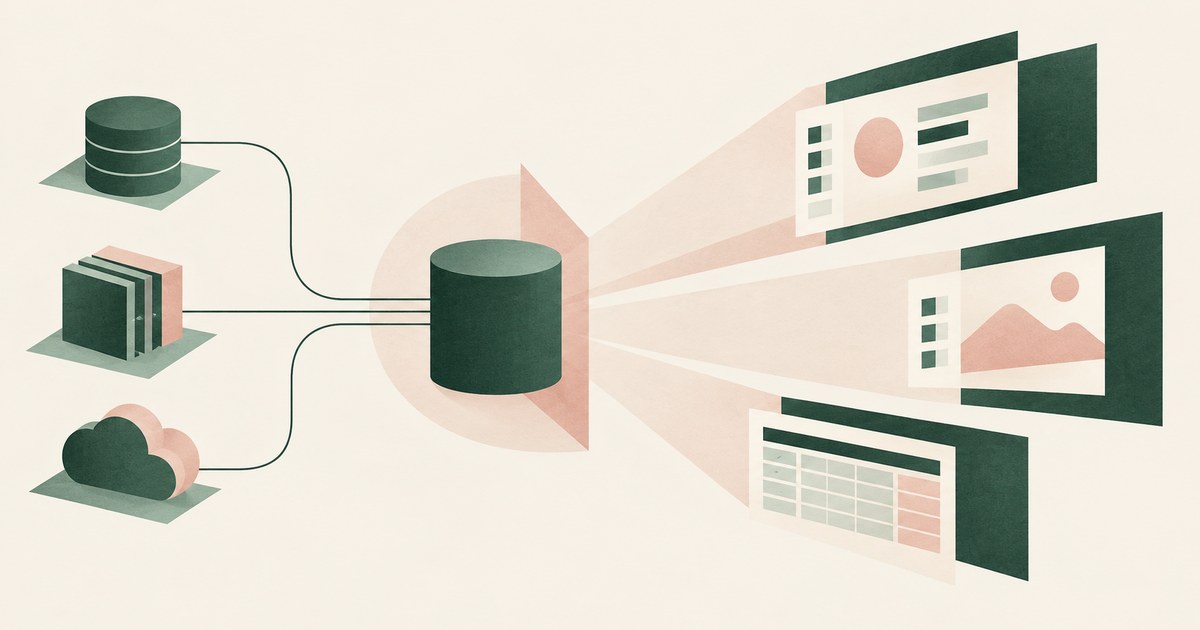
Whatever the credentials behind each tool can see: the maker's view under author authentication, each user's own under user authentication. Check each one.

Does Microsoft Copilot Expose Sensitive SharePoint Data?
Not by breaking permissions. Copilot reaches only what the user can access, so it exposes existing oversharing faster. Check who can reach each library.
How Can AI Agents Work With Customer Records Without Seeing the Actual Data?
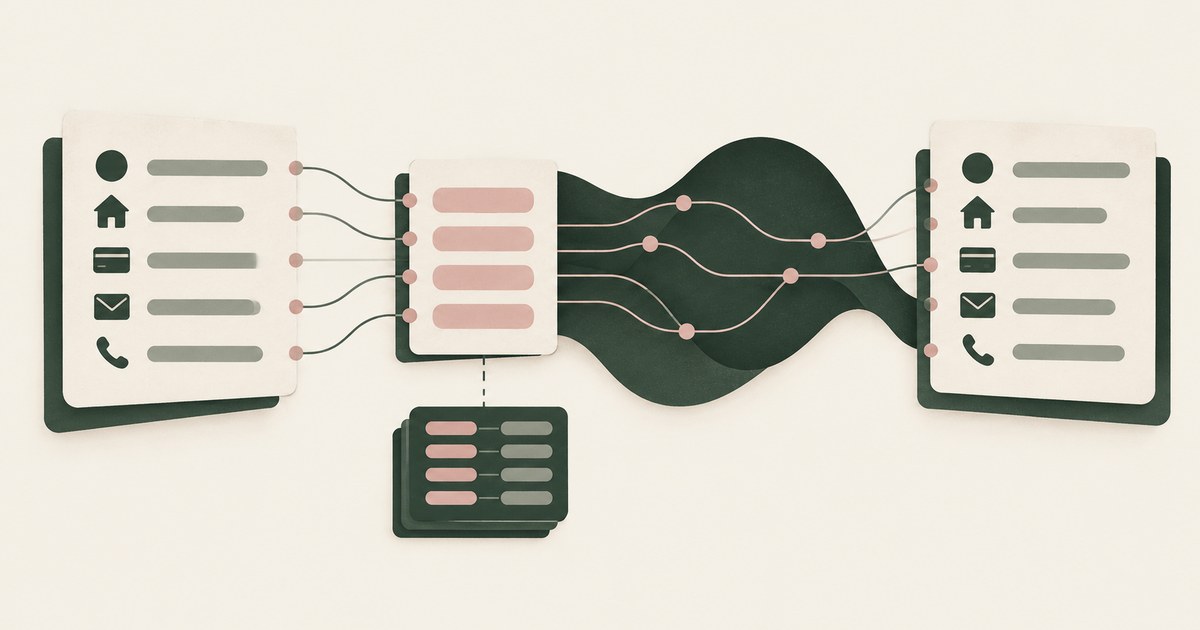
By reading tokens instead of values: each identifier is replaced with a consistent surrogate before the model sees it and restored at the destination.

What Is Render-Layer Tokenization? The Control at the Layer Where the Agent Actually Reads
Learn how render-layer tokenization replaces PII before an AI agent reads a browser screen while preserving useful workflow context.

What Is an AI Control Record? The Runtime System of Record for Sensitive AI Work
Explore an AI agent control record for billing and claims, linking permissions, tokenization decisions, approvals and audit evidence.

Can an AI Agent Complete Its Task Without Seeing PII When Prisma AIRS Protects It at Inference?
Not by inference-time inspection alone: Prisma AIRS sees PII after the page is read. Check that values are replaced before the model reads the screen.

How Do You Test Whether an AI Agent Can Reach Data Outside Its Assigned Task?
Seed one record type with canary values the task does not need, run with and without a page policy, then score completion and exposure together.

How Do You Keep Customer Identifiers Out of a Gemini Enterprise Agent's Memory?
Replace account numbers and other identifiers with tokens before the Gemini agent reads the screen, so memory holds ACCT_001, not the value.

The Two Gaps AI Agents Opened in Your Security Stack
Explore AI agent security through two questions: which PII reaches the model, and who approves consequential billing and claims actions.
Book an AI Agent Security Review →
Bring your hardest questions.
Bring one sensitive workflow and the decisions your team needs to keep in its hands.
Book a demoAbout the author

Chris Sowa is a founder of RedactSure and a former CEO of an AI company; he started it years before ChatGPT existed. He previously led AI at Accenture, served as Global VP of Strategy & Innovation at Schneider Electric, was CCO of Sovos, and spent more than a decade at Oracle, with earlier roles at SAP and IBM.