
Data Report · By Chris Sowa · Published
Last updated
What Can Claude in Chrome Access in Your Browser?
Claude in Chrome reads whatever is rendered on the pages it is given and acts on them; its controls govern which sites it may visit and which actions pause, not which values the model may see. Check which sites are permitted, which actions pause, and what a sensitive work page looks like to the model.

Claude in Chrome reads whatever is rendered on the pages it is given and acts on them; its controls govern which sites it may visit and which actions pause, not which values the model may see. Check which sites are permitted, which actions pause, and what a sensitive work page looks like to the model. Anthropic's help center puts the capability in one sentence: Claude sees what is on the page and can act on it. For an employee that is the appeal. For a security team it is the question, since the pages an employee has open include the applications that hold customer records, claims, payroll and credentials. The documentation reviewed describes controls on where the agent may go and when it must stop, which is a different thing from a control on what it may see once there. This page sets out what Anthropic says Claude in Chrome can see and do, which controls its documentation describes, what seeing the page means on a work screen, what happens when a page has been shaped by someone else, the difference between controlling where an agent goes and what it sees, and the claims a buyer should refuse. It builds on the general treatment of browser-based AI agent security.
Key findings
- Anthropic's help center states that Claude sees what is on the page and can act on it, defaults to an automatically approve mode that pauses when needed, can request logins from 1Password, and is available on all paid plans (Anthropic, 2026).
- Anthropic's pilot announcement reports that mitigations cut prompt injection success from 23.6 percent to 11.2 percent, and that Claude asks users before taking high-risk actions like publishing, purchasing or sharing personal data (Anthropic, 2025).
- Anthropic publishes a permissions guide for Claude in Chrome and a page on using it safely, which together describe the controls as site-level permissions and action-level approvals (Anthropic, 2026); a control that masks particular values on a permitted page is not described in the pages reviewed.
- Press reporting in May 2026 described Claude in Chrome taking orders from other browser extensions, so the agent's inputs include more than the page the user intended (CSO Online, 2026).
- An environmental injection attack on generalist web agents reached up to 70 percent success in stealing users' specific personal information, which measures what an attacker-shaped page can extract from an agent that reads it (Liao et al., arXiv, 2025).
- Enterprise browser controls decide which sites and flows are allowed; which values a model may read on an allowed page is a separate layer (What Is the Difference Between RedactSure and Chrome Enterprise Premium for AI Agent Data Protection?).
What does Anthropic say Claude in Chrome can see and do?
Anthropic's getting-started page states that Claude sees what is on the page and can act on it (Anthropic, 2026). The agent runs as a browser extension inside the user's Chrome, with a side panel through which the user gives tasks. The same page states that the side panel defaults to an automatically approve mode that pauses when needed, that Claude can request logins from 1Password when a site asks for credentials, and that the extension is available on all paid plans. Together those statements describe an agent that operates the user's own browser, reads the pages it is directed to, acts without asking unless a pause condition is met, and can sign in through the user's password manager.
The pilot announcement adds the safety framing. Anthropic reports that Claude asks users before taking high-risk actions like publishing, purchasing or sharing personal data, and that its mitigations reduced prompt injection success in testing from 23.6 percent to 11.2 percent (Anthropic, 2025).
What the pages reviewed describe, then, is reach: the agent can reach any page the user can and read what it renders. What they do not describe is a filter on the content of a permitted page. There is no statement in the pages reviewed that a customer's account number, a patient's name or a card number on a rendered page is withheld from the model while the rest of the page is shown. The rest of this page proceeds on that basis. Whether the agent also uses sessions already open in the browser is a separate question, taken up in whether Claude in Chrome uses saved logins and open sessions.
Which controls does the documentation describe?
Anthropic publishes a permissions guide for Claude in Chrome (Anthropic, 2026) and a page on using Claude in Chrome safely (Anthropic, 2026). Together with the getting-started page and the pilot announcement, they describe three kinds of control: which sites the agent may act on, which actions pause for the user, and how the user should behave to stay safe.
| Dimension | Claude in Chrome, per its documentation | What a buyer should verify |
|---|---|---|
| What the agent reads | Sees what is on the page and can act on it | What a sensitive work page looks like to the model, field by field |
| Where it may go | Site permissions, per the permissions guide | Which work applications are permitted, and by whom |
| When it pauses | Automatically approve mode by default, pausing when needed; asks before high-risk actions like publishing, purchasing or sharing personal data | The definition of high-risk and who answers the pause |
| Credentials | Can request logins from 1Password | Which vault entries are reachable, and whether work credentials are among them |
| Masking of values on a permitted page | Not described in the pages reviewed | Whether any control changes what the model sees on an allowed page |
| Injection resistance | Success fell from 23.6 percent to 11.2 percent with mitigations | What the remaining rate means for the pages the organization uses |
Site permissions decide where. Approval modes decide when. User guidance decides how. Each is a real control on the agent's destinations or actions. None, as described in the pages reviewed, operates on the data: a permitted page is read in full, and a paused action is paused after the page that prompted it has been read. The controls answer what the agent may do; the title question is what it can see.
What does seeing the page mean on a work screen?
Take a single record type: a claims screen in a web-based claims system, open in a Chrome tab. It shows the claimant's name, date of birth, policy number, address, the diagnosis codes attached to the claim, the provider's details, the amount billed and the bank account for payment. An adjuster asks Claude in Chrome to summarize the claim and draft a request for a missing document. Under the documentation reviewed, the agent sees what is on the page: all of it, as the application rendered it for the adjuster. The site is permitted and no high-risk action is involved until the draft is sent, so the automatically approve mode proceeds.
Every value on that screen has entered the model's context. The diagnosis codes and the bank account were not needed for the document request, but the page does not know that, and the agent's reading is the page's rendering. OWASP's sensitive information disclosure entry describes the exposure in general terms: confidential and personal data entering a model's context through its inputs and being available to be reproduced, reused or extracted (OWASP, 2025). On a claims screen the inputs are regulated.
Note what the documented controls did and did not do here. The site permission allowed the claims system, which is correct, since the adjuster works there. The approval mode paused nothing, since summarizing and drafting are not high-risk actions as the documentation describes them. The 1Password integration was not involved. The controls worked as designed, and the model read the bank account and the diagnosis codes. The page on how to protect sensitive data without cloud browser rendering treats the general question of what should change about a page before a model reads it, in the browser where the person already works.
What happens when the page has been shaped by someone else?
The claims screen above was rendered by the organization's own system. Much of what an agent reads in a browser was not: emails, documents from counterparties, vendor portals, public pages. OWASP describes prompt injection, in which content the model reads is treated as instruction, as the leading risk for LLM applications (OWASP, 2025). Anthropic's own testing put the success rate of such attacks against Claude in Chrome at 23.6 percent before mitigations and 11.2 percent after (Anthropic, 2025). That is a substantial reduction and a rate far from zero on pages an attacker controls.
The peer-reviewed record measures what is at stake. The environmental injection study by Liao and colleagues found that an attacker-shaped page could lead generalist web agents to disclose a user's specific personal information with an attack success rate of up to 70 percent (Liao et al., arXiv, 2025). The information the attack targets is whatever the agent has in context, and on a work browser that may be the claims screen in the previous tab.
Two further inputs complicate the picture. CSO Online reported in May 2026 that Claude in Chrome was taking orders from the wrong extensions, meaning other browser extensions could influence the agent (CSO Online, 2026), which adds the user's extension set to what shapes the agent's reading. And Google has published its own architecture for security around agentic capabilities in Chrome (Google, 2025), treating agent-in-browser safety as a platform problem. None of these sources describes a control that removes sensitive values from the page before the model reads it; they describe efforts to make the model resist being misled about what to do with them.
What is the difference between controlling where an agent goes and what it sees?
The controls described for Claude in Chrome, and for enterprise browsers generally, answer the question of where. Site permissions allow or block a destination. Data loss prevention rules in an enterprise browser allow or block a flow, such as pasting into a site or uploading a file. Approval modes allow or pause an action. These are controls on the agent's movement, and they are necessary; an agent that can reach any site is more dangerous than one that cannot. The comparison with Island's enterprise browser and with CrowdStrike's browser security sets out how far that category reaches.
The question of what the agent sees is a different layer. On a permitted page, doing a permitted task, the model reads the rendered content, and the only way to change what it reads is to change the rendering before the model gets it: the claimant's name as PATIENT_001, the bank account as ACCT_001, the diagnosis codes as tokens, with the same token for the same value through the run so the task still holds together. That layer is not described in the pages reviewed for Claude in Chrome, and it is not what site permissions or approval modes are for. A security team evaluating the extension should map each documented control to one of the two questions, where may it go and what may it see, and notice which column stays empty.
What does a governed environment change?
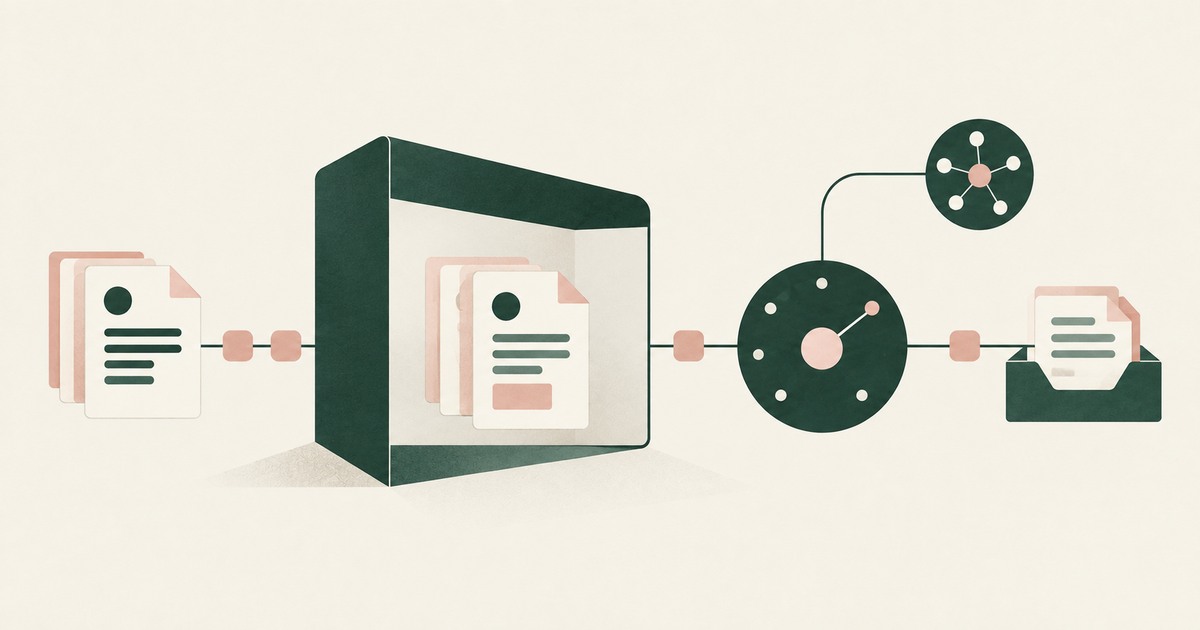
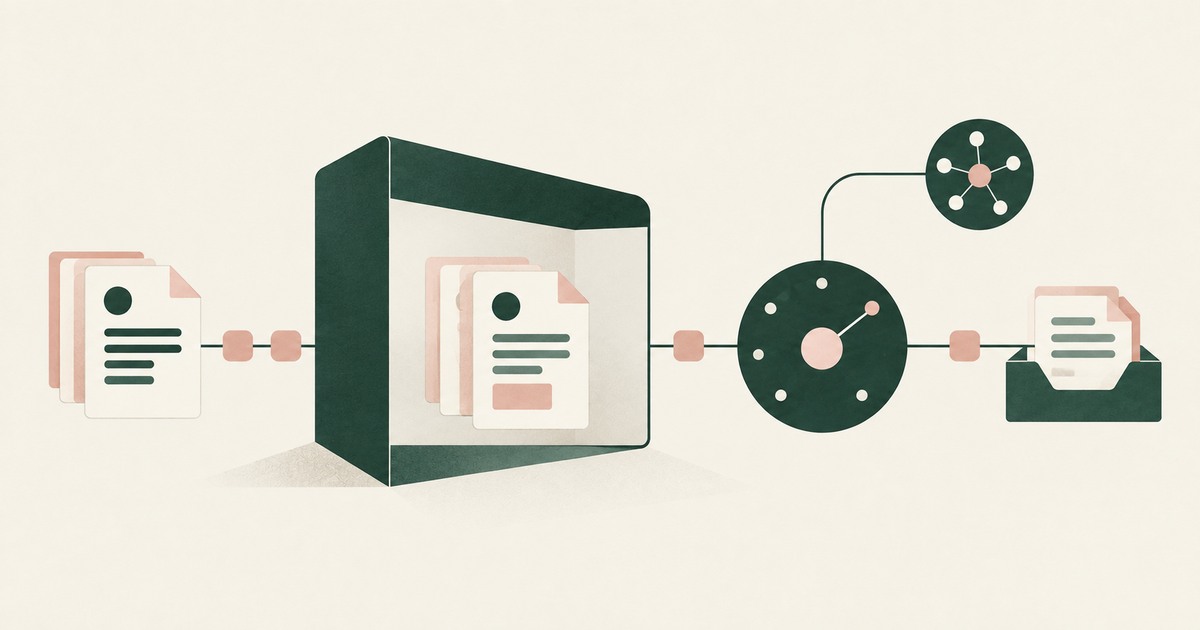
In a governed environment, Claude in Chrome still reads every permitted page in full, but the sensitive values on that page have been replaced with tokens before the model reads them, so site permissions decide where the agent goes and the environment decides what it sees once there.
The mechanism is a class of control that sits between the rendered page and the model. Sensitive values on the screen, including the fields a claims or payroll page shows that the task never asked for, are replaced with consistent tokens before any model reads them, and the task runs on those tokens. Real values resolve only at an approved destination at the moment of an approved action, such as the field the task was meant to fill. A named person confirms what is tokenized and approves consequential actions, including payments, submissions and record changes. Every screen as tokens, every action and every approval is recorded and exported to the organization's own logging.
This answers the question the previous section found undocumented: what changes the content of a permitted page before the model reads it. Anthropic's controls are site-level permissions and action-level approvals (Anthropic, 2026), and the approval before a high-risk action comes after the page has been read. The reduction of injection success to 11.2 percent (Anthropic, 2025) leaves a remainder that lands on whatever is in the agent's context; in a governed environment that context holds tokens, so an injected instruction on a page the organization does not control has no real values to extract.
The control does not change the extension, the list of permitted sites, the password manager or the model; it changes which values are on the rendered page when the model looks.
Where does RedactSure sit?
The environment that enforces this is built by RedactSure, an AI agent controls, governance and data protection company. The design addresses the empty column this page identifies: in a governed environment in the customer's cloud, values are substituted at the render layer before any model reads the screen, so the claims screen arrives with the claimant as PATIENT_001, the bank account as ACCT_001 and the diagnosis codes as tokens, with the same token for the same value through the whole run. Real values resolve only at approved destinations at the moment of an approved action, such as the claims system receiving a payment instruction. A named person confirms the tokenization policy and approves every payment, submission and record change under Supervised Delegation. Every screen as tokens, every action and every approval lands in the AI Control Record and exports to the customer's SIEM. The design is model agnostic, so the agent operating the browser can be any vendor's, requires no per-application integration, and leaves user permissions unchanged.
Deployments are in pilot. A pilot on one work application an employee would otherwise open with a browser agent would show the page as the model received it and the record of what the agent did with it. Everyone else controls where data can go. RedactSure controls what the AI can see.
Methodology and limitations
This page rests on Anthropic's help center documentation for Claude in Chrome (the getting-started page, the permissions guide and the page on safe use), on Anthropic's pilot announcement, on Google's published architecture for agentic security in Chrome, on press reporting by CSO Online, on the peer-reviewed environmental injection study by Liao et al. (ICLR 2025), on the OWASP Top 10 for LLM Applications entries on prompt injection and sensitive information disclosure, and on RedactSure research pages on browser-based agent security, enterprise browsers and rendering. All sources were read as of October 16, 2026.
No hands-on testing of Claude in Chrome or any other named product was performed, and no work page was opened with any agent for this page. Facts about Claude in Chrome come from Anthropic's own pages where cited; where this page says a control is not described, it means not described in the pages reviewed, not that the product lacks it. Vendor documentation is read as a statement of design intent rather than as test evidence. The injection rates quoted are test figures, not predictions for any deployment. Browser extensions change quickly, and the page carries its date for that reason. Statements about RedactSure describe its current design, with deployments in pilot. The claims screen described here is a record type, not any organization's system, and no customer or prospect is described.
Whether an employee's use of a browser agent on regulated or confidential pages is permitted under an organization's policies, its contracts and its regulatory obligations is a determination for its counsel, its assessors and its own security and compliance officers, not for a research page.
What the record shows
Anthropic's documentation is direct about reach: Claude in Chrome sees what is on the page and can act on it, inside the user's own browser, with access to the user's password manager. The controls it describes are real and they are controls on movement and action, which sites the agent may visit, which actions pause, how the user should behave, and a measured reduction in how often an adversarial page can steer it. None of the pages reviewed describes a control that changes what the model sees on a permitted page, so a work screen opened with the extension is read in full, and the values an injected page would try to extract are already in the agent's context. The layer that would change that, substitution at render, is the layer RedactSure's design occupies. The test is to name one work application and one task, open it as the model would see it, and ask which values on that screen the agent needed and which it merely received.
Frequently asked questions
Does Claude in Chrome read every tab I have open?
The documentation reviewed states that Claude sees what is on the page and can act on it, within the sites that permissions allow. Whether it reads tabs beyond the one it is working in, and under what conditions, is not described in the pages reviewed. A buyer should ask that question directly and should assume, until it is answered, that any permitted page the agent is directed to is read in full, including the parts of it the task did not need.
Do site permissions stop the agent from seeing sensitive data?
No. Site permissions, as the permissions guide describes them, decide which sites the agent may act on. A permitted site is read as it renders. If the permitted site is a claims system or a CRM, the records on its pages are in the model's context. Site permissions are a necessary control on where the agent may go; they are not a control on what it sees once there, and the two should not be confused in a security review.
Does the approval before high-risk actions protect the data on the page?
It protects against the action. Anthropic states that Claude asks before high-risk actions like publishing, purchasing or sharing personal data. The page that prompted the action has already been read by the time the question is asked, so the approval governs what the agent does next, not what it has seen. Summarizing or drafting from a sensitive page involves no high-risk action as described, and proceeds without a pause.
What does the 11.2 percent injection rate mean for my organization?
Anthropic reports that mitigations cut prompt injection success from 23.6 percent to 11.2 percent in its testing. That is a meaningful reduction and still a rate at which an attacker-controlled page can sometimes steer the agent. The consequence for an organization depends on what is in the agent's context when it happens; if the previous tab was a work record, that record is what an injected instruction would try to extract.
Can Claude in Chrome see my passwords?
Anthropic states that it can request logins from 1Password, which is a mechanism for signing in through the password manager rather than for displaying the vault. What the agent sees of a credential during that process is not described in the pages reviewed. Once a site is signed in, the pages it renders are read like any other, so the practical exposure is the work content behind the login rather than the login itself.
Is Claude in Chrome different from an enterprise browser in this respect?
Both operate on where the agent may go and what flows are allowed. An enterprise browser adds organizational policy, such as blocking a paste or an upload, and the extension adds its own site permissions and approval modes. Neither, in the documentation reviewed, changes the values on a permitted page before a model reads them. The two categories overlap on movement controls and share the same empty column on data-level substitution, which is why adding one to the other does not answer the title question.
Related reading
What Is the Difference Between RedactSure and Chrome Enterprise Premium for AI Agent Data Protection? · What Is Browser-Based AI Agent Security? · What Is the Difference Between RedactSure and Island Enterprise Browser for AI Agent Security? · How to protect sensitive data without cloud browser rendering? · What Is the Difference Between RedactSure and CrowdStrike for AI Agent and Enterprise Browser Security? · Does Claude in Chrome Use Your Saved Logins and Open Sessions? · How Do You Control AI Agent Access Across All Enterprise Applications? · Is It Safe to Let ChatGPT Work Access Sensitive Company Data? · On the RedactSure blog: Secure AI That Crosses Every Silo · From Application AI to Workflow AI · RedactSure
Sources
Peer-reviewed research and preprints
- Liao, Mo, Xu, Kang, Zhang, Xiao, Tian, Li, Sun (Ohio State, UIUC, UCLA, UW Madison), "EIA: Environmental Injection Attack on Generalist Web Agents for Privacy Leakage," arXiv:2409.11295 (ICLR 2025 per proceedings listing) (peer-reviewed). https://arxiv.org/abs/2409.11295
Vendor documentation
- Anthropic, "Get started with Claude in Chrome," Claude Help Center, Aug 26, 2026 (vendor documentation). https://support.claude.com/en/articles/12012173-get-started-with-claude-in-chrome
- Anthropic, "Piloting Claude in Chrome," Aug 25, 2025 (vendor research announcement; now at claude.com). https://claude.com/resources/articles/claude-for-chrome
- Anthropic, "Claude in Chrome permissions guide," Claude Help Center (2026; vendor documentation). https://support.claude.com/en/articles/12902446-claude-in-chrome-permissions-guide
- Claude Help Center, "Use Claude in Chrome safely" (2026; vendor documentation). https://support.claude.com/en/articles/12902428-use-claude-in-chrome-safely
- Google, "Architecting security for agentic capabilities in Chrome" (December 8, 2025; vendor blog). https://blog.google/security/architecting-security-for-agentic/
Regulation, standards and official guidance
- OWASP, "LLM01:2025 Prompt Injection," Top 10 for LLM Applications 2025 (standard). https://genai.owasp.org/llmrisk/llm01-prompt-injection/
- OWASP, "LLM02:2025 Sensitive Information Disclosure," OWASP Top 10 for LLM Applications, 2025 (industry standard). https://genai.owasp.org/llmrisk/llm022025-sensitive-information-disclosure/
Industry analysis and press
- CSO Online, "Claude in Chrome is taking orders from the wrong extensions" (May 8, 2026; press). https://www.csoonline.com/article/4168867/claude-in-chrome-is-taking-orders-from-the-wrong-extensions.html
RedactSure documents
- RedactSure Research, "What Is Browser-Based AI Agent Security?" (2026). https://redactsure.com/research/what-is-browser-based-ai-agent-security/
- RedactSure Research, "What Is the Difference Between RedactSure and Chrome Enterprise Premium for AI Agent Data Protection?" (2026). https://redactsure.com/research/what-is-the-difference-between-redactsure-and-chrome-enterprise-premium-for-ai-agent-data-protection/
- RedactSure Research, "How to protect sensitive data without cloud browser rendering?" (2026). https://redactsure.com/research/how-to-protect-sensitive-data-without-cloud-browser-rendering/
- RedactSure Research, "What Is the Difference Between RedactSure and Island Enterprise Browser for AI Agent Security?" (2026). https://redactsure.com/research/what-is-the-difference-between-redactsure-and-island-enterprise-browser-for-ai-agent-security/
- RedactSure Research, "What Is the Difference Between RedactSure and CrowdStrike for AI Agent and Enterprise Browser Security?" (2026). https://redactsure.com/research/what-is-the-difference-between-redactsure-and-crowdstrike-for-ai-agent-and-enterprise-browser-security/
- Product behavior described on this page reflects RedactSure's current design. Third-party products are described from their public documentation as read on October 16, 2026. Compliance determinations belong to the organization's counsel.

What Is the Difference Between RedactSure and Chrome Enterprise Premium for AI Agent Data Protection?
Chrome Enterprise Premium applies DLP and on-page masking and governs Gemini's auto browse; RedactSure tokenizes what any model reads and holds actions.

What Is Browser-Based AI Agent Security?
Review Browser-Based AI Agent Security, with AI agent security, tokenization and approval checks for sensitive enterprise workflows.

What Is the Difference Between RedactSure and Island Enterprise Browser for AI Agent Security?
Island controls the last mile of a person's browser session. RedactSure controls what a supervised agent is shown and allowed to do. Different workers.

How to protect sensitive data without cloud browser rendering?
Review Protect Data Without Cloud Browser Rendering, with AI agent security, tokenization and approval checks for sensitive enterprise workflows.

What Is the Difference Between RedactSure and CrowdStrike for AI Agent and Enterprise Browser Security?
CrowdStrike checks prompts and agent tool calls against policy and blocks secrets and PII. RedactSure tokenizes identifiers before the model reads them.

Does Claude in Chrome Use Your Saved Logins and Open Sessions?
Claude in Chrome runs in the user's own browser and can request 1Password logins, so assume it acts in signed-in sessions. Check which apps it reaches.

How Do You Control AI Agent Access Across All Enterprise Applications?
Not through per-app integrations, which never reach the long tail of SaaS and legacy systems; control the browser layer. Check what governs the rest.

Is It Safe to Let ChatGPT Work Access Sensitive Company Data?
Only with admin scoping of what the agent reaches and a record kept outside the product, since OpenAI's compliance logs keep 30 days. Check the connectors.
Secure AI That Crosses Every Silo
Explore AI agents that work across billing, collections and enterprise systems while tokenization protects PII at each workflow step.
From Application AI to Workflow AI
Learn how AI agents can cross billing, claims and enterprise systems while tokenization and human approval keep sensitive work governed.
Book an AI Agent Security Review →
Bring your hardest questions.
Bring one sensitive workflow and the decisions your team needs to keep in its hands.
Book a demoAbout the author

Chris Sowa is a founder of RedactSure and a former CEO of an AI company; he started it years before ChatGPT existed. He previously led AI at Accenture, served as Global VP of Strategy & Innovation at Schneider Electric, was CCO of Sovos, and spent more than a decade at Oracle, with earlier roles at SAP and IBM.